
Learn Swedish - 5,000 Phrases

Learn Swedish - 5,000 Phrases

Education

| FunEasyLearn

Play on PC with BlueStacks or from our cloud

  • Overview
  • How to Download

Page Modified On: January 06, 2026

Run Learn Swedish - 5,000 Phrases on PC or Mac

What’s better than using Learn Swedish – 5,000 Phrases by FunEasyLearn? Well, try it on a big screen, on your PC or Mac, with BlueStacks to see the difference.

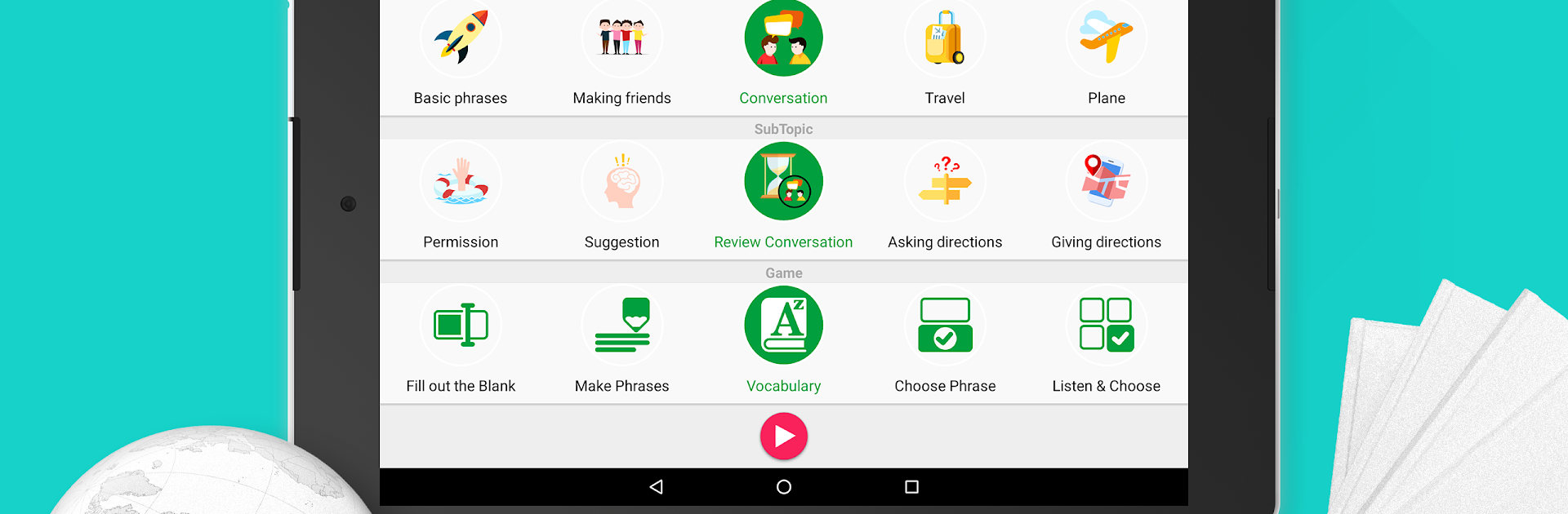
Learn Swedish – 5,000 Phrases feels like a giant pocket phrasebook that turned into quick little games. It has thousands of short, useful lines grouped by real life stuff like greetings, travel, hotel, restaurant, shopping, work, and a lot more, so it never feels random. There are four levels to pick from, beginner through expert, and each level nudges along with bite‑size rounds that train listening, writing, and speaking. The audio is clear, there are phonetic hints so the Swedish sounds do not feel mysterious, and the search plus bookmark tools make it easy to keep a personal set of lines to practice. It also runs offline, which is great when the connection is spotty or when someone just wants to study quietly.

The structure is what stands out. There are 20 main topics split into a surprising number of subtopics, so a person knows exactly when and where a phrase would be used. There are 11 mini games that swap in and out so practice does not get stale, and a points system that tracks progress without being annoying. It supports around 60 interface languages, which helps a lot if English is not the first language. On PC with BlueStacks, the bigger screen makes scanning phrases and phonetics easier, and typing Swedish characters with a keyboard is smoother, plus the mic input for speaking drills still works fine. It is simple, direct, and kind of addictive in that do one more round way.

BlueStacks gives you the much-needed freedom to experience your favorite apps on a bigger screen. Get it now.


How to Download and Run Learn Swedish - 5,000 Phrases on PC or Mac

  • Download and install BlueStacks on your PC or Mac

  • Complete Google sign-in to access the Play Store, or do it later

  • Look for Learn Swedish - 5,000 Phrases in the search bar at the top right corner

  • Click to install Learn Swedish - 5,000 Phrases from the search results

  • Complete Google sign-in (if you skipped step 2) to install Learn Swedish - 5,000 Phrases

  • Click the Learn Swedish - 5,000 Phrases icon on the home screen to start playing

video
Watch Video

Minimum System Requirements

With BlueStacks 5, you can get started on a PC that fulfills the following requirements.

  • Operating System

    Microsoft Windows 7 or above, macOS 11 (Big Sur) or above

  • Processor

    Intel, AMD or Apple Silicon Processor

  • RAM

    at least 4GB

  • HDD

    10GB Free Disk Space

Note:

* You must be an Administrator on your PC. Up to date graphics drivers from Microsoft or the chipset vendor.

Learn Swedish - 5,000 Phrases - FAQs

  • How to Run Learn Swedish - 5,000 Phrases on Windows PC & Mac?

    Run Learn Swedish - 5,000 Phrases on your PC or Mac by following these simple steps.

    • Click on ‘Download Learn Swedish - 5,000 Phrases on PC’ to download BlueStacks
    • Install it and log-in to Google Play Store
    • Launch and run the app.
  • Why is BlueStacks the fastest and safest platform to play games on PC?

    BlueStacks respects your privacy and is always safe and secure to use. It does not carry any malware, spyware, or any sort of additional software that could harm your PC.

    It is engineered to optimize speed and performance for a seamless gaming experience.

  • What are Learn Swedish - 5,000 Phrases PC requirements?

    Minimum requirement to run Learn Swedish - 5,000 Phrases on your PC

    • OS: Microsoft Windows 7 and above:
    • Processor: Intel or AMD Processor:
    • RAM: Your PC must have at least 2GB of RAM. (Note that having 2GB or more disk space is not a substitute for RAM):
    • HDD: 5GB Free Disk Space.
    • You must be an Administrator on your PC.



