
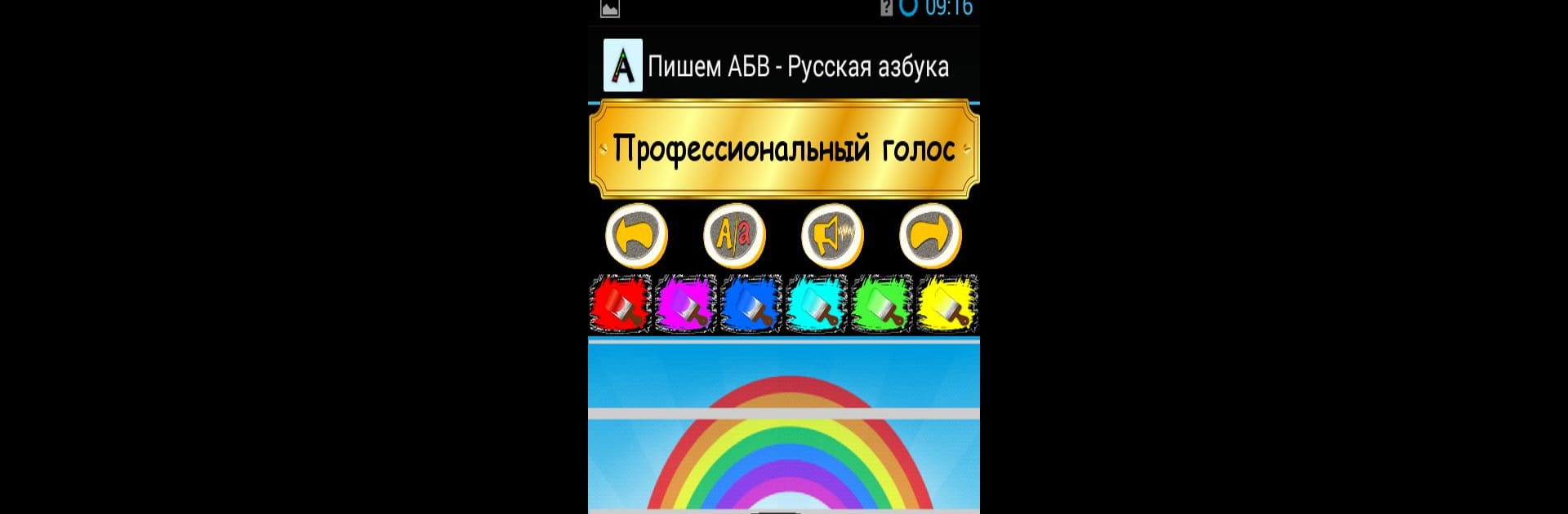
Пишем АБВ - Русская азбука

Пишем АБВ - Русская азбука

Education

| kindergarten

Play on PC with BlueStacks or from our cloud

  • Overview
  • How to Download

Page Modified On: August 19, 2025

Run Пишем АБВ - Русская азбука on PC or Mac

Let BlueStacks turn your PC, Mac, or laptop into the perfect home for Пишем АБВ – Русская азбука, a fun Education app from kindergarten.

About the App

Пишем АБВ – Русская азбука is a playful way for kids to get comfortable with the Russian alphabet before they even hit first grade. Created by kindergarten, this Education app mixes hands-on letter tracing with fun, friendly feedback—making those first steps into reading and writing feel like a game instead of a chore. Expect plenty of encouragement, cute characters, and a learning experience that doesn’t need an adult hovering nearby.

App Features

  • Meet the Kitten Guide
    A cheerful little kitten helps your child find their way around, cheering them on and demonstrating the sounds and sample words for every letter they practice.

  • Interactive Letter Tracing
    Drawing each letter is super simple. Kids use their finger to trace from the green circle to the red, just like the app shows with arrows. This process helps commit shapes to memory in a natural, hands-on way.

  • Immediate Feedback
    The app checks every attempt and only moves forward when a letter is traced correctly—which means plenty of practice, but always at your child’s own pace.

  • Pick Your Color
    Kids can choose from six different colors before tracing each letter. Sometimes the simple stuff is the most fun.

  • Animated Encouragement
    Whether it’s a job well done or just a little nudge to try again, the kitten offers supportive phrases, and fun, short animations pop up to reward progress.

  • Full-Screen Big Letters
    Each letter takes up the whole screen, so tracing with a finger feels easy—even on smaller devices or if you happen to use BlueStacks.

  • Professional Russian Voiceover
    All sounds and words are recorded by a pro, so children get to hear clear pronunciation from a real Russian speaker.

  • Exclusive Artwork
    The app’s adorable kitten was designed just for this project by artist Robert Haris (Darklimitarts), bringing extra charm to every learning session.

Big screen. Bigger performance. Use BlueStacks on your PC or Mac to run your favorite apps.

How to Download and Run Пишем АБВ - Русская азбука on PC or Mac

  • Download and install BlueStacks on your PC or Mac

  • Complete Google sign-in to access the Play Store, or do it later

  • Look for Пишем АБВ - Русская азбука in the search bar at the top right corner

  • Click to install Пишем АБВ - Русская азбука from the search results

  • Complete Google sign-in (if you skipped step 2) to install Пишем АБВ - Русская азбука

  • Click the Пишем АБВ - Русская азбука icon on the home screen to start playing

video
Watch Video

Minimum System Requirements

With BlueStacks 5, you can get started on a PC that fulfills the following requirements.

  • Operating System

    Microsoft Windows 7 or above, macOS 11 (Big Sur) or above

  • Processor

    Intel, AMD or Apple Silicon Processor

  • RAM

    at least 4GB

  • HDD

    10GB Free Disk Space

Note:

* You must be an Administrator on your PC. Up to date graphics drivers from Microsoft or the chipset vendor.

Пишем АБВ - Русская азбука - FAQs

  • How to Run Пишем АБВ - Русская азбука on Windows PC & Mac?

    Run Пишем АБВ - Русская азбука on your PC or Mac by following these simple steps.

    • Click on ‘Download Пишем АБВ - Русская азбука on PC’ to download BlueStacks
    • Install it and log-in to Google Play Store
    • Launch and run the app.
  • Why is BlueStacks the fastest and safest platform to play games on PC?

    BlueStacks respects your privacy and is always safe and secure to use. It does not carry any malware, spyware, or any sort of additional software that could harm your PC.

    It is engineered to optimize speed and performance for a seamless gaming experience.

  • What are Пишем АБВ - Русская азбука PC requirements?

    Minimum requirement to run Пишем АБВ - Русская азбука on your PC

    • OS: Microsoft Windows 7 and above:
    • Processor: Intel or AMD Processor:
    • RAM: Your PC must have at least 2GB of RAM. (Note that having 2GB or more disk space is not a substitute for RAM):
    • HDD: 5GB Free Disk Space.
    • You must be an Administrator on your PC.




