
Mobile Observatory Free - Astronomy

Mobile Observatory Free - Astronomy

Education

| Wolfgang Zima

Play on PC with BlueStacks or from our cloud

  • Overview
  • How to Download

Page Modified On: January 09, 2026

Run Mobile Observatory Free - Astronomy on PC or Mac

Multitask effortlessly on your PC or Mac as you try out Mobile Observatory Free – Astronomy, a Education app by Wolfgang Zima on BlueStacks.

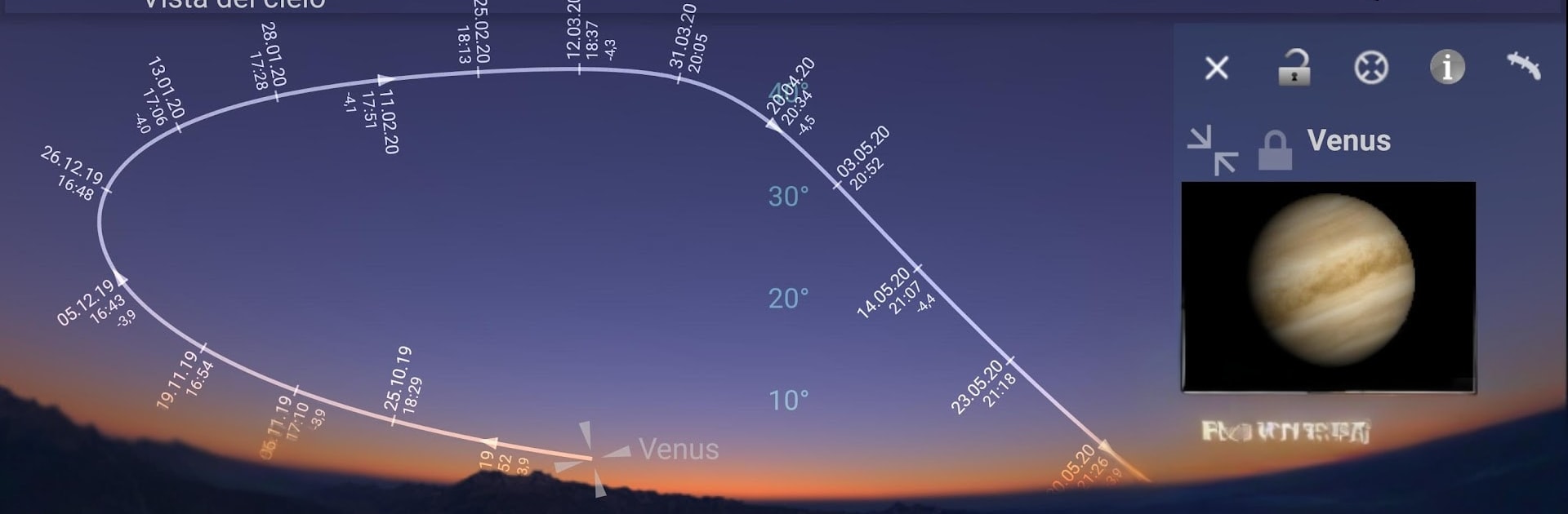
Mobile Observatory Free feels more like a pocket planetarium than a simple stargazing app. On a PC with BlueStacks, the live sky map fills the screen and is easy to pan and zoom, so reading labels and hopping between objects feels smooth. The visuals look realistic, with daylight, twilight, and a dark night sky that actually takes atmosphere into account. Tap anything and it opens a panel with rise and set times, where it sits in the sky right now, phases for the Moon, and those extra ephemeris details that space nerds enjoy but casual users can still understand.

What really stands out is the automatic calender of sky events and the daily notifications. It keeps track of things like conjunctions, eclipses, bright comets, meteor showers, and only pings for what is visible from the current location. There is a 3D top down Solar System view that is fun to scrub through time, plus a world day night map. The built in catalogs go deep enough for a free app, with around 30000 stars to magnitude 7, all 88 constellations, the Messier and Caldwell lists, and a chunk of minor planets. Live Mode uses device sensors to point at the sky, which is less useful on a desktop, but browsing with a mouse on a big monitor kind of makes up for it. The interface has lots of toggles so it can feel busy at first, though it becomes clear pretty quick. For quick sky checks or planning a backyard session, it hits a nice balance of detail without getting in the way.

Switch to BlueStacks and make the most of your apps on your PC or Mac.

How to Download and Run Mobile Observatory Free - Astronomy on PC or Mac

  • Download and install BlueStacks on your PC or Mac

  • Complete Google sign-in to access the Play Store, or do it later

  • Look for Mobile Observatory Free - Astronomy in the search bar at the top right corner

  • Click to install Mobile Observatory Free - Astronomy from the search results

  • Complete Google sign-in (if you skipped step 2) to install Mobile Observatory Free - Astronomy

  • Click the Mobile Observatory Free - Astronomy icon on the home screen to start playing

video
Watch Video

Minimum System Requirements

With BlueStacks 5, you can get started on a PC that fulfills the following requirements.

  • Operating System

    Microsoft Windows 7 or above, macOS 11 (Big Sur) or above

  • Processor

    Intel, AMD or Apple Silicon Processor

  • RAM

    at least 4GB

  • HDD

    10GB Free Disk Space

Note:

* You must be an Administrator on your PC. Up to date graphics drivers from Microsoft or the chipset vendor.

Mobile Observatory Free - Astronomy - FAQs

  • How to Run Mobile Observatory Free - Astronomy on Windows PC & Mac?

    Run Mobile Observatory Free - Astronomy on your PC or Mac by following these simple steps.

    • Click on ‘Download Mobile Observatory Free - Astronomy on PC’ to download BlueStacks
    • Install it and log-in to Google Play Store
    • Launch and run the app.
  • Why is BlueStacks the fastest and safest platform to play games on PC?

    BlueStacks respects your privacy and is always safe and secure to use. It does not carry any malware, spyware, or any sort of additional software that could harm your PC.

    It is engineered to optimize speed and performance for a seamless gaming experience.

  • What are Mobile Observatory Free - Astronomy PC requirements?

    Minimum requirement to run Mobile Observatory Free - Astronomy on your PC

    • OS: Microsoft Windows 7 and above:
    • Processor: Intel or AMD Processor:
    • RAM: Your PC must have at least 2GB of RAM. (Note that having 2GB or more disk space is not a substitute for RAM):
    • HDD: 5GB Free Disk Space.
    • You must be an Administrator on your PC.




