
拼音熊 (台灣注音版)
拼音熊 (台灣注音版)

拼音熊 (台灣注音版)

Education

| 英堡文化事業有限公司

Play on PC with BlueStacks or from our cloud

  • Overview
  • How to Download

Page Modified On: October 23, 2025

Run 拼音熊 (台灣注音版) on PC or Mac

What’s better than using 拼音熊 (台灣注音版) by 英堡文化事業有限公司? Well, try it on a big screen, on your PC or Mac, with BlueStacks to see the difference.

About the App

拼音熊 (台灣注音版) is a playful way to train your ear and tongue for American English, built for learners who read Zhuyin. It starts with the sounds first—so you really hear, feel, and label every syllable—then moves into spelling when you’re ready. From 英堡文化事業有限公司 in the Education genre, it’s structured like a game but designed like a serious phonics course. Prefer a bigger screen for learning? It also runs well on BlueStacks.

App Features

  • Learn sounds first
    Master the building blocks of American English by focusing on pronunciation before spelling, so your listening and speaking get solid fast.

  • Visual phonics with Zhuyin
    A modified Zhuyin-based system turns tricky sounds into clear, visible cues—perfect if you’re comfortable with 注音符號.

  • Step-by-step worlds and missions
    Explore 21 themed worlds across land, sea, and sky. Follow guided tasks that introduce each sound in a logical, bite-size order.

  • 46 pronunciation tip videos
    Short, targeted clips break down mouth shape, airflow, and stress patterns so you know exactly how each sound is made.

  • 30 spelling rule videos
    Once the sounds click, unlock concise lessons that show how those sounds map to common spelling patterns.

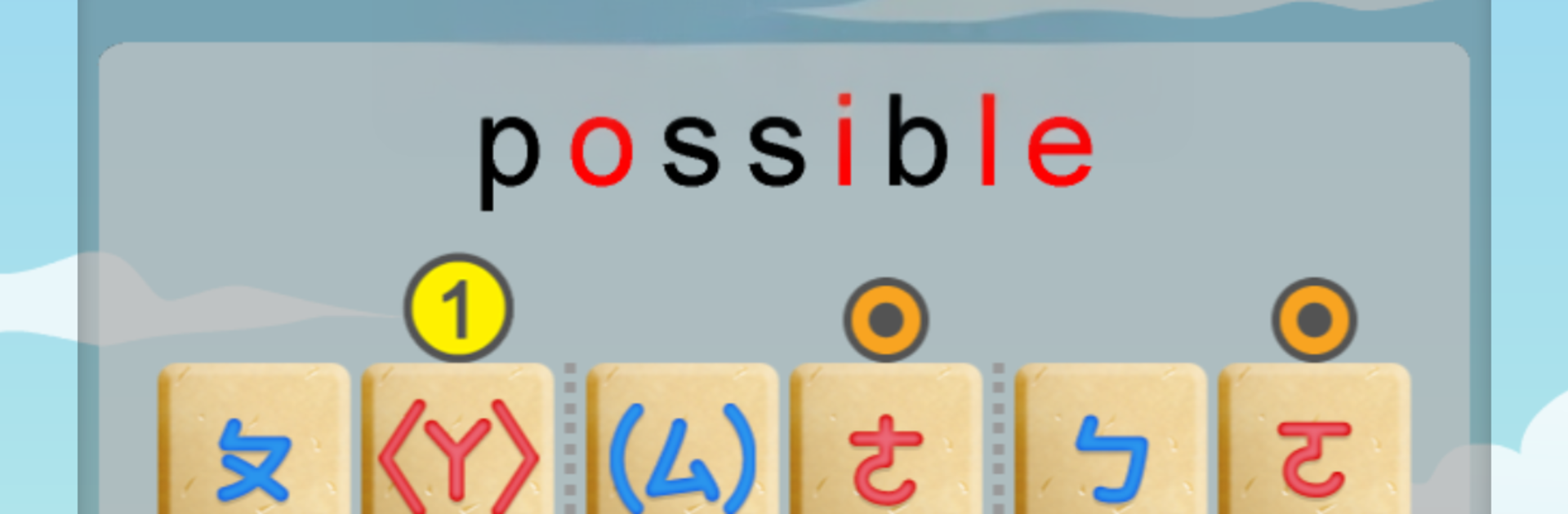
  • Hear it, mark it, nail it
    Listen to a word, tag its phonics precisely, and build a habit of accurate, repeatable pronunciation.

  • Built for Zhuyin readers
    If you can read 注音, you’re set. Just follow the sequence and the system clicks into place.

  • Power-up card mechanics
    Superpower-style cards add a gamey twist to drills, turning practice into something you’ll actually want to keep doing.

BlueStacks brings your apps to life on a bigger screen—seamless and straightforward.

How to Download and Run 拼音熊 (台灣注音版) on PC or Mac

  • Download and install BlueStacks on your PC or Mac

  • Complete Google sign-in to access the Play Store, or do it later

  • Look for 拼音熊 (台灣注音版) in the search bar at the top right corner

  • Click to install 拼音熊 (台灣注音版) from the search results

  • Complete Google sign-in (if you skipped step 2) to install 拼音熊 (台灣注音版)

  • Click the 拼音熊 (台灣注音版) icon on the home screen to start playing

video
Watch Video

Minimum System Requirements

With BlueStacks 5, you can get started on a PC that fulfills the following requirements.

  • Operating System

    Microsoft Windows 7 or above, macOS 11 (Big Sur) or above

  • Processor

    Intel, AMD or Apple Silicon Processor

  • RAM

    at least 4GB

  • HDD

    10GB Free Disk Space

Note:

* You must be an Administrator on your PC. Up to date graphics drivers from Microsoft or the chipset vendor.

拼音熊 (台灣注音版) - FAQs

  • How to Run 拼音熊 (台灣注音版) on Windows PC & Mac?

    Run 拼音熊 (台灣注音版) on your PC or Mac by following these simple steps.

    • Click on ‘Download 拼音熊 (台灣注音版) on PC’ to download BlueStacks
    • Install it and log-in to Google Play Store
    • Launch and run the app.
  • Why is BlueStacks the fastest and safest platform to play games on PC?

    BlueStacks respects your privacy and is always safe and secure to use. It does not carry any malware, spyware, or any sort of additional software that could harm your PC.

    It is engineered to optimize speed and performance for a seamless gaming experience.

  • What are 拼音熊 (台灣注音版) PC requirements?

    Minimum requirement to run 拼音熊 (台灣注音版) on your PC

    • OS: Microsoft Windows 7 and above:
    • Processor: Intel or AMD Processor:
    • RAM: Your PC must have at least 2GB of RAM. (Note that having 2GB or more disk space is not a substitute for RAM):
    • HDD: 5GB Free Disk Space.
    • You must be an Administrator on your PC.




