
Pre PG: Clinical NEET PG NExT

Pre PG: Clinical NEET PG NExT

Education

| MCQdb

Play on PC with BlueStacks or from our cloud

  • Overview
  • How to Download

Page Modified On: November 28, 2025

Run Pre PG: Clinical NEET PG NExT on PC or Mac

Why limit yourself to your small screen on the phone? Run Pre PG: Clinical NEET PG NExT, an app by MCQdb, best experienced on your PC or Mac with BlueStacks, the world’s #1 Android emulator.

About the App

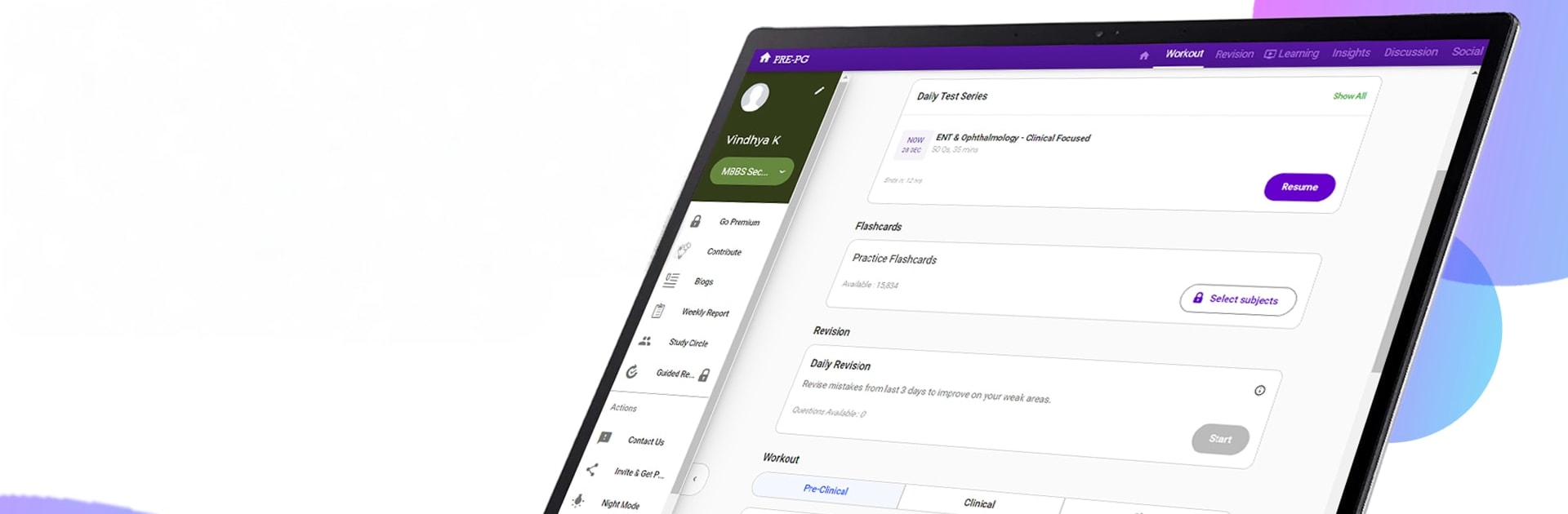
Pre PG: Clinical NEET PG NExT is your focused study buddy for medical entrance and licensing exams. This Education app by MCQdb blends a massive practice library with smart guidance, so you can study with intent, not guesswork. Prepping on a laptop? It runs smoothly with BlueStacks when you want that big‑screen, desk vibe.

App Features

  • Massive Question Bank: Tackle a deep pool of clinically oriented MCQs, including previous years’ questions for NEET PG, INICET, AIIMS PG, JIPMER, PGI, DNB CET, FMGE, NEET SS, and even USMLE.
  • Smart Guidance (PrepDNA): Get a clear read on your readiness, pinpoint weak areas, and see what to study next with personalized suggestions and rank-style insights.
  • Adaptive Tests: Create unlimited custom tests by subject, topic, time, and length. Practice image-based and clinical vignettes in an exam-like setting.
  • Daily & Deep Revision: Revisit mistakes, strengthen tricky topics, and use spaced review to keep concepts fresh for NEET PG 2026, INICET 2025, and NEXT.
  • Free Daily Mocks: Jump into regularly updated test series with detailed solutions and performance breakdowns.
  • Topic‑Wise Notes: Build concepts faster with concise, organized notes and study material mapped to high‑yield areas.
  • Image‑Based Practice: Train your eye with thousands of radiology, pathology, and clinical images commonly seen in INICET, AIIMS PG, and FMGE.
  • Doubt Solving: Use StudyPal (in‑app AI chat) for quick clarifications, and join the discussion board to learn with peers.
  • Flashcards for Recall: Swipe through high‑yield facts to lock in must‑know details and speed up last‑minute revision.
  • Progress Analytics: Track accuracy, time, and trends across subjects with easy‑to‑read reports that actually inform your next study session.
  • Works with Coaching: Use it alongside your classroom or online coaching to practice more purposefully—no conflicts, just better prep.

Ready to experience Pre PG: Clinical NEET PG NExT on a bigger screen, in all its glory? Download BlueStacks now.


How to Download and Run Pre PG: Clinical NEET PG NExT on PC or Mac

  • Download and install BlueStacks on your PC or Mac

  • Complete Google sign-in to access the Play Store, or do it later

  • Look for Pre PG: Clinical NEET PG NExT in the search bar at the top right corner

  • Click to install Pre PG: Clinical NEET PG NExT from the search results

  • Complete Google sign-in (if you skipped step 2) to install Pre PG: Clinical NEET PG NExT

  • Click the Pre PG: Clinical NEET PG NExT icon on the home screen to start playing

video
Watch Video

Minimum System Requirements

With BlueStacks 5, you can get started on a PC that fulfills the following requirements.

  • Operating System

    Microsoft Windows 7 or above, macOS 11 (Big Sur) or above

  • Processor

    Intel, AMD or Apple Silicon Processor

  • RAM

    at least 4GB

  • HDD

    10GB Free Disk Space

Note:

* You must be an Administrator on your PC. Up to date graphics drivers from Microsoft or the chipset vendor.

Pre PG: Clinical NEET PG NExT - FAQs

  • How to Run Pre PG: Clinical NEET PG NExT on Windows PC & Mac?

    Run Pre PG: Clinical NEET PG NExT on your PC or Mac by following these simple steps.

    • Click on ‘Download Pre PG: Clinical NEET PG NExT on PC’ to download BlueStacks
    • Install it and log-in to Google Play Store
    • Launch and run the app.
  • Why is BlueStacks the fastest and safest platform to play games on PC?

    BlueStacks respects your privacy and is always safe and secure to use. It does not carry any malware, spyware, or any sort of additional software that could harm your PC.

    It is engineered to optimize speed and performance for a seamless gaming experience.

  • What are Pre PG: Clinical NEET PG NExT PC requirements?

    Minimum requirement to run Pre PG: Clinical NEET PG NExT on your PC

    • OS: Microsoft Windows 7 and above:
    • Processor: Intel or AMD Processor:
    • RAM: Your PC must have at least 2GB of RAM. (Note that having 2GB or more disk space is not a substitute for RAM):
    • HDD: 5GB Free Disk Space.
    • You must be an Administrator on your PC.



