
Segnaletica stradale dell'Italia: quiz sul CDS

Segnaletica stradale dell'Italia: quiz sul CDS

Education

| Beeks

Play on PC with BlueStacks or from our cloud

  • Overview
  • How to Download

Page Modified On: January 02, 2026

Run Segnaletica stradale dell'Italia: quiz sul CDS on PC or Mac

Get freedom from your phone’s obvious limitations. Use Segnaletica stradale dell’Italia: quiz sul CDS, made by Beeks, a Education app on your PC or Mac with BlueStacks, and level up your experience.

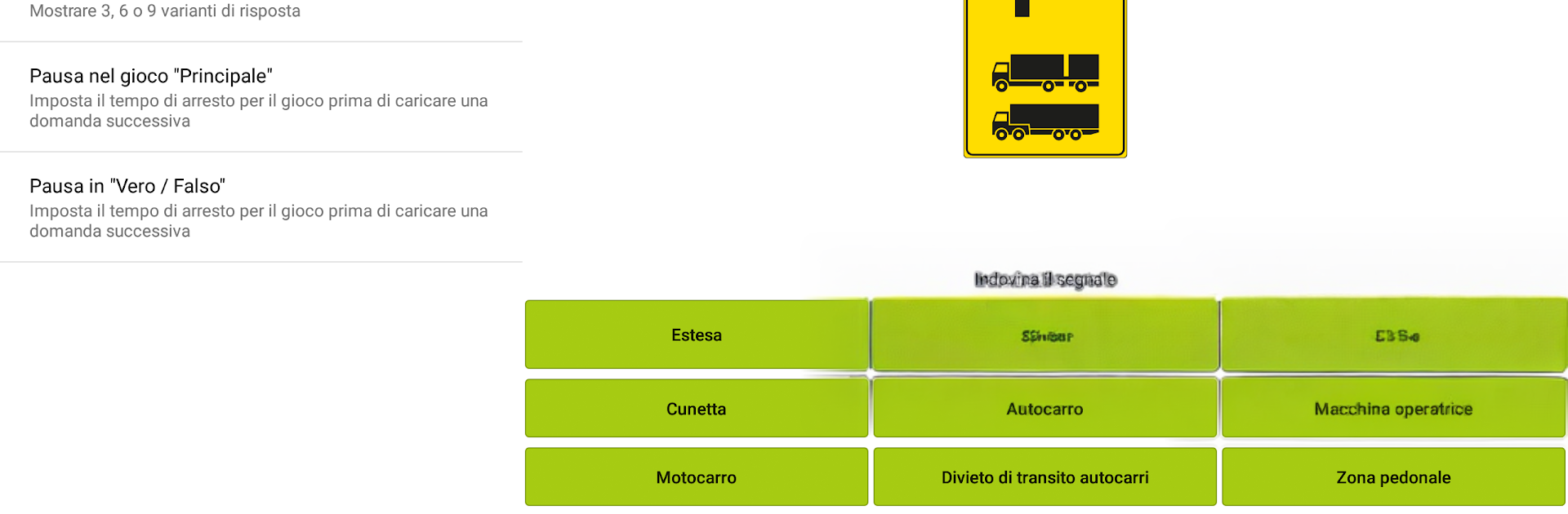
Segnaletica stradale dell’Italia: quiz sul CDS feels like a simple study helper for anyone who needs to learn or refresh Italian road signs. It is straightforward and focused on practice, not fluff. There are two ways to play. A regular multiple choice quiz for deeper practice, and a quick True or False mode when time is short. What stands out is how neatly the signs are sorted by category, so someone can focus only on warning signs, or parking, or priority rules when that is what they need. Difficulty is flexible too, since you can choose to see 3, 6, or 9 answer options, which genuinely changes how tough each round feels.

After every session it shows how many answers were given and the percentage correct, so progress is not a mystery. There is also a full list of signs from the 2020 edition with search, handy when a specific icon needs a quick check. It works offline, which makes it good for commutes or exam cramming without burning data. The design is clean and calm to look at, nothing confusing. On PC with BlueStacks it runs nicely, and the larger screen makes tiny sign details much easier to spot, mouse clicks feel quick for back to back quizzes. Great for driving school theory prep, and still useful for experienced drivers who want to keep the Codice della Strada fresh.

Ready to experience Segnaletica stradale dell’Italia: quiz sul CDS on a bigger screen, in all its glory? Download BlueStacks now.


How to Download and Run Segnaletica stradale dell'Italia: quiz sul CDS on PC or Mac

  • Download and install BlueStacks on your PC or Mac

  • Complete Google sign-in to access the Play Store, or do it later

  • Look for Segnaletica stradale dell'Italia: quiz sul CDS in the search bar at the top right corner

  • Click to install Segnaletica stradale dell'Italia: quiz sul CDS from the search results

  • Complete Google sign-in (if you skipped step 2) to install Segnaletica stradale dell'Italia: quiz sul CDS

  • Click the Segnaletica stradale dell'Italia: quiz sul CDS icon on the home screen to start playing

video
Watch Video

Minimum System Requirements

With BlueStacks 5, you can get started on a PC that fulfills the following requirements.

  • Operating System

    Microsoft Windows 7 or above, macOS 11 (Big Sur) or above

  • Processor

    Intel, AMD or Apple Silicon Processor

  • RAM

    at least 4GB

  • HDD

    10GB Free Disk Space

Note:

* You must be an Administrator on your PC. Up to date graphics drivers from Microsoft or the chipset vendor.

Segnaletica stradale dell'Italia: quiz sul CDS - FAQs

  • How to Run Segnaletica stradale dell'Italia: quiz sul CDS on Windows PC & Mac?

    Run Segnaletica stradale dell'Italia: quiz sul CDS on your PC or Mac by following these simple steps.

    • Click on ‘Download Segnaletica stradale dell'Italia: quiz sul CDS on PC’ to download BlueStacks
    • Install it and log-in to Google Play Store
    • Launch and run the app.
  • Why is BlueStacks the fastest and safest platform to play games on PC?

    BlueStacks respects your privacy and is always safe and secure to use. It does not carry any malware, spyware, or any sort of additional software that could harm your PC.

    It is engineered to optimize speed and performance for a seamless gaming experience.

  • What are Segnaletica stradale dell'Italia: quiz sul CDS PC requirements?

    Minimum requirement to run Segnaletica stradale dell'Italia: quiz sul CDS on your PC

    • OS: Microsoft Windows 7 and above:
    • Processor: Intel or AMD Processor:
    • RAM: Your PC must have at least 2GB of RAM. (Note that having 2GB or more disk space is not a substitute for RAM):
    • HDD: 5GB Free Disk Space.
    • You must be an Administrator on your PC.



