
Robobloq
Robobloq

Robobloq

Education

| Robobloq Co. Ltd.

Play on PC with BlueStacks or from our cloud

  • Overview
  • How to Download

Page Modified On: August 13, 2025

Run Robobloq on PC or Mac

Why limit yourself to your small screen on the phone? Run Robobloq, an app by Robobloq Co. Ltd., best experienced on your PC or Mac with BlueStacks, the world’s #1 Android emulator.

About the App

Robobloq isn’t just another robotics app—it’s a hands-on companion for anyone excited about building and bringing robots to life. Whether you’re a beginner or you’ve already tackled a few projects, you’ll find Robobloq makes every step, from assembly to programming, feel approachable and fun. You can control your robots, explore different modes, and even stretch your mind with some creative coding.

App Features

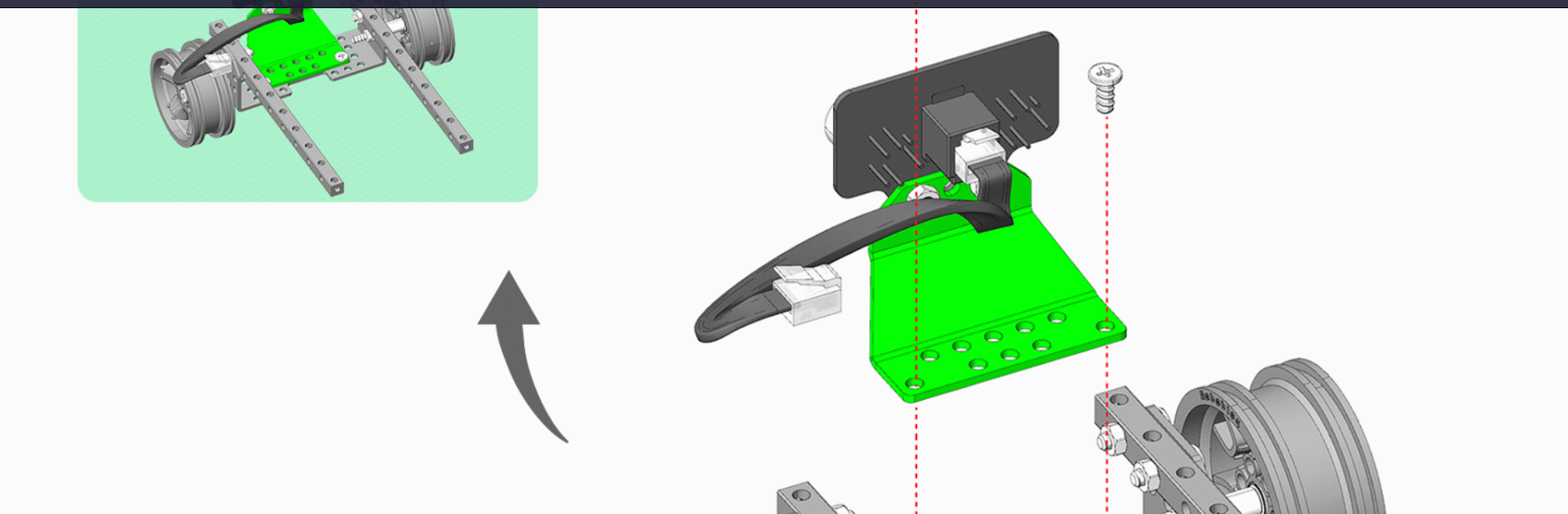
  • Step-by-Step Building Guides
    Jump right into building with electronic manuals that walk you through each step. There are lots of robot shapes to try, and instructions are built right into your device.

  • Wireless Remote Controls
    Connect your Robobloq robot via Bluetooth and take the wheel, literally. Drive, turn, or send your robot zipping around—no tangled wires needed.

  • Multiple Play Modes
    Try out different ways to play. Want to control every move, or would you rather challenge your robot to dodge obstacles automatically? You’ll find plenty of options to keep things interesting.

  • Graphical Programming with Scratch
    Not just playtime—dig into Scratch-style graphical programming. Tweak your robot’s behavior, experiment with logic, and learn while having a blast.

  • Wide Kit Support
    Works smoothly with all of Robobloq’s robotic kit series, like the Qoopers Robotics kit. Got more than one kit? Mix and match for even more creation possibilities.

Oh, and if you want a bigger screen or just a change of pace, you can run Robobloq with BlueStacks for a different kind of experience.

BlueStacks brings your apps to life on a bigger screen—seamless and straightforward.

How to Download and Run Robobloq on PC or Mac

  • Download and install BlueStacks on your PC or Mac

  • Complete Google sign-in to access the Play Store, or do it later

  • Look for Robobloq in the search bar at the top right corner

  • Click to install Robobloq from the search results

  • Complete Google sign-in (if you skipped step 2) to install Robobloq

  • Click the Robobloq icon on the home screen to start playing

video
Watch Video

Minimum System Requirements

With BlueStacks 5, you can get started on a PC that fulfills the following requirements.

  • Operating System

    Microsoft Windows 7 or above, macOS 11 (Big Sur) or above

  • Processor

    Intel, AMD or Apple Silicon Processor

  • RAM

    at least 4GB

  • HDD

    10GB Free Disk Space

Note:

* You must be an Administrator on your PC. Up to date graphics drivers from Microsoft or the chipset vendor.

Robobloq - FAQs

  • How to Run Robobloq on Windows PC & Mac?

    Run Robobloq on your PC or Mac by following these simple steps.

    • Click on ‘Download Robobloq on PC’ to download BlueStacks
    • Install it and log-in to Google Play Store
    • Launch and run the app.
  • Why is BlueStacks the fastest and safest platform to play games on PC?

    BlueStacks respects your privacy and is always safe and secure to use. It does not carry any malware, spyware, or any sort of additional software that could harm your PC.

    It is engineered to optimize speed and performance for a seamless gaming experience.

  • What are Robobloq PC requirements?

    Minimum requirement to run Robobloq on your PC

    • OS: Microsoft Windows 7 and above:
    • Processor: Intel or AMD Processor:
    • RAM: Your PC must have at least 2GB of RAM. (Note that having 2GB or more disk space is not a substitute for RAM):
    • HDD: 5GB Free Disk Space.
    • You must be an Administrator on your PC.




