
Russian Sentence Master

Russian Sentence Master

Education

| AT Languages Master Apps

Play on PC with BlueStacks or from our cloud

  • Overview
  • How to Download

Page Modified On: December 15, 2025

Run Russian Sentence Master on PC or Mac

Why limit yourself to your small screen on the phone? Run Russian Sentence Master, an app by AT Languages Master Apps, best experienced on your PC or Mac with BlueStacks, the world’s #1 Android emulator.

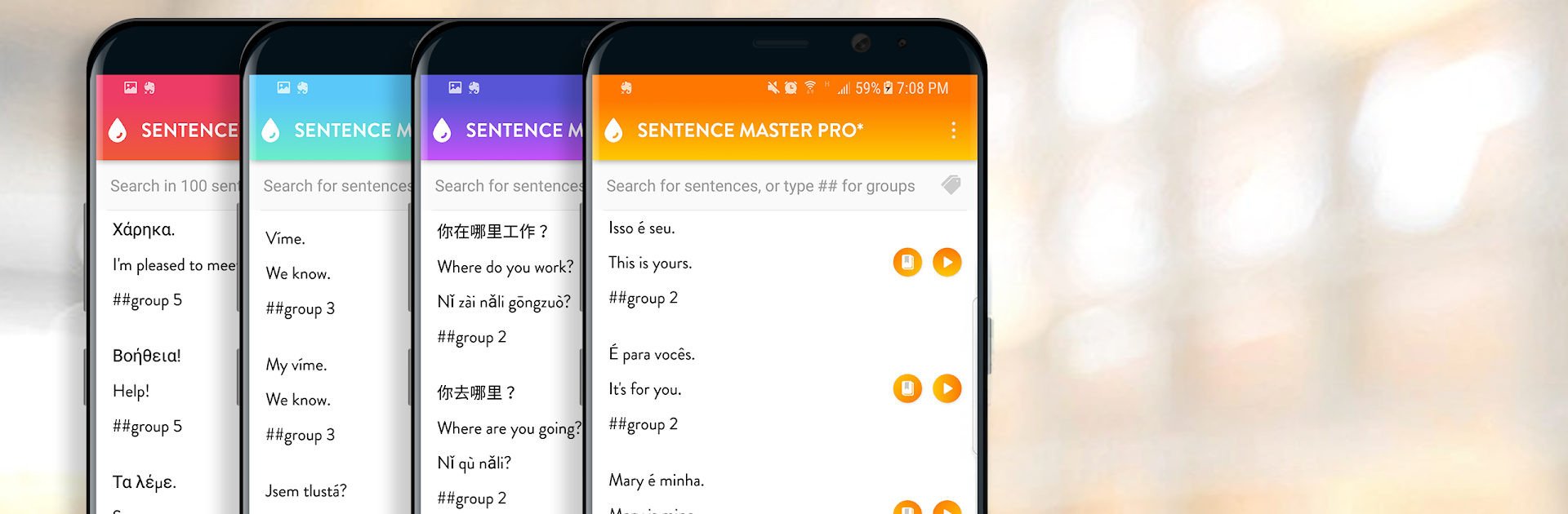
Russian Sentence Master is a straight-to-the-point practice app that leans on real sentences instead of long grammar lectures. It throws a lot of everyday lines at the learner, each one with clear audio, then nudges them to listen, say it out loud, and build or type the sentence correctly. The whole idea is patterns. Learn one useful structure and swap a word or two, and suddenly a bunch of new sentences click into place. Sessions feel short and focused, and the repetition works without feeling noisy.

There is no fluff here, no confusing menus or social stuff. Just common phrases from daily situations like greetings, errands, small talk, and routine tasks. The audio helps with rhythm and stress, and the writing part keeps spelling honest. On PC with BlueStacks it is surprisingly nice, since the bigger screen makes lines easier to read and a physical keyboard speeds up the sentence building. Headphones make the short clips even clearer. It suits someone who learns best by example and wants steady drills rather than theory. Anyone hunting for deep grammar explanations may find it bare bones, but for daily practice that actually sticks, the mix of listen, repeat, and make the sentence does the job. Five minutes works, thirty minutes also works, and it keeps progress obvious without a lot of fuss.

Big screen. Bigger performance. Use BlueStacks on your PC or Mac to run your favorite apps.

How to Download and Run Russian Sentence Master on PC or Mac

  • Download and install BlueStacks on your PC or Mac

  • Complete Google sign-in to access the Play Store, or do it later

  • Look for Russian Sentence Master in the search bar at the top right corner

  • Click to install Russian Sentence Master from the search results

  • Complete Google sign-in (if you skipped step 2) to install Russian Sentence Master

  • Click the Russian Sentence Master icon on the home screen to start playing

video
Watch Video

Minimum System Requirements

With BlueStacks 5, you can get started on a PC that fulfills the following requirements.

  • Operating System

    Microsoft Windows 7 or above, macOS 11 (Big Sur) or above

  • Processor

    Intel, AMD or Apple Silicon Processor

  • RAM

    at least 4GB

  • HDD

    10GB Free Disk Space

Note:

* You must be an Administrator on your PC. Up to date graphics drivers from Microsoft or the chipset vendor.

Russian Sentence Master - FAQs

  • How to Run Russian Sentence Master on Windows PC & Mac?

    Run Russian Sentence Master on your PC or Mac by following these simple steps.

    • Click on ‘Download Russian Sentence Master on PC’ to download BlueStacks
    • Install it and log-in to Google Play Store
    • Launch and run the app.
  • Why is BlueStacks the fastest and safest platform to play games on PC?

    BlueStacks respects your privacy and is always safe and secure to use. It does not carry any malware, spyware, or any sort of additional software that could harm your PC.

    It is engineered to optimize speed and performance for a seamless gaming experience.

  • What are Russian Sentence Master PC requirements?

    Minimum requirement to run Russian Sentence Master on your PC

    • OS: Microsoft Windows 7 and above:
    • Processor: Intel or AMD Processor:
    • RAM: Your PC must have at least 2GB of RAM. (Note that having 2GB or more disk space is not a substitute for RAM):
    • HDD: 5GB Free Disk Space.
    • You must be an Administrator on your PC.




