
Thermonator - Thermodynamics & steam tables

Thermonator - Thermodynamics & steam tables

Education

| Xmuzzers Thermodynamics

Play on PC with BlueStacks or from our cloud

  • Overview
  • How to Download

Page Modified On: October 24, 2025

Run Thermonator - Thermodynamics & steam tables on PC or Mac

Get freedom from your phone’s obvious limitations. Use Thermonator – Thermodynamics & steam tables, made by Xmuzzers Thermodynamics, a Education app on your PC or Mac with BlueStacks, and level up your experience.

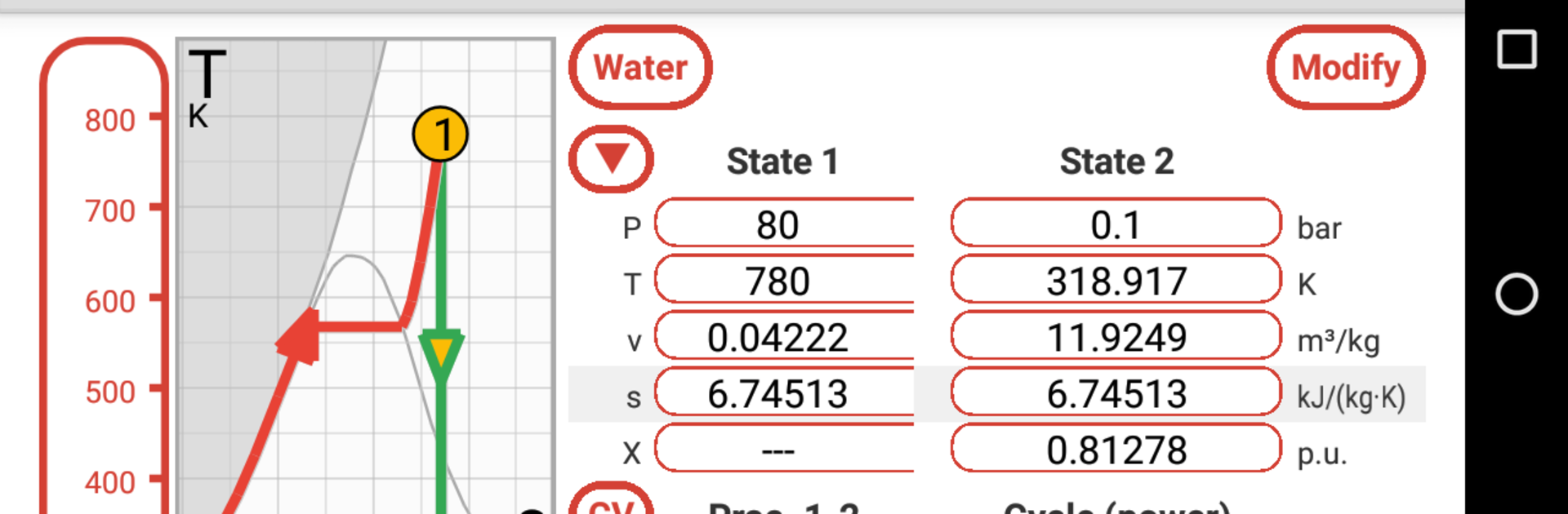
Thermonator – Thermodynamics & steam tables feels like a proper thermodynamics toolbox, not a flashy thing, just clean and very direct. It lets someone set up states, processes, and full cycles, then it churns out the stuff that actually matters in homework or design, things like pressure, temperature, volume, enthalpy, entropy, exergy, quality, and all the usual saturated properties. There are presets for classic cycles, so building a Carnot, Otto, Diesel, Dual mixed, Stirling, Joule Brayton, or Rankine loop takes way less time than doing it by hand, and it will do both power and refrigeration Rankine. Some of the more advanced cycle options and refrigerants sit behind extra features, but the core set is strong. Units are flexible across metric and imperial, so no awkward conversions mid-problem.

What stands out is how configurable it is. A user can choose control mass or control volume, pick the First Law sign convention so work matches whatever a class or book uses, and even set ambient conditions and a reference state for exergy so results line up with a given table. It supports steam and water plus a long list of fluids, from air, ammonia, carbon dioxide, nitrogen, and oxygen, to hydrocarbons like methane and propane, several refrigerants like R134a, ideal gases, and the noble gases. The interactive charts are handy, pressure-volume, temperature-entropy, enthalpy-entropy and more, with log or linear scales, quick zoom, and draggable rulers that actually feel useful when checking a point. BlueStacks on a PC makes those plots and big number fields way easier to read and tweak. There are small hints that pop up to remind formulas, which is nice when the brain is fried at midnight, and it tries to catch input errors rather than just throwing nonsense, which saves time and a bit of sanity.

Ready to experience Thermonator – Thermodynamics & steam tables on a bigger screen, in all its glory? Download BlueStacks now.


How to Download and Run Thermonator - Thermodynamics & steam tables on PC or Mac

  • Download and install BlueStacks on your PC or Mac

  • Complete Google sign-in to access the Play Store, or do it later

  • Look for Thermonator - Thermodynamics & steam tables in the search bar at the top right corner

  • Click to install Thermonator - Thermodynamics & steam tables from the search results

  • Complete Google sign-in (if you skipped step 2) to install Thermonator - Thermodynamics & steam tables

  • Click the Thermonator - Thermodynamics & steam tables icon on the home screen to start playing

video
Watch Video

Minimum System Requirements

With BlueStacks 5, you can get started on a PC that fulfills the following requirements.

  • Operating System

    Microsoft Windows 7 or above, macOS 11 (Big Sur) or above

  • Processor

    Intel, AMD or Apple Silicon Processor

  • RAM

    at least 4GB

  • HDD

    10GB Free Disk Space

Note:

* You must be an Administrator on your PC. Up to date graphics drivers from Microsoft or the chipset vendor.

Thermonator - Thermodynamics & steam tables - FAQs

  • How to Run Thermonator - Thermodynamics & steam tables on Windows PC & Mac?

    Run Thermonator - Thermodynamics & steam tables on your PC or Mac by following these simple steps.

    • Click on ‘Download Thermonator - Thermodynamics & steam tables on PC’ to download BlueStacks
    • Install it and log-in to Google Play Store
    • Launch and run the app.
  • Why is BlueStacks the fastest and safest platform to play games on PC?

    BlueStacks respects your privacy and is always safe and secure to use. It does not carry any malware, spyware, or any sort of additional software that could harm your PC.

    It is engineered to optimize speed and performance for a seamless gaming experience.

  • What are Thermonator - Thermodynamics & steam tables PC requirements?

    Minimum requirement to run Thermonator - Thermodynamics & steam tables on your PC

    • OS: Microsoft Windows 7 and above:
    • Processor: Intel or AMD Processor:
    • RAM: Your PC must have at least 2GB of RAM. (Note that having 2GB or more disk space is not a substitute for RAM):
    • HDD: 5GB Free Disk Space.
    • You must be an Administrator on your PC.



