
USMLE Pharmacology Flashcards

USMLE Pharmacology Flashcards

Education

| Higher Learning Technologies Inc

Play on PC with BlueStacks or from our cloud

  • Overview
  • How to Download

Page Modified On: October 23, 2025

Run USMLE Pharmacology Flashcards on PC or Mac

What’s better than using USMLE Pharmacology Flashcards by Higher Learning Technologies Inc? Well, try it on a big screen, on your PC or Mac, with BlueStacks to see the difference.

USMLE Pharmacology Flashcards feels like a focused study buddy that keeps things tight and to the point. Think quick cards and short case vignettes that make someone apply mechanisms and side effects to real patients, not just memorize a list. On PC through BlueStacks, the bigger screen helps a lot, especially when skimming drug names or tiny notes. Clicking through cards is fast, and it is easier to stay on track during longer sessions without juggling a phone.

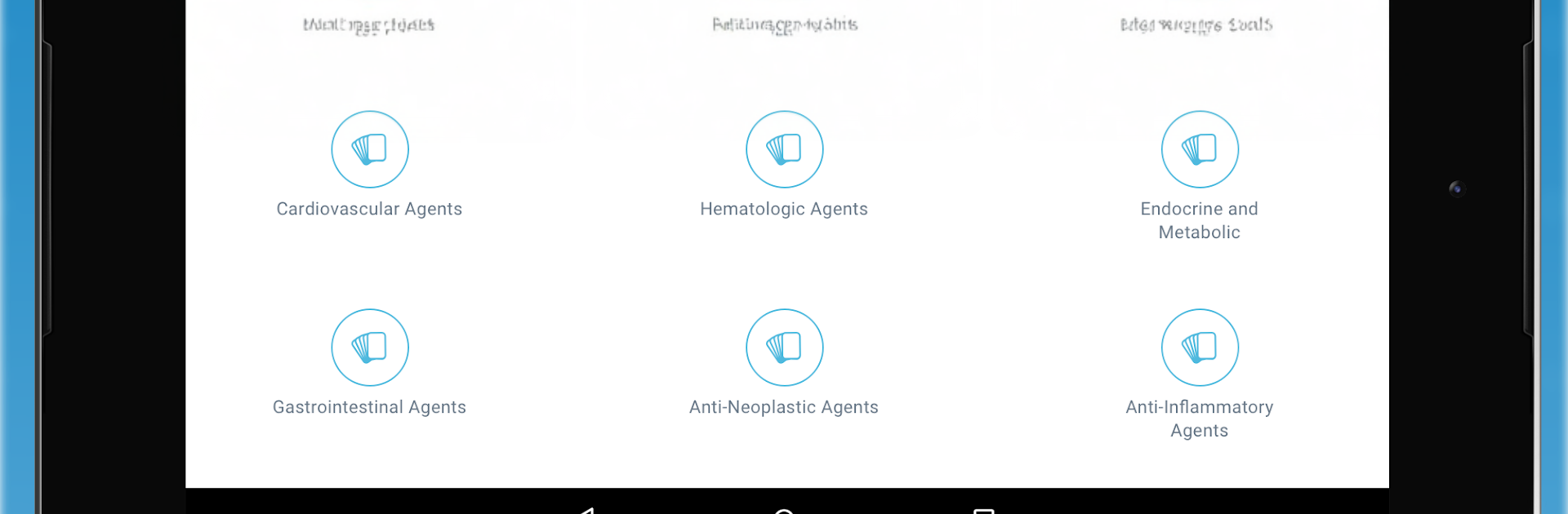
Content is sorted into clear sections, so it is simple to jump into antibiotics, autonomic drugs, CNS, cardio, heme, endocrine, GI, oncology, anti inflammatory topics, or just the general principles. The vignettes are the standout, since they push clinical thinking and highlight the must know bits without drowning the user in fluff. The interface is straightforward, and progress tracking shows what has been completed and what still needs work. The free version is fine for sampling the style, but it is limited, and the full deck plus better coverage sits behind a monthly or yearly sub. It reads like it was built by people who actually took the exam, so the language is clean and the emphasis is on exam friendly facts. Good for a quick lunch break session, or last pass review during a rotation, or cranking through a topic when the exam is close.

Ready to experience USMLE Pharmacology Flashcards on a bigger screen, in all its glory? Download BlueStacks now.


How to Download and Run USMLE Pharmacology Flashcards on PC or Mac

  • Download and install BlueStacks on your PC or Mac

  • Complete Google sign-in to access the Play Store, or do it later

  • Look for USMLE Pharmacology Flashcards in the search bar at the top right corner

  • Click to install USMLE Pharmacology Flashcards from the search results

  • Complete Google sign-in (if you skipped step 2) to install USMLE Pharmacology Flashcards

  • Click the USMLE Pharmacology Flashcards icon on the home screen to start playing

video
Watch Video

Minimum System Requirements

With BlueStacks 5, you can get started on a PC that fulfills the following requirements.

  • Operating System

    Microsoft Windows 7 or above, macOS 11 (Big Sur) or above

  • Processor

    Intel, AMD or Apple Silicon Processor

  • RAM

    at least 4GB

  • HDD

    10GB Free Disk Space

Note:

* You must be an Administrator on your PC. Up to date graphics drivers from Microsoft or the chipset vendor.

USMLE Pharmacology Flashcards - FAQs

  • How to Run USMLE Pharmacology Flashcards on Windows PC & Mac?

    Run USMLE Pharmacology Flashcards on your PC or Mac by following these simple steps.

    • Click on ‘Download USMLE Pharmacology Flashcards on PC’ to download BlueStacks
    • Install it and log-in to Google Play Store
    • Launch and run the app.
  • Why is BlueStacks the fastest and safest platform to play games on PC?

    BlueStacks respects your privacy and is always safe and secure to use. It does not carry any malware, spyware, or any sort of additional software that could harm your PC.

    It is engineered to optimize speed and performance for a seamless gaming experience.

  • What are USMLE Pharmacology Flashcards PC requirements?

    Minimum requirement to run USMLE Pharmacology Flashcards on your PC

    • OS: Microsoft Windows 7 and above:
    • Processor: Intel or AMD Processor:
    • RAM: Your PC must have at least 2GB of RAM. (Note that having 2GB or more disk space is not a substitute for RAM):
    • HDD: 5GB Free Disk Space.
    • You must be an Administrator on your PC.



