
Word Dolphin: vocabulary tutor

Word Dolphin: vocabulary tutor

Education

| Казарян Михайло

Play on PC with BlueStacks or from our cloud

  • Overview
  • How to Download

Page Modified On: January 02, 2026

Run Word Dolphin: vocabulary tutor on PC or Mac

Upgrade your experience. Try Word Dolphin: vocabulary tutor, the fantastic Education app from Казарян Михайло, from the comfort of your laptop, PC, or Mac, only on BlueStacks.

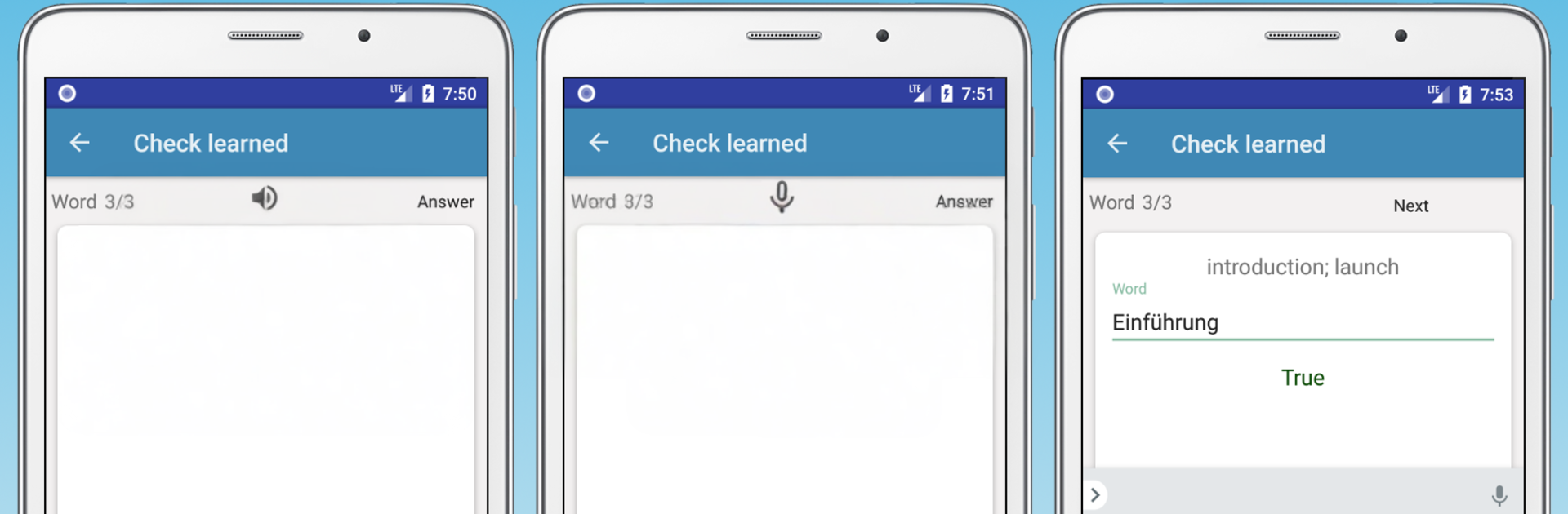
Word Dolphin feels like a steady vocabulary buddy. Instead of juggling paper lists and tabs, it lets someone grab unfamiliar words quickly and turn them into short, focused drills. It has that practical vibe of an app made by a learner who wanted less friction and more results. New words can be added from the clipboard or through Share from a browser or reading app, and practice runs both directions, from the target language to the native language and back. There is clear audio with normal and slowed speech, plus voice input so a person can check pronunciation, though the right voice input language may need to be enabled first.

The training is simple in a good way: translation, speaking, and typing. The spaced repetition quietly pushes tricky words more often until they stick. It fetches translations and pronunciation online and saves them, so later practice can happen offline. English, German, French, and Spanish are supported. It also has bookmarks, search, light or dark themes, and easy export or import to move a personal word list between devices. It is not flashy, which helps focus on the words instead of menus. On a PC with BlueStacks, typing longer sets is faster, copy pasting from articles feels effortless, and a headset mic works well for the speaking checks. It is a tool for internalizing vocabulary rather than just looking it up, and it keeps growing with more languages planned.

BlueStacks gives you the much-needed freedom to experience your favorite apps on a bigger screen. Get it now.


How to Download and Run Word Dolphin: vocabulary tutor on PC or Mac

  • Download and install BlueStacks on your PC or Mac

  • Complete Google sign-in to access the Play Store, or do it later

  • Look for Word Dolphin: vocabulary tutor in the search bar at the top right corner

  • Click to install Word Dolphin: vocabulary tutor from the search results

  • Complete Google sign-in (if you skipped step 2) to install Word Dolphin: vocabulary tutor

  • Click the Word Dolphin: vocabulary tutor icon on the home screen to start playing

video
Watch Video

Minimum System Requirements

With BlueStacks 5, you can get started on a PC that fulfills the following requirements.

  • Operating System

    Microsoft Windows 7 or above, macOS 11 (Big Sur) or above

  • Processor

    Intel, AMD or Apple Silicon Processor

  • RAM

    at least 4GB

  • HDD

    10GB Free Disk Space

Note:

* You must be an Administrator on your PC. Up to date graphics drivers from Microsoft or the chipset vendor.

Word Dolphin: vocabulary tutor - FAQs

  • How to Run Word Dolphin: vocabulary tutor on Windows PC & Mac?

    Run Word Dolphin: vocabulary tutor on your PC or Mac by following these simple steps.

    • Click on ‘Download Word Dolphin: vocabulary tutor on PC’ to download BlueStacks
    • Install it and log-in to Google Play Store
    • Launch and run the app.
  • Why is BlueStacks the fastest and safest platform to play games on PC?

    BlueStacks respects your privacy and is always safe and secure to use. It does not carry any malware, spyware, or any sort of additional software that could harm your PC.

    It is engineered to optimize speed and performance for a seamless gaming experience.

  • What are Word Dolphin: vocabulary tutor PC requirements?

    Minimum requirement to run Word Dolphin: vocabulary tutor on your PC

    • OS: Microsoft Windows 7 and above:
    • Processor: Intel or AMD Processor:
    • RAM: Your PC must have at least 2GB of RAM. (Note that having 2GB or more disk space is not a substitute for RAM):
    • HDD: 5GB Free Disk Space.
    • You must be an Administrator on your PC.



