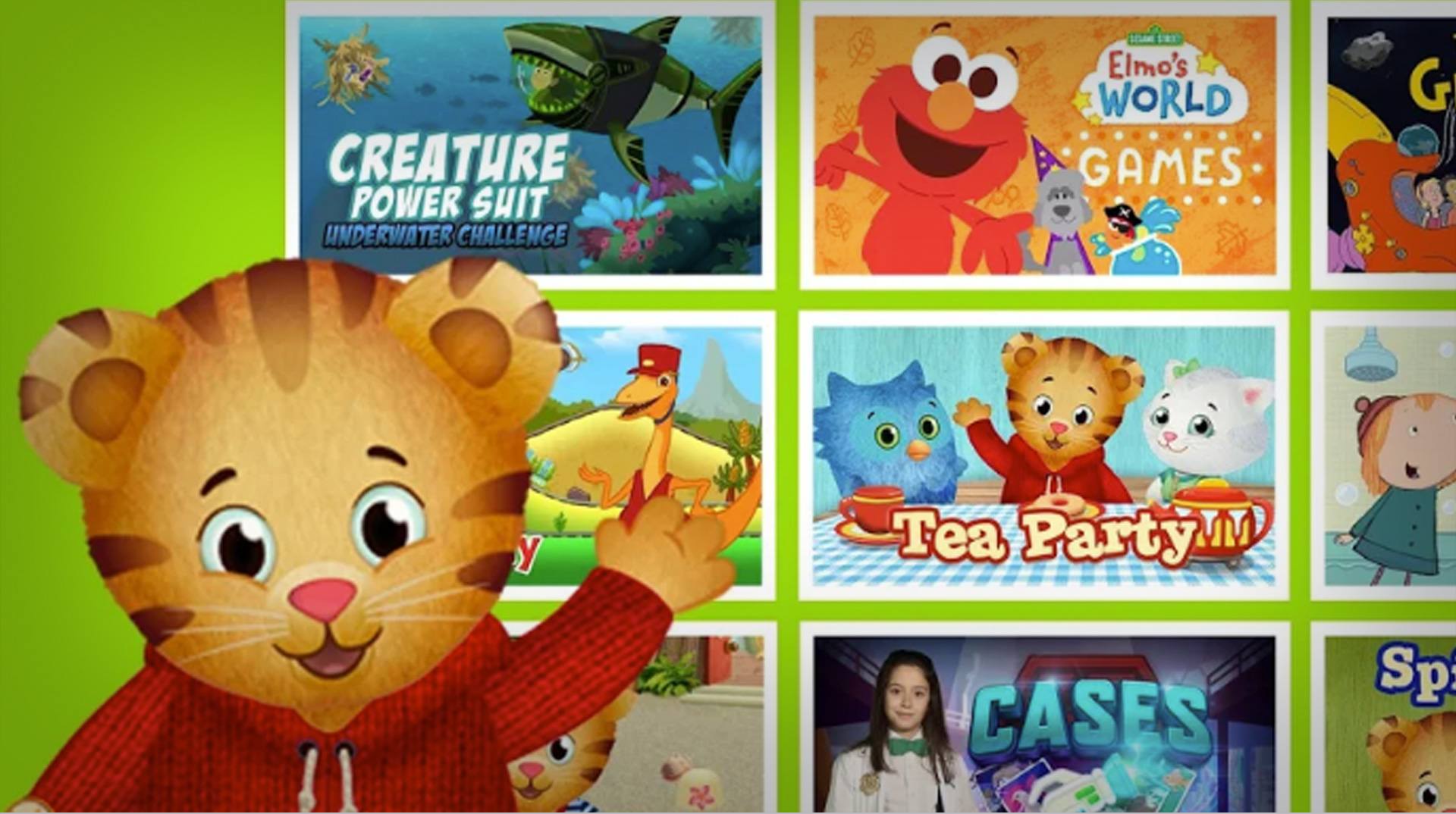
PBS KIDS Games
PBS KIDS Games

PBS KIDS Games

Educational

| PBS KIDS

Play on PC with BlueStacks or from our cloud

  • Overview
  • Game Features
  • How to Play

Page Modified On: October 07, 2026

Play PBS KIDS Games on PC or Mac

PBS KIDS Games by PBS KIDS has plenty to keep you busy. BlueStacks lets you play it on PC or Mac with more screen space, better control, and fewer mobile limits.

About the Game

PBS KIDS Games brings a huge mix of playful learning into one colorful place. It’s an Educational collection designed for ages 2–8, blending puzzles, stories, and creativity with characters kids already love. Prefer a bigger screen at home? It plays comfortably on BlueStacks, too.

Game Features

  • Big library of activities: Explore 280+ mini-games that touch on math, reading, science, art, and plenty more, all built around early learning goals.
  • Beloved characters: Learn alongside favorites like Daniel Tiger, the Wild Kratts, Alma, Rosie, Donkey Hodie, and others through themed adventures that make new ideas click.
  • New stuff, often: Fresh games arrive regularly, so curious kids always have something new to try without getting stuck on repeat.
  • Bilingual play: Switch between English and Spanish anytime, with dozens of activities fully available in Spanish for bilingual families.
  • Safe space for kids: Simple navigation, gentle prompts, and a kid-friendly layout help young players explore confidently on their own.
  • Skills that matter: Tackle early math and reading, try STEM-style puzzles, and practice social-emotional ideas like kindness, mindfulness, and naming feelings.
  • Creative corner: Coloring, dress-up, music, and make-your-own scenes let kids experiment, express themselves, and bring stories to life.
  • Quick, kid-sized sessions: Short, focused games fit preschool attention spans and make it easy to play a little—or a lot—whenever there’s time.
  • Accessibility touches: Thoughtful options help more kids enjoy the experience comfortably and at their own pace.
  • Parent-friendly info: See what each activity aims to teach, with clear notes about learning goals and age ranges to guide your child’s play.

BlueStacks gives you more room to focus on the game and less time adjusting around mobile limitations.


Game Features

Enhancements

  • Macros
  • Multi Instance
  • Multi Instance Sync
  • Script
  • Enhancements
Macros

Macros

Automate the predictable in PBS KIDS Games and transform your gameplay with Macros. Get access to inventive Macros in the BlueStacks Macro Community
Multi Instance

Multi Instance

Play PBS KIDS Games on one window. And chat with your friend on the other. Press CTRL + Shift + 8 to open the Multi-Instance Manager. And start creating fresh instances or clone an existing one.
Multi Instance Sync

Multi Instance Sync

Play PBS KIDS Games with the power of Multi-Instance Sync. Replicate what you are doing on the main instance on all other instances. Level up faster, play more.
Script

Script

Script your way to gaming glory in PBS KIDS Games with BlueStacks Script. Write and run a set of commands to automate repeated tasks. Trigger the command by assigning it to any key.
Read More

How to Download and Play PBS KIDS Games on PC or Mac

  • Download and install BlueStacks on your PC or Mac

  • Complete Google sign-in to access the Play Store, or do it later

  • Look for PBS KIDS Games in the search bar at the top right corner

  • Click to install PBS KIDS Games from the search results

  • Complete Google sign-in (if you skipped step 2) to install PBS KIDS Games

  • Click the PBS KIDS Games icon on the home screen to start playing

video
Watch Video

Minimum System Requirements

With BlueStacks 5, you can get started on a PC that fulfills the following requirements.

  • Operating System

    Microsoft Windows 7 or above, macOS 11 (Big Sur) or above

  • Processor

    Intel, AMD or Apple Silicon Processor

  • RAM

    at least 4GB

  • HDD

    10GB Free Disk Space

Note:

* You must be an Administrator on your PC. Up to date graphics drivers from Microsoft or the chipset vendor.

PBS KIDS Games - FAQs

  • How to play PBS KIDS Games on Windows PC & Mac?

    Play PBS KIDS Games on your PC or Mac by following these simple steps.

    • Click on 'Play PBS KIDS Games on PC’ to download BlueStacks
    • Install it and log-in to Google Play Store
    • Launch and play the game.
  • Why is BlueStacks the fastest and safest platform to play games on PC?

    BlueStacks respects your privacy and is always safe and secure to use. It does not carry any malware, spyware, or any sort of additional software that could harm your PC.

    It is engineered to optimize speed and performance for a seamless gaming experience.

  • What are PBS KIDS Games PC requirements?

    Minimum requirement to run PBS KIDS Games on your PC

    • OS: Microsoft Windows 7 or above MacOS 11 (Big Sur) or above
    • Processor: Intel, AMD or Apple Silicon Processor
    • RAM: Your PC must have at least 4GB of RAM. (Note that having 4GB or more disk space is not a substitute for RAM)
    • HDD: 10GB Free Disk Space.
    • You must be an Administrator on your PC.