
Build Your Own R2-D2

Build Your Own R2-D2

Entertainment

| De Agostini Publishing S.p.A.

Play on PC with BlueStacks or from our cloud

  • Overview
  • How to Download

Page Modified On: January 09, 2026

Run Build Your Own R2-D2 on PC or Mac

Let BlueStacks turn your PC, Mac, or laptop into the perfect home for Build Your Own R2-D2, a fun Entertainment app from De Agostini Publishing S.p.A..

About the App

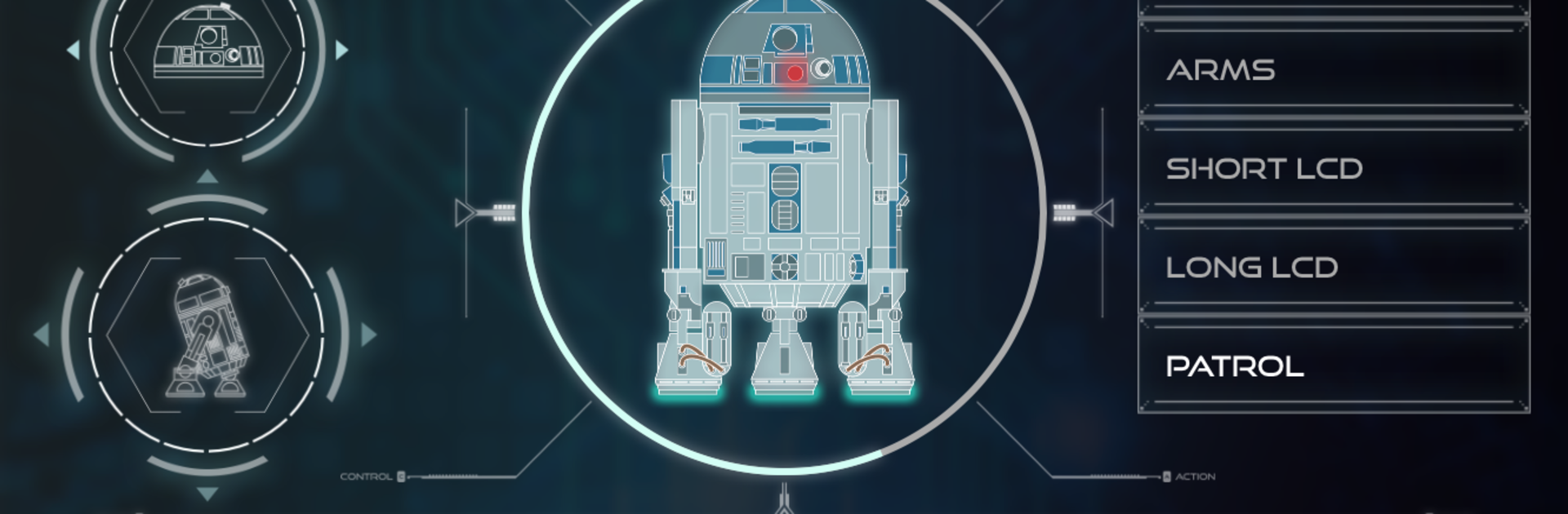
Build Your Own R2-D2 turns your completed astromech into a responsive, camera-equipped buddy you can drive, talk to, and show off. Pair the app with your fully assembled droid and take control of movement, lights, sounds, and a bunch of clever tricks—all from your phone or tablet. It’s from De Agostini Publishing S.p.A. and sits comfortably in the Entertainment space, but it also feels like a hands-on robotics toy you can actually steer. Prefer a bigger screen? You can run it on your PC with BlueStacks for wider controls and a roomier camera view.

App Features

  • Two ways to connect: Choose Direct mode to link straight to R2‑D2’s built-in hotspot, or use Local mode to connect both devices through your home Wi‑Fi. Local setup is simple—teach R2 the network using a unique QR code he scans with his camera.
  • First-person video driving: Switch to Video Control to see exactly what R2 sees as he rolls and rotates his dome. On-screen controls sit over the live feed, and you can snap photos or record videos from his point of view.
  • Classic remote mode: Prefer watching from the outside? Use Normal Control to steer like a standard remote, with clean, tactile controls.
  • Built-in gallery: Save your photos and clips to the in-app Gallery or copy them to your phone’s library for easy sharing.
  • Smart routines: Trigger Patrol mode for autonomous exploring, toggle lights and signature sounds, play short projector clips, or even make him pop out the lightsaber.
  • Voice commands: Turn on voice control so R2 responds to a range of spoken prompts—hands-free fun when you’re mid-build display.
  • Face tracking: Enable facial recognition and R2 will pick out a human face and turn to follow it, adding a playful “I see you” moment.
  • Sound options: Quickly mute or enable R2‑D2’s sound effects whenever you need quiet or want the full movie-like vibe.
  • Ready when he is: The app works once your R2‑D2 is fully assembled and powered on, then you’re set to roll.

BlueStacks gives you the much-needed freedom to experience your favorite apps on a bigger screen. Get it now.


How to Download and Run Build Your Own R2-D2 on PC or Mac

  • Download and install BlueStacks on your PC or Mac

  • Complete Google sign-in to access the Play Store, or do it later

  • Look for Build Your Own R2-D2 in the search bar at the top right corner

  • Click to install Build Your Own R2-D2 from the search results

  • Complete Google sign-in (if you skipped step 2) to install Build Your Own R2-D2

  • Click the Build Your Own R2-D2 icon on the home screen to start playing

video
Watch Video

Minimum System Requirements

With BlueStacks 5, you can get started on a PC that fulfills the following requirements.

  • Operating System

    Microsoft Windows 7 or above, macOS 11 (Big Sur) or above

  • Processor

    Intel, AMD or Apple Silicon Processor

  • RAM

    at least 4GB

  • HDD

    10GB Free Disk Space

Note:

* You must be an Administrator on your PC. Up to date graphics drivers from Microsoft or the chipset vendor.

Build Your Own R2-D2 - FAQs

  • How to Run Build Your Own R2-D2 on Windows PC & Mac?

    Run Build Your Own R2-D2 on your PC or Mac by following these simple steps.

    • Click on ‘Download Build Your Own R2-D2 on PC’ to download BlueStacks
    • Install it and log-in to Google Play Store
    • Launch and run the app.
  • Why is BlueStacks the fastest and safest platform to play games on PC?

    BlueStacks respects your privacy and is always safe and secure to use. It does not carry any malware, spyware, or any sort of additional software that could harm your PC.

    It is engineered to optimize speed and performance for a seamless gaming experience.

  • What are Build Your Own R2-D2 PC requirements?

    Minimum requirement to run Build Your Own R2-D2 on your PC

    • OS: Microsoft Windows 7 and above:
    • Processor: Intel or AMD Processor:
    • RAM: Your PC must have at least 2GB of RAM. (Note that having 2GB or more disk space is not a substitute for RAM):
    • HDD: 5GB Free Disk Space.
    • You must be an Administrator on your PC.



