




What’s better than using myVIDEOFUTUR by VIDEOFUTUR? Well, try it on a big screen, on your PC or Mac, with BlueStacks to see the difference.
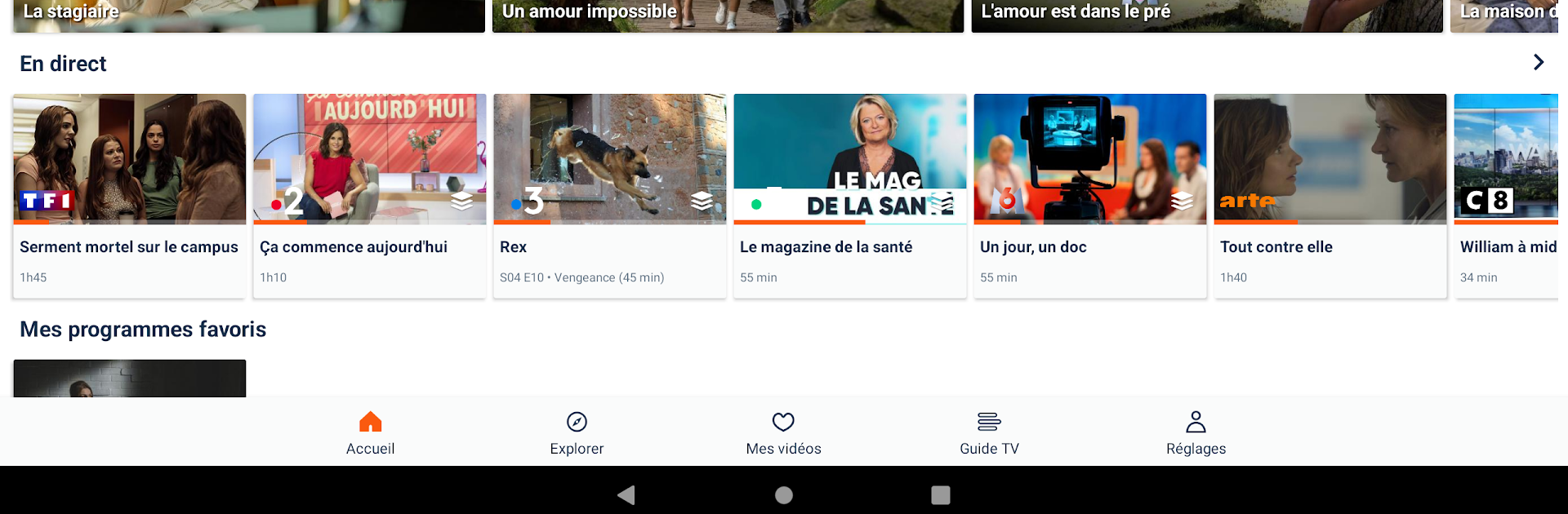
myVIDEOFUTUR feels like a one stop spot for live TV, replays, and a stack of on demand movies and series, all in one place. It pulls in the familiar French stuff like myTF1, France.TV, 6play, Arte and Gulli, plus sports with beIN SPORTS and optional packs like OCS. Movie fans get recent releases to rent, and there is a library of unlimited VOD with things like Disneytek, Universciné and TFOU Max. There are optional add ons too, like Boomerang, Boing, Toonami Max and Adult Swim, so it covers kids shows and late night cartoons as well. Running it on PC with BlueStacks is nice because the TV guide and search are easier to browse on a bigger screen and keyboard, and the interface scales fine.
The app is sorted into simple theme hubs called Universes, so browsing by Series, Films, Sport, or Youth feels quick. There is cloud recording, so programs can be saved on the network and picked up across devices, and a favorite list that keeps track of shows without fuss. The TV guide shows past and upcoming programs for a full week both ways, which makes planning recordings simple. Chromecast is supported, so it can hand off to the TV if needed. Worth noting, some channels do not allow replay or cloud recording, and this whole thing is meant for VIDEOFUTUR Fiber subscribers only, with the usual login. If the home has VIDEOFUTUR Super WiFi, the same app also handles setup, changing the WiFi name and key, and shows what devices are connected, which is handy when something hogs the bandwidth.
Ready to experience myVIDEOFUTUR on a bigger screen, in all its glory? Download BlueStacks now.





