
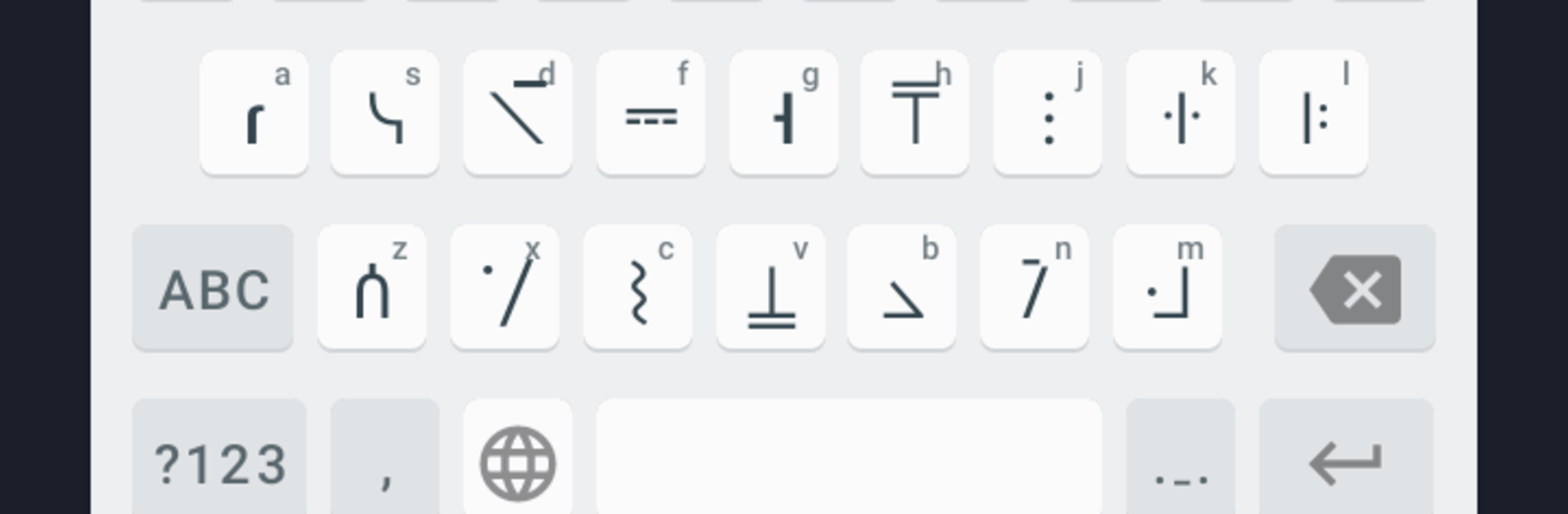
Standard Galactic Alphabet

Standard Galactic Alphabet

Entertainment

| Black Envelope

Play on PC with BlueStacks or from our cloud

  • Overview
  • How to Download

Page Modified On: June 02, 2026

Run Standard Galactic Alphabet on PC or Mac

Upgrade your experience. Try Standard Galactic Alphabet, the fantastic Entertainment app from Black Envelope, from the comfort of your laptop, PC, or Mac, only on BlueStacks.

About the App

Standard Galactic Alphabet lets you turn everyday text into the iconic glyphs fans know and love. Type or paste something in and watch it transform—it’s quick, playful, and perfect for notes, messages, or just geeking out with friends. Want to go all-in? There’s an optional premium keyboard so you can write in those symbols pretty much anywhere on your device.

App Features

  • Instant Transliteration: Convert text on the spot—no fuss. Start typing and see Standard Galactic characters appear right away.
  • Latin and Cyrillic Support: Works with both alphabets, so you can switch between languages and still get clean, consistent output.
  • Premium Keyboard (Optional): Unlock a system-wide keyboard that lets you type Standard Galactic letters in chats, docs, and social apps without bouncing back to the converter.
  • Simple, Focused Design: No clutter, just the tools you need to turn text into the look you want.
  • Great on Bigger Screens: Prefer typing with a full keyboard? Run the app on BlueStacks to make longer passages and edits a little easier.

Big screen. Bigger performance. Use BlueStacks on your PC or Mac to run your favorite apps.

How to Download and Run Standard Galactic Alphabet on PC or Mac

  • Download and install BlueStacks on your PC or Mac

  • Complete Google sign-in to access the Play Store, or do it later

  • Look for Standard Galactic Alphabet in the search bar at the top right corner

  • Click to install Standard Galactic Alphabet from the search results

  • Complete Google sign-in (if you skipped step 2) to install Standard Galactic Alphabet

  • Click the Standard Galactic Alphabet icon on the home screen to start playing

video
Watch Video

Minimum System Requirements

With BlueStacks 5, you can get started on a PC that fulfills the following requirements.

  • Operating System

    Microsoft Windows 7 or above, macOS 11 (Big Sur) or above

  • Processor

    Intel, AMD or Apple Silicon Processor

  • RAM

    at least 4GB

  • HDD

    10GB Free Disk Space

Note:

* You must be an Administrator on your PC. Up to date graphics drivers from Microsoft or the chipset vendor.

Standard Galactic Alphabet - FAQs

  • How to Run Standard Galactic Alphabet on Windows PC & Mac?

    Run Standard Galactic Alphabet on your PC or Mac by following these simple steps.

    • Click on ‘Download Standard Galactic Alphabet on PC’ to download BlueStacks
    • Install it and log-in to Google Play Store
    • Launch and run the app.
  • Why is BlueStacks the fastest and safest platform to play games on PC?

    BlueStacks respects your privacy and is always safe and secure to use. It does not carry any malware, spyware, or any sort of additional software that could harm your PC.

    It is engineered to optimize speed and performance for a seamless gaming experience.

  • What are Standard Galactic Alphabet PC requirements?

    Minimum requirement to run Standard Galactic Alphabet on your PC

    • OS: Microsoft Windows 7 and above:
    • Processor: Intel or AMD Processor:
    • RAM: Your PC must have at least 2GB of RAM. (Note that having 2GB or more disk space is not a substitute for RAM):
    • HDD: 5GB Free Disk Space.
    • You must be an Administrator on your PC.




