
Guitar Tuner - Simple Tuners

Guitar Tuner - Simple Tuners

Music & Audio

| ZipoApps

Play on PC with BlueStacks or from our cloud

  • Overview
  • How to Download

Page Modified On: January 02, 2026

Run Guitar Tuner - Simple Tuners on PC or Mac

What’s better than using Guitar Tuner – Simple Tuners by ZipoApps? Well, try it on a big screen, on your PC or Mac, with BlueStacks to see the difference.

About the App

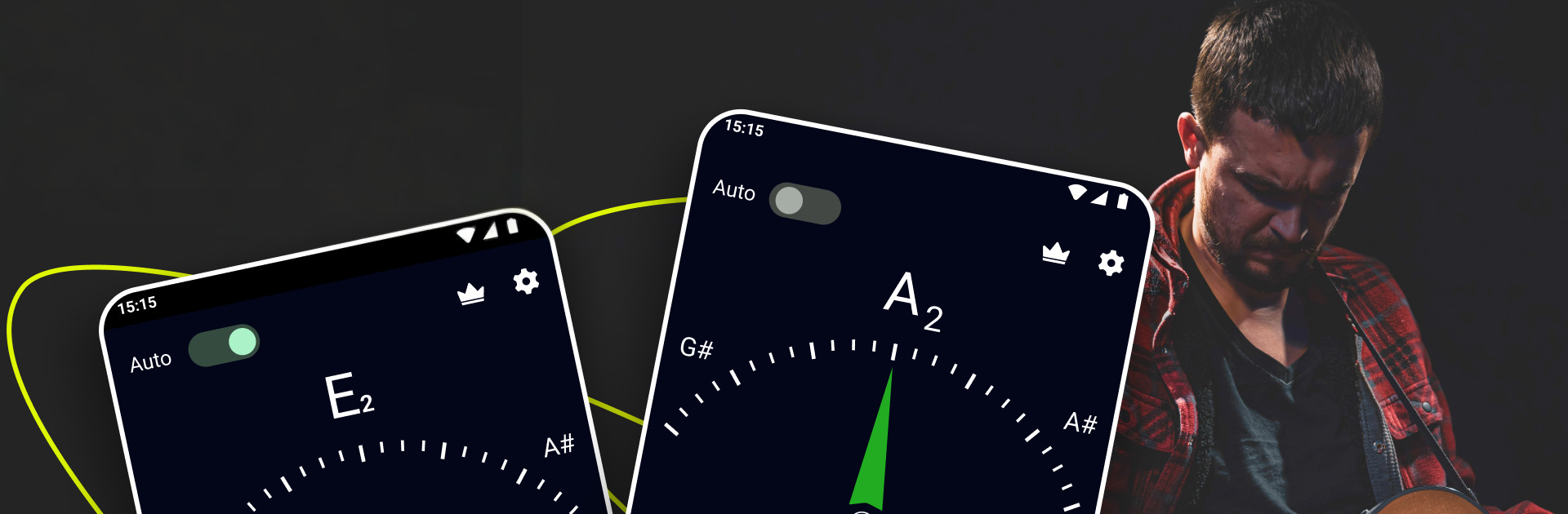
Guitar Tuner – Simple Tuners is the no-fuss way to get your guitar sounding right, fast. It listens through your phone’s mic and shows exactly where your pitch is, so you can tighten or loosen a string with confidence. New to tuning or already gigging? It fits both, with a clear, friendly feel that just works.

App Features

  • Visual dial and needle: See your pitch move in real time. The dial shows if you’re flat or sharp and steadies when you’re spot on.
  • Automatic string detection: Pluck any string and play—no need to select which one. The app figures it out and guides you to the right note.
  • Tune by ear: Prefer the classic way? Play clean reference tones for each guitar string and match them by listening.
  • Built-in mic accuracy: Uses your device’s microphone to deliver quick, precise results. Designed and tested by musicians for reliable tuning.
  • Beginner-friendly, pro-ready: Simple enough for first lessons, accurate enough for rehearsals and recordings.
  • Clean and free: A straightforward, uncluttered tuner that does exactly what you need without extra noise.
  • Use it on a bigger screen: Want a stable desk setup? You can also run Guitar Tuner – Simple Tuners on BlueStacks for comfortable tuning on your computer.

Genre: Music & Audio
Developer: ZipoApps

BlueStacks brings your apps to life on a bigger screen—seamless and straightforward.

How to Download and Run Guitar Tuner - Simple Tuners on PC or Mac

  • Download and install BlueStacks on your PC or Mac

  • Complete Google sign-in to access the Play Store, or do it later

  • Look for Guitar Tuner - Simple Tuners in the search bar at the top right corner

  • Click to install Guitar Tuner - Simple Tuners from the search results

  • Complete Google sign-in (if you skipped step 2) to install Guitar Tuner - Simple Tuners

  • Click the Guitar Tuner - Simple Tuners icon on the home screen to start playing

video
Watch Video

Minimum System Requirements

With BlueStacks 5, you can get started on a PC that fulfills the following requirements.

  • Operating System

    Microsoft Windows 7 or above, macOS 11 (Big Sur) or above

  • Processor

    Intel, AMD or Apple Silicon Processor

  • RAM

    at least 4GB

  • HDD

    10GB Free Disk Space

Note:

* You must be an Administrator on your PC. Up to date graphics drivers from Microsoft or the chipset vendor.

Guitar Tuner - Simple Tuners - FAQs

  • How to Run Guitar Tuner - Simple Tuners on Windows PC & Mac?

    Run Guitar Tuner - Simple Tuners on your PC or Mac by following these simple steps.

    • Click on ‘Download Guitar Tuner - Simple Tuners on PC’ to download BlueStacks
    • Install it and log-in to Google Play Store
    • Launch and run the app.
  • Why is BlueStacks the fastest and safest platform to play games on PC?

    BlueStacks respects your privacy and is always safe and secure to use. It does not carry any malware, spyware, or any sort of additional software that could harm your PC.

    It is engineered to optimize speed and performance for a seamless gaming experience.

  • What are Guitar Tuner - Simple Tuners PC requirements?

    Minimum requirement to run Guitar Tuner - Simple Tuners on your PC

    • OS: Microsoft Windows 7 and above:
    • Processor: Intel or AMD Processor:
    • RAM: Your PC must have at least 2GB of RAM. (Note that having 2GB or more disk space is not a substitute for RAM):
    • HDD: 5GB Free Disk Space.
    • You must be an Administrator on your PC.




