
Music Player - Audio Player & Powerful Equalizer

Music Player - Audio Player & Powerful Equalizer

Music & Audio

| Easyelife

Play on PC with BlueStacks or from our cloud

  • Overview
  • How to Download

Page Modified On: January 06, 2026

Run Music Player - Audio Player & Powerful Equalizer on PC or Mac

Let BlueStacks turn your PC, Mac, or laptop into the perfect home for Music Player – Audio Player & Powerful Equalizer, a fun Music & Audio app from Easyelife.

Music Player – Audio Player feels like one of those no fuss, does-everything offline players that people keep installed forever. It loads fast, looks clean, and the big hook is the 10‑band equalizer with real controls that matter. There are presets for quick tuning, plus bass boost, a virtualizer, reverb, and even speed and pitch tweaks when someone wants to experiment. It reads a ton of formats, from MP3 and FLAC to WAV and M4A, and it pulls songs from local storage or SD card without drama. On PC with BlueStacks, the interface scales nicely, album art looks huge, and dragging those EQ sliders with a mouse is oddly satisfying, especially if speakers are doing the heavy lifting.

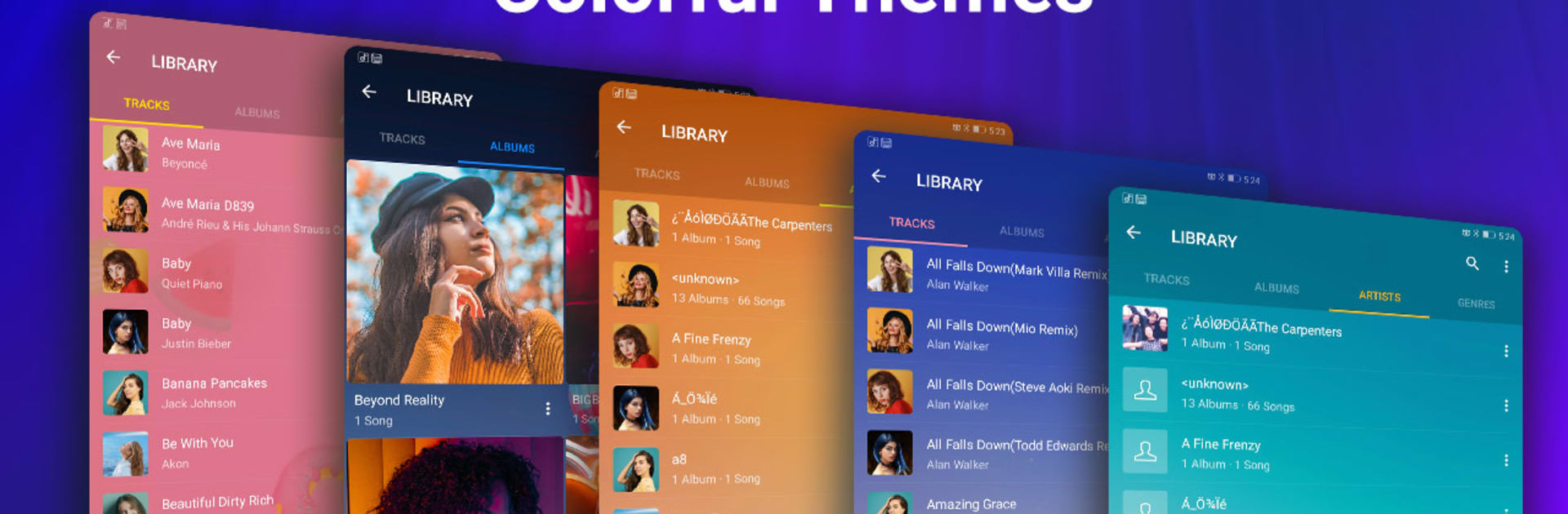
Finding music is easy, whether by albums, artists, folders, or a quick search. Building playlists on the fly works well, the queue can be reordered, and there is shuffle, repeat one, repeat all, plus crossfade for smoother transitions. A sleep timer is tucked in for late night listening. Lyrics show up if they are embedded, and there is a simple tag editor to fix messy metadata. There is even an MP3 cutter for ringtones or notifications, which is surprisingly handy, and it can hide random short clips or ringtone folders so the library stays clean. Themes are a nice touch too, with skins and the option to drop in a custom background from the gallery.

Bluetooth buttons, headsets, and even a shake to change track option are supported. It runs light, does not nag, and focuses on being a solid player for people who keep music offline rather than chasing another streaming app with too many menus.

Ready to experience Music Player – Audio Player & Powerful Equalizer on a bigger screen, in all its glory? Download BlueStacks now.


How to Download and Run Music Player - Audio Player & Powerful Equalizer on PC or Mac

  • Download and install BlueStacks on your PC or Mac

  • Complete Google sign-in to access the Play Store, or do it later

  • Look for Music Player - Audio Player & Powerful Equalizer in the search bar at the top right corner

  • Click to install Music Player - Audio Player & Powerful Equalizer from the search results

  • Complete Google sign-in (if you skipped step 2) to install Music Player - Audio Player & Powerful Equalizer

  • Click the Music Player - Audio Player & Powerful Equalizer icon on the home screen to start playing

video
Watch Video

Minimum System Requirements

With BlueStacks 5, you can get started on a PC that fulfills the following requirements.

  • Operating System

    Microsoft Windows 7 or above, macOS 11 (Big Sur) or above

  • Processor

    Intel, AMD or Apple Silicon Processor

  • RAM

    at least 4GB

  • HDD

    10GB Free Disk Space

Note:

* You must be an Administrator on your PC. Up to date graphics drivers from Microsoft or the chipset vendor.

Music Player - Audio Player & Powerful Equalizer - FAQs

  • How to Run Music Player - Audio Player & Powerful Equalizer on Windows PC & Mac?

    Run Music Player - Audio Player & Powerful Equalizer on your PC or Mac by following these simple steps.

    • Click on ‘Download Music Player - Audio Player & Powerful Equalizer on PC’ to download BlueStacks
    • Install it and log-in to Google Play Store
    • Launch and run the app.
  • Why is BlueStacks the fastest and safest platform to play games on PC?

    BlueStacks respects your privacy and is always safe and secure to use. It does not carry any malware, spyware, or any sort of additional software that could harm your PC.

    It is engineered to optimize speed and performance for a seamless gaming experience.

  • What are Music Player - Audio Player & Powerful Equalizer PC requirements?

    Minimum requirement to run Music Player - Audio Player & Powerful Equalizer on your PC

    • OS: Microsoft Windows 7 and above:
    • Processor: Intel or AMD Processor:
    • RAM: Your PC must have at least 2GB of RAM. (Note that having 2GB or more disk space is not a substitute for RAM):
    • HDD: 5GB Free Disk Space.
    • You must be an Administrator on your PC.



