Piano Keyboard
Piano Keyboard

Piano Keyboard

Music & Audio

| Golden Creative Apps Studio

Play on PC with BlueStacks or from our cloud

  • Overview
  • How to Download

Page Modified On: July 24, 2026

Run Piano Keyboard on PC or Mac

Multitask effortlessly on your PC or Mac as you try out Piano Keyboard, a Music & Audio app by Golden Creative Apps Studio on BlueStacks.

About the App

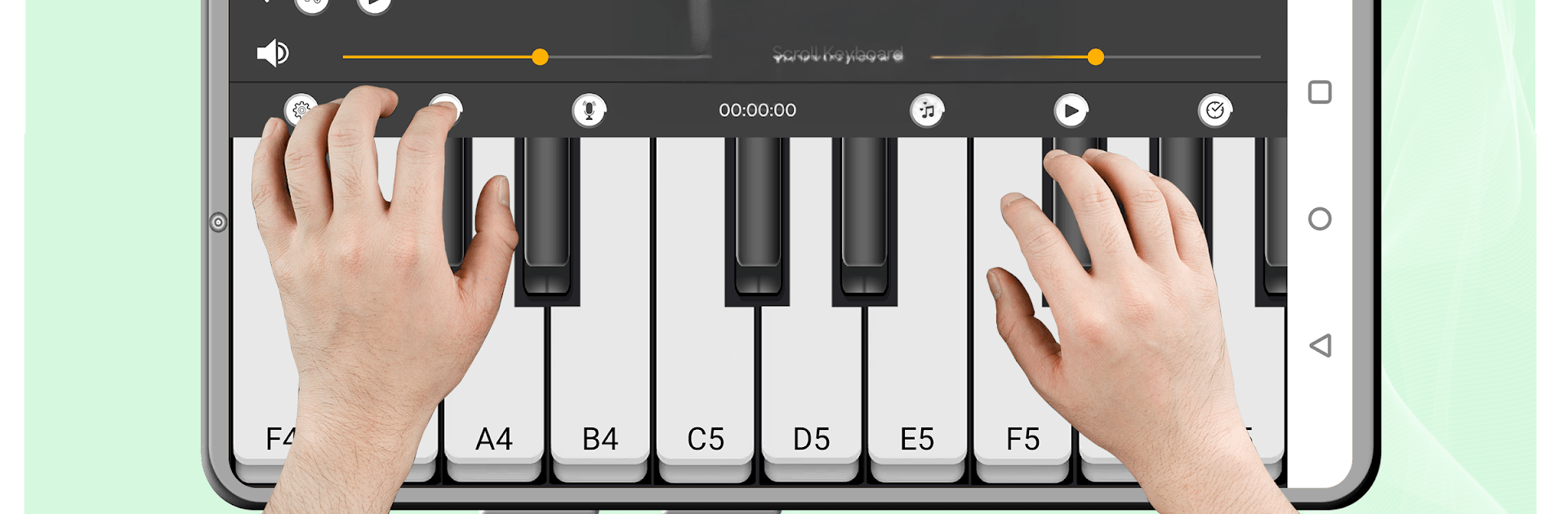
Piano Keyboard turns your Android device into a realistic, responsive piano you can play anytime. Whether you’re brand new to keys or you’ve been gigging for years, it’s a friendly place to learn, jam, and record ideas without any fuss. It’s a Music & Audio app that keeps things simple, sounds great, and lets you get creative fast.

App Features

  • Realistic Piano Sound: Enjoy rich, authentic tones that react to your touch so chords, arpeggios, and quick runs feel natural.
  • Multiple Instruments: Switch from grand piano to organ, harpsichord, accordion, violin, guitar, electric guitar, oud, sitar, trumpet, synth bass, and more when you want a different vibe.
  • Six Full Octaves: Access a wide key range for melody, harmony, and left‑hand bass—plenty of room to practice real songs.
  • Multitouch Polyphony: Play multiple notes at once for proper chords and two‑hand parts; glissandos are smooth, too.
  • Record and Replay: Capture your sessions in a tap, listen back to track progress, or sketch song ideas on the go.
  • Built‑In Rhythms: Jam with ready-made beats and patterns to keep time and make practice feel like a session.
  • Learning and Game Modes: Follow handy exercises and fun challenges that help you pick up notes, chords, and simple tunes.
  • Visual Key Hints: Optional colorful keys and light effects guide finger placement without getting in your way.
  • Adjustable Keyboard: Expand to a larger layout or keep it compact—works well on phones and tablets alike.
  • Play on a Bigger Screen: Prefer desktop space? You can also use Piano Keyboard on your PC with BlueStacks for comfortable practice and composing.

BlueStacks brings your apps to life on a bigger screen—seamless and straightforward.

How to Download and Run Piano Keyboard on PC or Mac

  • Download and install BlueStacks on your PC or Mac

  • Complete Google sign-in to access the Play Store, or do it later

  • Look for Piano Keyboard in the search bar at the top right corner

  • Click to install Piano Keyboard from the search results

  • Complete Google sign-in (if you skipped step 2) to install Piano Keyboard

  • Click the Piano Keyboard icon on the home screen to start playing

video
Watch Video

Minimum System Requirements

With BlueStacks 5, you can get started on a PC that fulfills the following requirements.

  • Operating System

    Microsoft Windows 7 or above, macOS 11 (Big Sur) or above

  • Processor

    Intel, AMD or Apple Silicon Processor

  • RAM

    at least 4GB

  • HDD

    10GB Free Disk Space

Note:

* You must be an Administrator on your PC. Up to date graphics drivers from Microsoft or the chipset vendor.

Piano Keyboard - FAQs

  • How to Run Piano Keyboard on Windows PC & Mac?

    Run Piano Keyboard on your PC or Mac by following these simple steps.

    • Click on ‘Download Piano Keyboard on PC’ to download BlueStacks
    • Install it and log-in to Google Play Store
    • Launch and run the app.
  • Why is BlueStacks the fastest and safest platform to play games on PC?

    BlueStacks respects your privacy and is always safe and secure to use. It does not carry any malware, spyware, or any sort of additional software that could harm your PC.

    It is engineered to optimize speed and performance for a seamless gaming experience.

  • What are Piano Keyboard PC requirements?

    Minimum requirement to run Piano Keyboard on your PC

    • OS: Microsoft Windows 7 and above:
    • Processor: Intel or AMD Processor:
    • RAM: Your PC must have at least 2GB of RAM. (Note that having 2GB or more disk space is not a substitute for RAM):
    • HDD: 5GB Free Disk Space.
    • You must be an Administrator on your PC.