The CDub Network
The CDub Network

The CDub Network

Music & Audio

| The C-Dub Brand

Play on PC with BlueStacks or from our cloud

  • Overview
  • How to Download

Page Modified On: January 08, 2026

Run The CDub Network on PC or Mac

Multitask effortlessly on your PC or Mac as you try out The CDub Network, a Music & Audio app by The C-Dub Brand on BlueStacks.

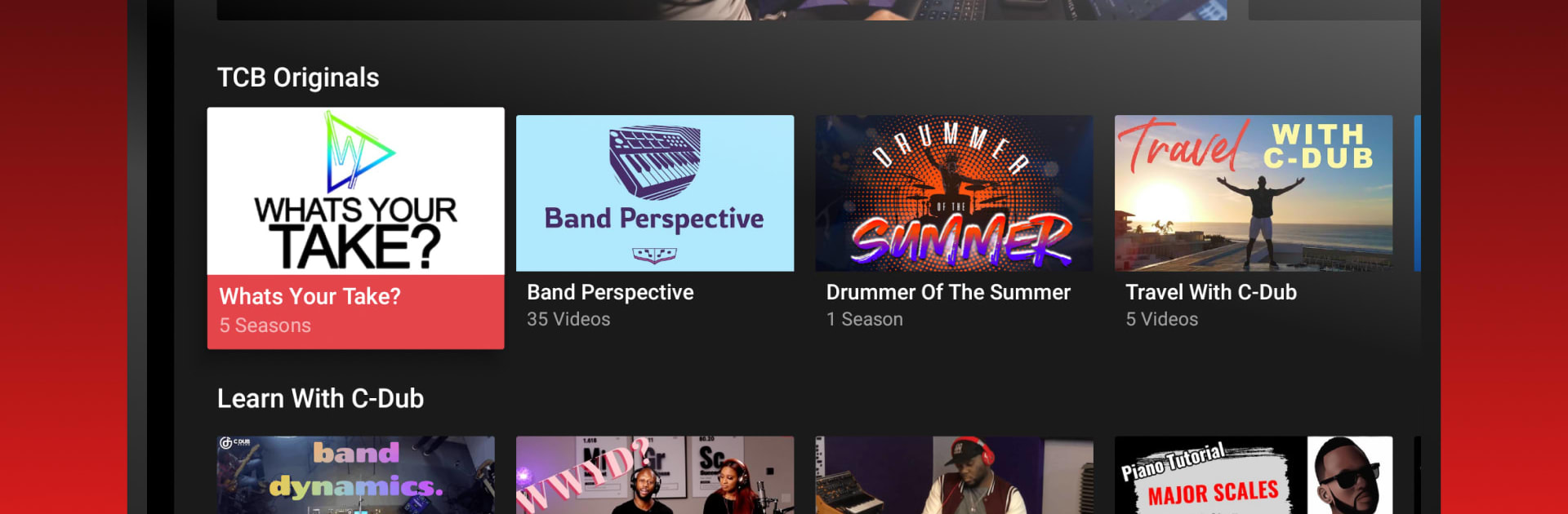
The CDub Network feels like a small hub made for creatives, by creatives. Open it and it lays out a clean stream of videos and series focused on making things, sharing process, and showcasing talent. It is simple to get around, nothing flashy, just straight to the content. On a PC with BlueStacks, it works like a regular streaming app, which is nice if someone wants a bigger screen, easier scrubbing with a mouse, or to leave it running while working. The player is straightforward, loads quick, and the whole vibe is more community studio than big-box platform, which is part of the charm.

It runs on a monthly subscription inside the app. Pricing depends on the region and the app shows the amount before checkout. It auto renews at the end of each billing cycle, so if someone wants to stop, they need to turn off auto‑renew in Account Settings at least a day before the period ends. Renewal charges hit a little before the next cycle, and any free trial time that is left goes away once payment starts. It is all handled through the user’s platform account, so no weird extra steps. One heads up for viewing on a widescreen monitor or TV: some older videos are not in widescreen, so they show with black bars. Not a deal breaker, just good to know before settling in.

Ready to experience The CDub Network on a bigger screen, in all its glory? Download BlueStacks now.

How to Download and Run The CDub Network on PC or Mac

  • Download and install BlueStacks on your PC or Mac

  • Complete Google sign-in to access the Play Store, or do it later

  • Look for The CDub Network in the search bar at the top right corner

  • Click to install The CDub Network from the search results

  • Complete Google sign-in (if you skipped step 2) to install The CDub Network

  • Click the The CDub Network icon on the home screen to start playing

video
Watch Video

Minimum System Requirements

With BlueStacks 5, you can get started on a PC that fulfills the following requirements.

  • Operating System

    Microsoft Windows 7 or above, macOS 11 (Big Sur) or above

  • Processor

    Intel, AMD or Apple Silicon Processor

  • RAM

    at least 4GB

  • HDD

    10GB Free Disk Space

Note:

* You must be an Administrator on your PC. Up to date graphics drivers from Microsoft or the chipset vendor.

The CDub Network - FAQs

  • How to Run The CDub Network on Windows PC & Mac?

    Run The CDub Network on your PC or Mac by following these simple steps.

    • Click on ‘Download The CDub Network on PC’ to download BlueStacks
    • Install it and log-in to Google Play Store
    • Launch and run the app.
  • Why is BlueStacks the fastest and safest platform to play games on PC?

    BlueStacks respects your privacy and is always safe and secure to use. It does not carry any malware, spyware, or any sort of additional software that could harm your PC.

    It is engineered to optimize speed and performance for a seamless gaming experience.

  • What are The CDub Network PC requirements?

    Minimum requirement to run The CDub Network on your PC

    • OS: Microsoft Windows 7 and above:
    • Processor: Intel or AMD Processor:
    • RAM: Your PC must have at least 2GB of RAM. (Note that having 2GB or more disk space is not a substitute for RAM):
    • HDD: 5GB Free Disk Space.
    • You must be an Administrator on your PC.