
ZXTune - Chiptunes player

ZXTune - Chiptunes player

Music & Audio

| Vitamin/CAIG

Play on PC with BlueStacks or from our cloud

  • Overview
  • How to Download

Page Modified On: October 24, 2025

Run ZXTune - Chiptunes player on PC or Mac

Let BlueStacks turn your PC, Mac, or laptop into the perfect home for ZXTune – Chiptunes player, a fun Music & Audio app from Vitamin/CAIG.

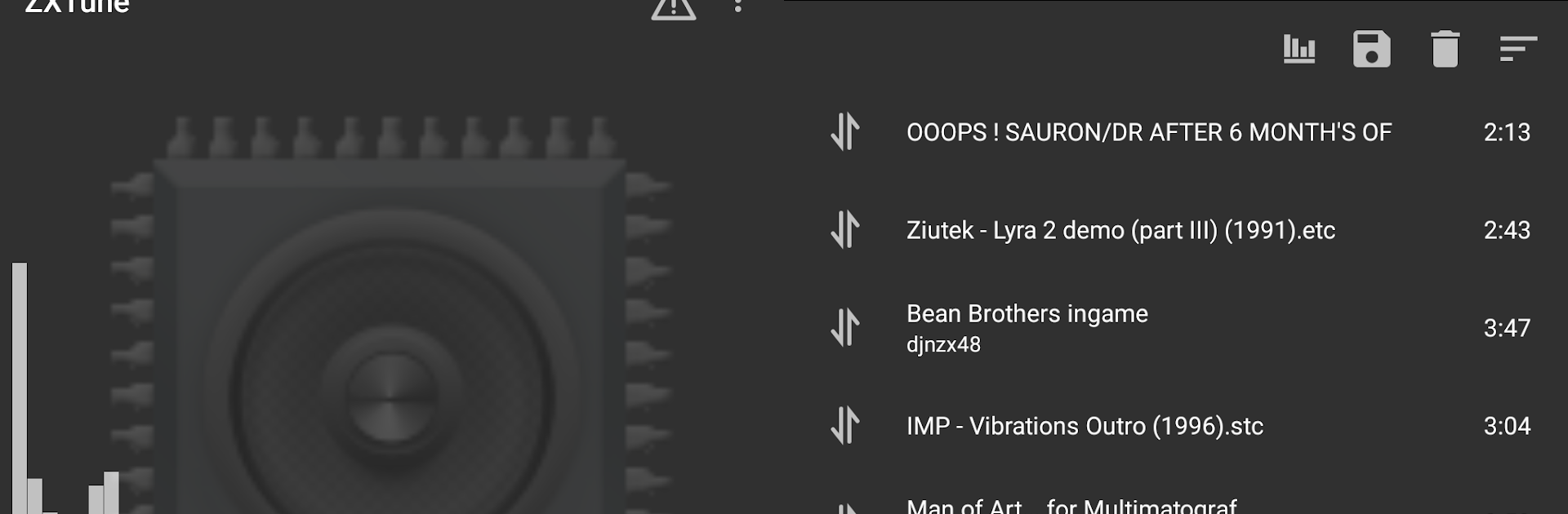
ZXTune feels like a no-nonsense jukebox for retro chips and tracker tunes, the kind people remember from ZX Spectrum, Amiga, Atari, Commodore 64, and a bunch of consoles. It opens an absurd range of formats without complaining, from classic MOD, XM, IT, and S3M to SID, SPC, NSF, PSF, GBS, VGM and so on. It even handles everyday stuff like MP3, OGG, WAV, FLAC, so switching between old scene music and normal tracks is painless. The interface is plain and quick to figure out, more file browser than flashy player, which suits this kind of music. On a PC with BlueStacks, scrolling through folders and big collections is easier, and it just keeps playing in the background while doing other things.

The neat trick is how it plugs into well known scene and game music catalogues, so finding modules by author or platform does not turn into a hunt. Grab tracks straight from archives too, since it reads ZIP, RAR, 7z, LHA and others without extracting first. Playlists are simple to build, there is caching to local storage for faster repeats, and export exists if keeping a library tidy matters. There are different interpolation modes so the sound can be crisp, soft, or performance friendly, and looping behaves like it should for chiptunes. Headset controls work on many devices and it pauses for calls, plus there is a homescreen widget and a quick way to set a favorite chiptune as a ringtone. It is aimed at people who actually want those old formats to sound right, not at flashy visualizers or heavy equalizers, and that focus stands out in a good way.

Ready to experience ZXTune – Chiptunes player on a bigger screen, in all its glory? Download BlueStacks now.


How to Download and Run ZXTune - Chiptunes player on PC or Mac

  • Download and install BlueStacks on your PC or Mac

  • Complete Google sign-in to access the Play Store, or do it later

  • Look for ZXTune - Chiptunes player in the search bar at the top right corner

  • Click to install ZXTune - Chiptunes player from the search results

  • Complete Google sign-in (if you skipped step 2) to install ZXTune - Chiptunes player

  • Click the ZXTune - Chiptunes player icon on the home screen to start playing

video
Watch Video

Minimum System Requirements

With BlueStacks 5, you can get started on a PC that fulfills the following requirements.

  • Operating System

    Microsoft Windows 7 or above, macOS 11 (Big Sur) or above

  • Processor

    Intel, AMD or Apple Silicon Processor

  • RAM

    at least 4GB

  • HDD

    10GB Free Disk Space

Note:

* You must be an Administrator on your PC. Up to date graphics drivers from Microsoft or the chipset vendor.

ZXTune - Chiptunes player - FAQs

  • How to Run ZXTune - Chiptunes player on Windows PC & Mac?

    Run ZXTune - Chiptunes player on your PC or Mac by following these simple steps.

    • Click on ‘Download ZXTune - Chiptunes player on PC’ to download BlueStacks
    • Install it and log-in to Google Play Store
    • Launch and run the app.
  • Why is BlueStacks the fastest and safest platform to play games on PC?

    BlueStacks respects your privacy and is always safe and secure to use. It does not carry any malware, spyware, or any sort of additional software that could harm your PC.

    It is engineered to optimize speed and performance for a seamless gaming experience.

  • What are ZXTune - Chiptunes player PC requirements?

    Minimum requirement to run ZXTune - Chiptunes player on your PC

    • OS: Microsoft Windows 7 and above:
    • Processor: Intel or AMD Processor:
    • RAM: Your PC must have at least 2GB of RAM. (Note that having 2GB or more disk space is not a substitute for RAM):
    • HDD: 5GB Free Disk Space.
    • You must be an Administrator on your PC.



