
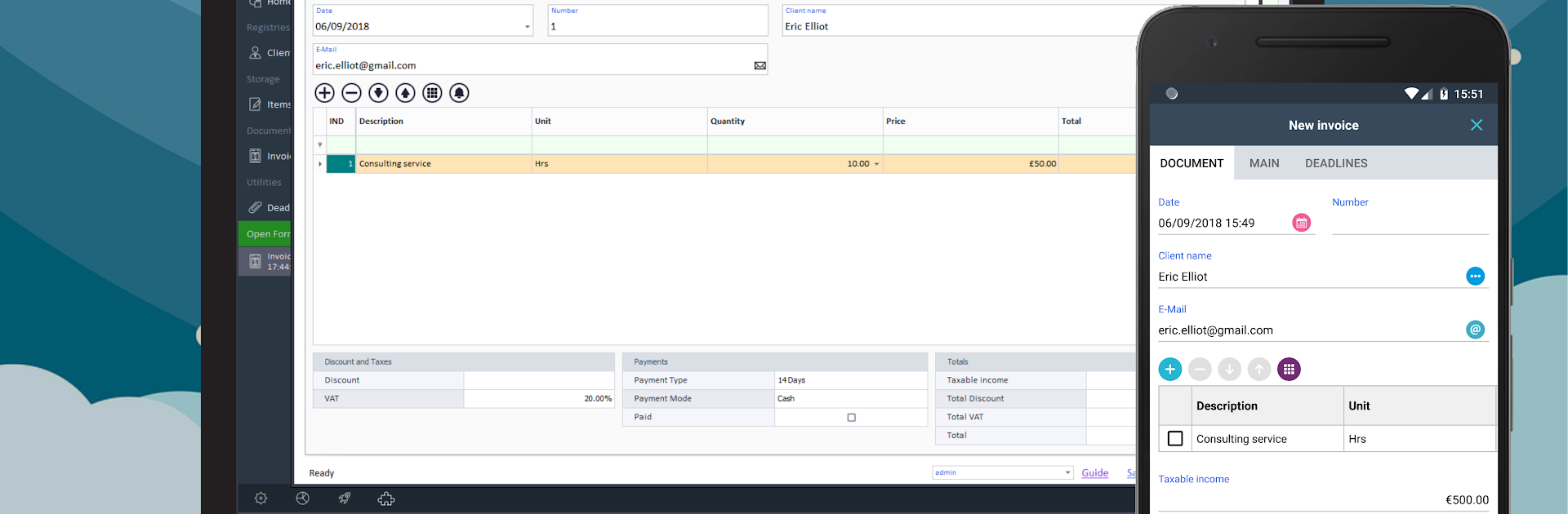
Nios4 for professional App

Nios4 for professional App

Productivity

| D-One Software House di Sbreviglieri Davide

Play on PC with BlueStacks or from our cloud

  • Overview
  • How to Download

Page Modified On: January 06, 2026

Run Nios4 for professional App on PC or Mac

Multitask effortlessly on your PC or Mac as you try out Nios4 for professional App, a Productivity app by D-One Software House di Sbreviglieri Davide on BlueStacks.

Nios4 is a no-code workbench for building practical business apps and databases, the kind people use for tracking customers, jobs, inventory, invoices, that sort of thing. It lets someone shape a whole management system without writing code. On a PC with BlueStacks, the interface has room to breathe, so dragging fields into forms and laying out tables feels way less cramped than on a phone. It runs offline too, which matters when work happens out of signal, then it syncs when the connection comes back.

What stands out is how flexible it is without getting confusing. There are ready-made templates if someone wants a quick start, or they can go blank and customise every section. Fields are drag and drop, tables are easy to tweak, and there is a scripting layer for the odd rules and automations that a company always ends up needing. It can connect to other tools and existing data, so it does not force a full restart of how things work. The finished app can be branded to look like the company’s own thing, small detail but it helps. Projects made on desktop show up across Windows, Mac, iOS, Android, and the web, so teams can work wherever. It feels simple on the surface, then deeper the more someone pokes around, which makes it fine for a solo user keeping records or a small team that needs something sturdier.

Eager to take your app experience to the next level? Start right away by downloading BlueStacks on your PC or Mac.


How to Download and Run Nios4 for professional App on PC or Mac

  • Download and install BlueStacks on your PC or Mac

  • Complete Google sign-in to access the Play Store, or do it later

  • Look for Nios4 for professional App in the search bar at the top right corner

  • Click to install Nios4 for professional App from the search results

  • Complete Google sign-in (if you skipped step 2) to install Nios4 for professional App

  • Click the Nios4 for professional App icon on the home screen to start playing

video
Watch Video

Minimum System Requirements

With BlueStacks 5, you can get started on a PC that fulfills the following requirements.

  • Operating System

    Microsoft Windows 7 or above, macOS 11 (Big Sur) or above

  • Processor

    Intel, AMD or Apple Silicon Processor

  • RAM

    at least 4GB

  • HDD

    10GB Free Disk Space

Note:

* You must be an Administrator on your PC. Up to date graphics drivers from Microsoft or the chipset vendor.

Nios4 for professional App - FAQs

  • How to Run Nios4 for professional App on Windows PC & Mac?

    Run Nios4 for professional App on your PC or Mac by following these simple steps.

    • Click on ‘Download Nios4 for professional App on PC’ to download BlueStacks
    • Install it and log-in to Google Play Store
    • Launch and run the app.
  • Why is BlueStacks the fastest and safest platform to play games on PC?

    BlueStacks respects your privacy and is always safe and secure to use. It does not carry any malware, spyware, or any sort of additional software that could harm your PC.

    It is engineered to optimize speed and performance for a seamless gaming experience.

  • What are Nios4 for professional App PC requirements?

    Minimum requirement to run Nios4 for professional App on your PC

    • OS: Microsoft Windows 7 and above:
    • Processor: Intel or AMD Processor:
    • RAM: Your PC must have at least 2GB of RAM. (Note that having 2GB or more disk space is not a substitute for RAM):
    • HDD: 5GB Free Disk Space.
    • You must be an Administrator on your PC.



