
Nozbe: to-do, tasks, projects & team

Nozbe: to-do, tasks, projects & team

Productivity

| Nozbe.com

Play on PC with BlueStacks or from our cloud

  • Overview
  • How to Download

Page Modified On: July 21, 2025

Run Nozbe: to-do, tasks, projects & team on PC or Mac

Upgrade your experience. Try Nozbe: to-do, tasks, projects & team, the fantastic Productivity app from Nozbe.com, from the comfort of your laptop, PC, or Mac, only on BlueStacks.

About the App

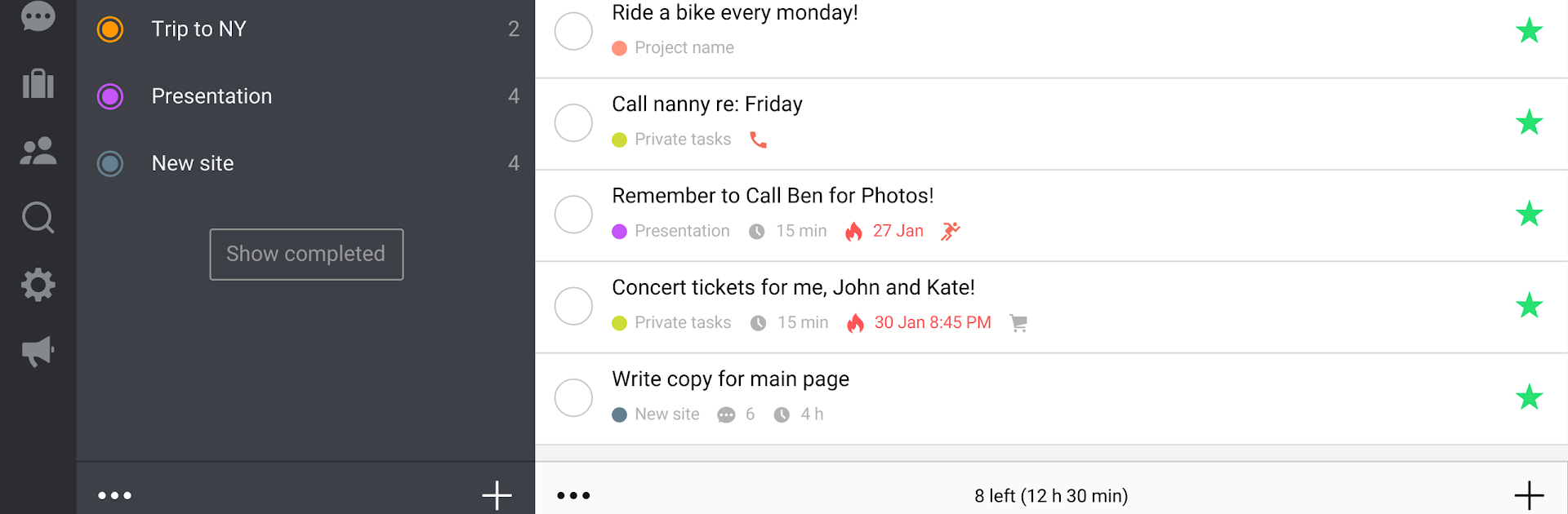
Juggling projects, tasks, and team conversations can get messy fast, but Nozbe: to-do, tasks, projects & team is here to take that stress off your shoulders. This productivity app from Nozbe.com is all about making your work life smoother—organize tasks, collaborate with your team, and actually stay on top of it all. If your mind is buzzing with to-dos, this could be the spot to give it a break.

App Features

  • Organize Your Way
    Quickly jot down tasks wherever you are, sort them into projects, mark your must-dos, and batch similar jobs together using categories for a smoother workflow.

  • Teamwork, Minus the Messy Emails
    Share projects with others and communicate right on each task. Forget scrolling through endless email threads—every comment, checklist, or attachment lives where it’s relevant.

  • Multiple Ways to Comment
    Leave notes, checklists, images, and even upload docs straight from Google Drive or other cloud services—all within the task you’re working on.

  • Stay on Top of Progress
    Built-in reports let you and your team see what’s getting done, keep tabs on productivity, and spot room for improvement—there’s even a course with helpful tips for getting more out of your day.

  • Automate with Project Templates
    Save time by turning recurring workflows into templates—you can reuse, tweak, and even share them with others in the Nozbe community.

  • Integrate Your Favorite Tools
    Sync deadlines with Google Calendar, attach notes from Evernote, or drop in files from Dropbox, Google Drive, OneDrive, and Box—all without leaving the app.

  • Super Quick Task Input
    Add tasks in a flash using hashtags, email, your phone’s assistant, notification shortcuts, widgets, or even sharing from other apps.

Nozbe: to-do, tasks, projects & team keeps things free for small setups and scales as your needs grow. And if you prefer working from your desktop, you can use it alongside your favorite productivity tools while running it on BlueStacks.

BlueStacks brings your apps to life on a bigger screen—seamless and straightforward.

How to Download and Run Nozbe: to-do, tasks, projects & team on PC or Mac

  • Download and install BlueStacks on your PC or Mac

  • Complete Google sign-in to access the Play Store, or do it later

  • Look for Nozbe: to-do, tasks, projects & team in the search bar at the top right corner

  • Click to install Nozbe: to-do, tasks, projects & team from the search results

  • Complete Google sign-in (if you skipped step 2) to install Nozbe: to-do, tasks, projects & team

  • Click the Nozbe: to-do, tasks, projects & team icon on the home screen to start playing

video
Watch Video

Minimum System Requirements

With BlueStacks 5, you can get started on a PC that fulfills the following requirements.

  • Operating System

    Microsoft Windows 7 or above, macOS 11 (Big Sur) or above

  • Processor

    Intel, AMD or Apple Silicon Processor

  • RAM

    at least 4GB

  • HDD

    10GB Free Disk Space

Note:

* You must be an Administrator on your PC. Up to date graphics drivers from Microsoft or the chipset vendor.

Nozbe: to-do, tasks, projects & team - FAQs

  • How to Run Nozbe: to-do, tasks, projects & team on Windows PC & Mac?

    Run Nozbe: to-do, tasks, projects & team on your PC or Mac by following these simple steps.

    • Click on ‘Download Nozbe: to-do, tasks, projects & team on PC’ to download BlueStacks
    • Install it and log-in to Google Play Store
    • Launch and run the app.
  • Why is BlueStacks the fastest and safest platform to play games on PC?

    BlueStacks respects your privacy and is always safe and secure to use. It does not carry any malware, spyware, or any sort of additional software that could harm your PC.

    It is engineered to optimize speed and performance for a seamless gaming experience.

  • What are Nozbe: to-do, tasks, projects & team PC requirements?

    Minimum requirement to run Nozbe: to-do, tasks, projects & team on your PC

    • OS: Microsoft Windows 7 and above:
    • Processor: Intel or AMD Processor:
    • RAM: Your PC must have at least 2GB of RAM. (Note that having 2GB or more disk space is not a substitute for RAM):
    • HDD: 5GB Free Disk Space.
    • You must be an Administrator on your PC.




