
PlanRadar construction app

PlanRadar construction app

Productivity

| PlanRadar GmbH

Play on PC with BlueStacks or from our cloud

  • Overview
  • How to Download

Page Modified On: July 21, 2025

Run PlanRadar construction app on PC or Mac

Upgrade your experience. Try PlanRadar construction app, the fantastic Productivity app from PlanRadar GmbH, from the comfort of your laptop, PC, or Mac, only on BlueStacks.

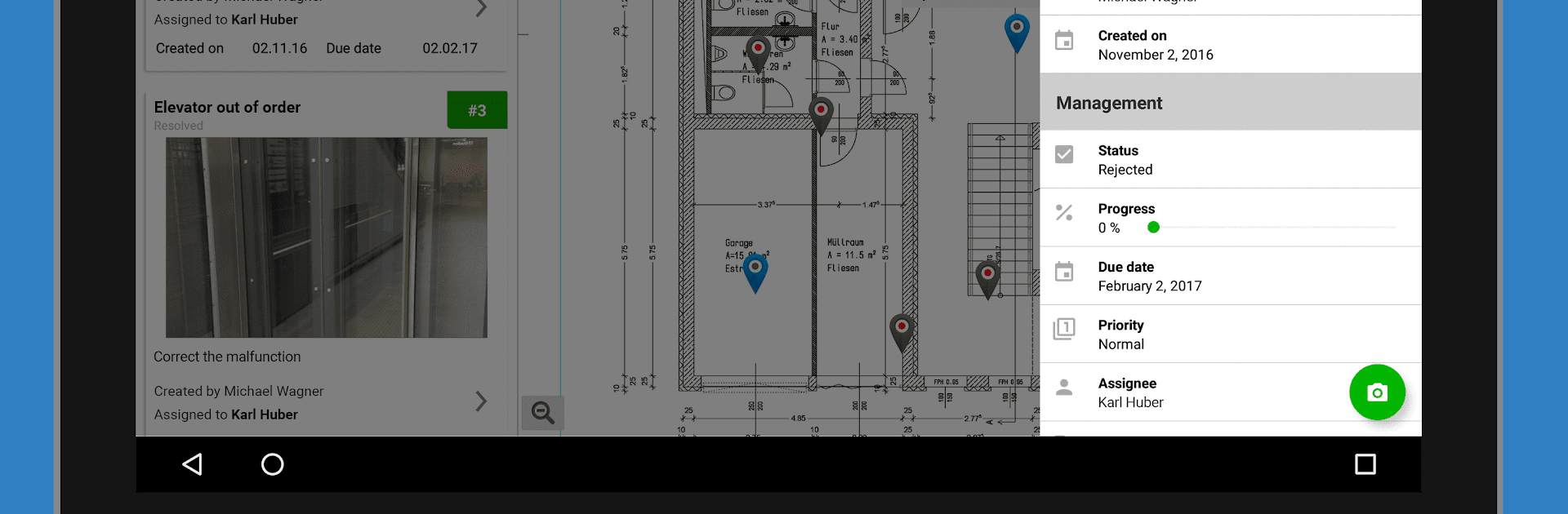
So PlanRadar is one of those construction management apps that actually feels thought out, especially if someone’s used to dealing with endless paperwork or chasing contractors for updates. On PC, especially when running it with BlueStacks, everything’s just clearer — those digital blueprints pop, and dragging tickets or marking spots feels smooth with a mouse. It’s built for people juggling a bunch of real estate, facility, or construction projects, and what stands out first is how easy it is to bring everyone onto the same page. Literally invite the whole crew — engineers, owners, subcontractors, whoever — and suddenly all the updates, photos, voice memos, and tasks are in one place.

Adding tickets to track issues is straightforward. You just click where the problem is on the plan, upload a picture if you’ve got one, maybe add a note, and move on. Assigning who’s supposed to fix what only takes a second, and tracking how things are going doesn’t get lost in someone’s email or a stack of paper. And as stuff gets done or changes, everyone sees it right away. There’s tons of options for organizing — you can filter by tickets, add comments, set deadlines, and the status updates actually make sense. There’s also offline support, which is nice if someone’s working on a site with spotty internet. When everything’s running, the app turns all that activity into pretty tidy reports and logs, ready to print or export. It basically saves a lot of hassle for anyone trying to run a project efficiently and keep everyone in the loop.

Eager to take your app experience to the next level? Start right away by downloading BlueStacks on your PC or Mac.


How to Download and Run PlanRadar construction app on PC or Mac

  • Download and install BlueStacks on your PC or Mac

  • Complete Google sign-in to access the Play Store, or do it later

  • Look for PlanRadar construction app in the search bar at the top right corner

  • Click to install PlanRadar construction app from the search results

  • Complete Google sign-in (if you skipped step 2) to install PlanRadar construction app

  • Click the PlanRadar construction app icon on the home screen to start playing

video
Watch Video

Minimum System Requirements

With BlueStacks 5, you can get started on a PC that fulfills the following requirements.

  • Operating System

    Microsoft Windows 7 or above, macOS 11 (Big Sur) or above

  • Processor

    Intel, AMD or Apple Silicon Processor

  • RAM

    at least 4GB

  • HDD

    10GB Free Disk Space

Note:

* You must be an Administrator on your PC. Up to date graphics drivers from Microsoft or the chipset vendor.

PlanRadar construction app - FAQs

  • How to Run PlanRadar construction app on Windows PC & Mac?

    Run PlanRadar construction app on your PC or Mac by following these simple steps.

    • Click on ‘Download PlanRadar construction app on PC’ to download BlueStacks
    • Install it and log-in to Google Play Store
    • Launch and run the app.
  • Why is BlueStacks the fastest and safest platform to play games on PC?

    BlueStacks respects your privacy and is always safe and secure to use. It does not carry any malware, spyware, or any sort of additional software that could harm your PC.

    It is engineered to optimize speed and performance for a seamless gaming experience.

  • What are PlanRadar construction app PC requirements?

    Minimum requirement to run PlanRadar construction app on your PC

    • OS: Microsoft Windows 7 and above:
    • Processor: Intel or AMD Processor:
    • RAM: Your PC must have at least 2GB of RAM. (Note that having 2GB or more disk space is not a substitute for RAM):
    • HDD: 5GB Free Disk Space.
    • You must be an Administrator on your PC.



