
South Korea Calendar

South Korea Calendar

Productivity

| Calendar2U - Yuno Solutions

Play on PC with BlueStacks or from our cloud

  • Overview
  • How to Download

Page Modified On: January 02, 2026

Run South Korea Calendar on PC or Mac

Upgrade your experience. Try South Korea Calendar, the fantastic Productivity app from Calendar2U – Yuno Solutions, from the comfort of your laptop, PC, or Mac, only on BlueStacks.

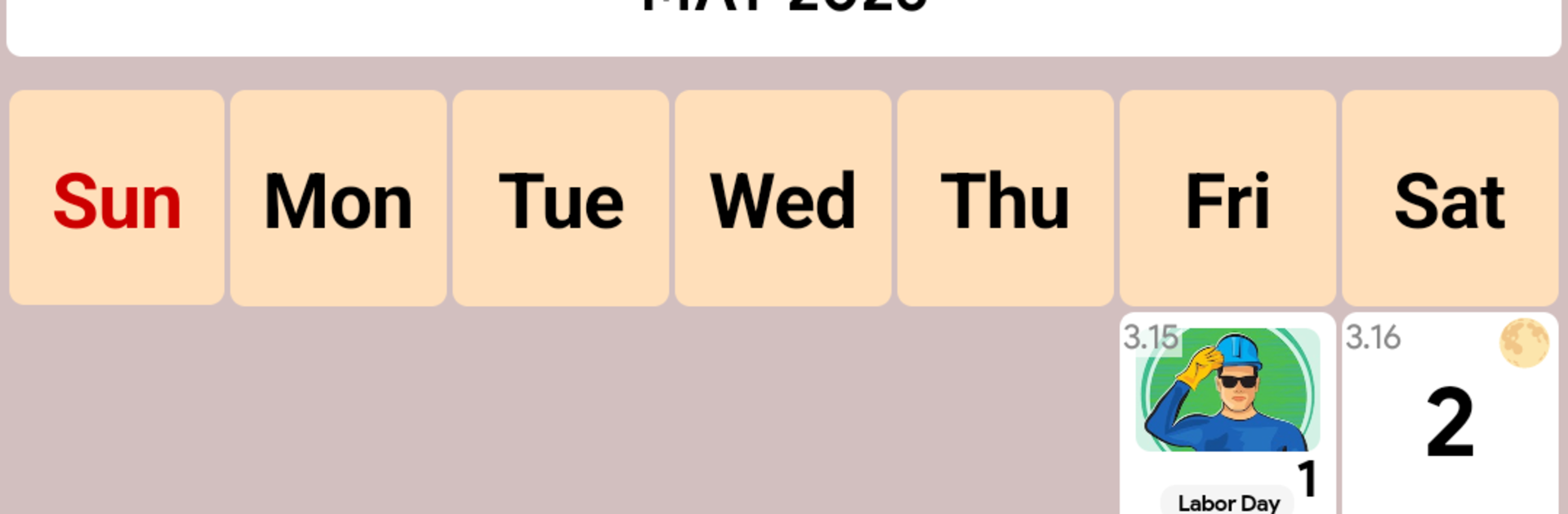
South Korea Calendar is very no-nonsense, the whole thing is built around seeing Korean public holidays and cultural festivals at a glance, including the lunar ones like Seollal and Chuseok. It loads fast, shows clear month views, and tapping a date pops up the details without extra junk in the way. The reminder feature is simple but handy, so a person does not forget days off or family events. There is a daily notes area too, which feels like a quick scratchpad tied to the date rather than a full planner. It also syncs with Google Calendar, so anything added there shows up across devices, which is kind of the point for commute and office schedules.

The parts that stand out are the lunar dates being right beside the regular ones, and a small date calculator that counts days between two dates. It sounds basic, but it saves that mental math when planning leave or a trip. The interactive stuff is light but useful. Pan and zoom helps focus on a busy week, and jumping between years is smooth. It covers 2021 through 2026, so checking last year’s timetable or a long break next year is easy. On BlueStacks, the big screen makes the holiday colors and notes easier to read, and typing notes with a keyboard feels way faster. No wild learning curve, just a tidy calendar that does what it says.

BlueStacks gives you the much-needed freedom to experience your favorite apps on a bigger screen. Get it now.


How to Download and Run South Korea Calendar on PC or Mac

  • Download and install BlueStacks on your PC or Mac

  • Complete Google sign-in to access the Play Store, or do it later

  • Look for South Korea Calendar in the search bar at the top right corner

  • Click to install South Korea Calendar from the search results

  • Complete Google sign-in (if you skipped step 2) to install South Korea Calendar

  • Click the South Korea Calendar icon on the home screen to start playing

video
Watch Video

Minimum System Requirements

With BlueStacks 5, you can get started on a PC that fulfills the following requirements.

  • Operating System

    Microsoft Windows 7 or above, macOS 11 (Big Sur) or above

  • Processor

    Intel, AMD or Apple Silicon Processor

  • RAM

    at least 4GB

  • HDD

    10GB Free Disk Space

Note:

* You must be an Administrator on your PC. Up to date graphics drivers from Microsoft or the chipset vendor.

South Korea Calendar - FAQs

  • How to Run South Korea Calendar on Windows PC & Mac?

    Run South Korea Calendar on your PC or Mac by following these simple steps.

    • Click on ‘Download South Korea Calendar on PC’ to download BlueStacks
    • Install it and log-in to Google Play Store
    • Launch and run the app.
  • Why is BlueStacks the fastest and safest platform to play games on PC?

    BlueStacks respects your privacy and is always safe and secure to use. It does not carry any malware, spyware, or any sort of additional software that could harm your PC.

    It is engineered to optimize speed and performance for a seamless gaming experience.

  • What are South Korea Calendar PC requirements?

    Minimum requirement to run South Korea Calendar on your PC

    • OS: Microsoft Windows 7 and above:
    • Processor: Intel or AMD Processor:
    • RAM: Your PC must have at least 2GB of RAM. (Note that having 2GB or more disk space is not a substitute for RAM):
    • HDD: 5GB Free Disk Space.
    • You must be an Administrator on your PC.



