To Do List
To Do List

To Do List

Productivity

| Arpi Toth

Play on PC with BlueStacks or from our cloud

  • Overview
  • How to Download

Page Modified On: July 20, 2026

Run To Do List on PC or Mac

Multitask effortlessly on your PC or Mac as you try out To Do List, a Productivity app by Arpi Toth on BlueStacks.

About the App

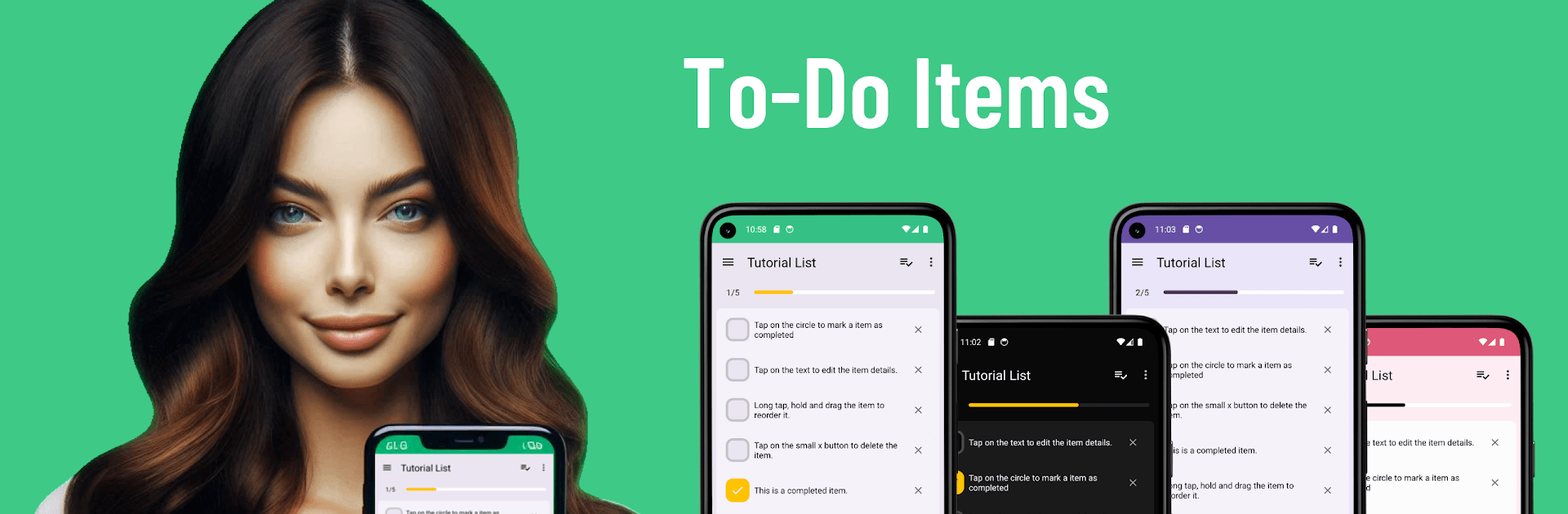
To Do List is a clean, everyday task manager that helps you keep track of errands, plans, and quick reminders without any clutter. It’s simple, fast, and works even when you’re offline, so your lists are always right where you left them—on your phone. Prefer typing on a keyboard? You can also use it on your computer with BlueStacks while keeping the same straightforward feel.

App Features

  • Quick lists, zero fuss — Set up task lists in seconds. The free version lets you create up to 5 lists with 15 tasks per list, perfect for routines, work, and side projects.
  • Drag-and-drop control — Reorder tasks or move them between lists with a smooth drag-and-drop flow that just makes sense.
  • Due dates and notes — Add deadlines and extra details to keep everything clear and actionable.
  • Offline and private — No sign-ups or accounts needed. Your data stays on your device, ready whenever you are.
  • Light customization — Make each list feel yours with simple tweaks that keep things easy on the eyes.
  • PRO upgrade — Go unlimited with lists and items, remove ads, unlock advanced settings, and pick from multiple themes to match your style.
  • Keep it locked (PRO) — Add a custom password to protect your lists when you want an extra layer of privacy.
  • Themes that fit your vibe (PRO) — Switch between different looks so your workspace feels comfortable and personal.

Switch to BlueStacks and make the most of your apps on your PC or Mac.

How to Download and Run To Do List on PC or Mac

  • Download and install BlueStacks on your PC or Mac

  • Complete Google sign-in to access the Play Store, or do it later

  • Look for To Do List in the search bar at the top right corner

  • Click to install To Do List from the search results

  • Complete Google sign-in (if you skipped step 2) to install To Do List

  • Click the To Do List icon on the home screen to start playing

video
Watch Video

Minimum System Requirements

With BlueStacks 5, you can get started on a PC that fulfills the following requirements.

  • Operating System

    Microsoft Windows 7 or above, macOS 11 (Big Sur) or above

  • Processor

    Intel, AMD or Apple Silicon Processor

  • RAM

    at least 4GB

  • HDD

    10GB Free Disk Space

Note:

* You must be an Administrator on your PC. Up to date graphics drivers from Microsoft or the chipset vendor.

To Do List - FAQs

  • How to Run To Do List on Windows PC & Mac?

    Run To Do List on your PC or Mac by following these simple steps.

    • Click on ‘Download To Do List on PC’ to download BlueStacks
    • Install it and log-in to Google Play Store
    • Launch and run the app.
  • Why is BlueStacks the fastest and safest platform to play games on PC?

    BlueStacks respects your privacy and is always safe and secure to use. It does not carry any malware, spyware, or any sort of additional software that could harm your PC.

    It is engineered to optimize speed and performance for a seamless gaming experience.

  • What are To Do List PC requirements?

    Minimum requirement to run To Do List on your PC

    • OS: Microsoft Windows 7 and above:
    • Processor: Intel or AMD Processor:
    • RAM: Your PC must have at least 2GB of RAM. (Note that having 2GB or more disk space is not a substitute for RAM):
    • HDD: 5GB Free Disk Space.
    • You must be an Administrator on your PC.