
To-do List & Tasks & Planner

To-do List & Tasks & Planner

Productivity

| Todobit

Play on PC with BlueStacks or from our cloud

  • Overview
  • How to Download

Page Modified On: October 13, 2025

Run To-do List & Tasks & Planner on PC or Mac

Let BlueStacks turn your PC, Mac, or laptop into the perfect home for To-do List & Tasks & Planner, a fun Productivity app from Todobit.

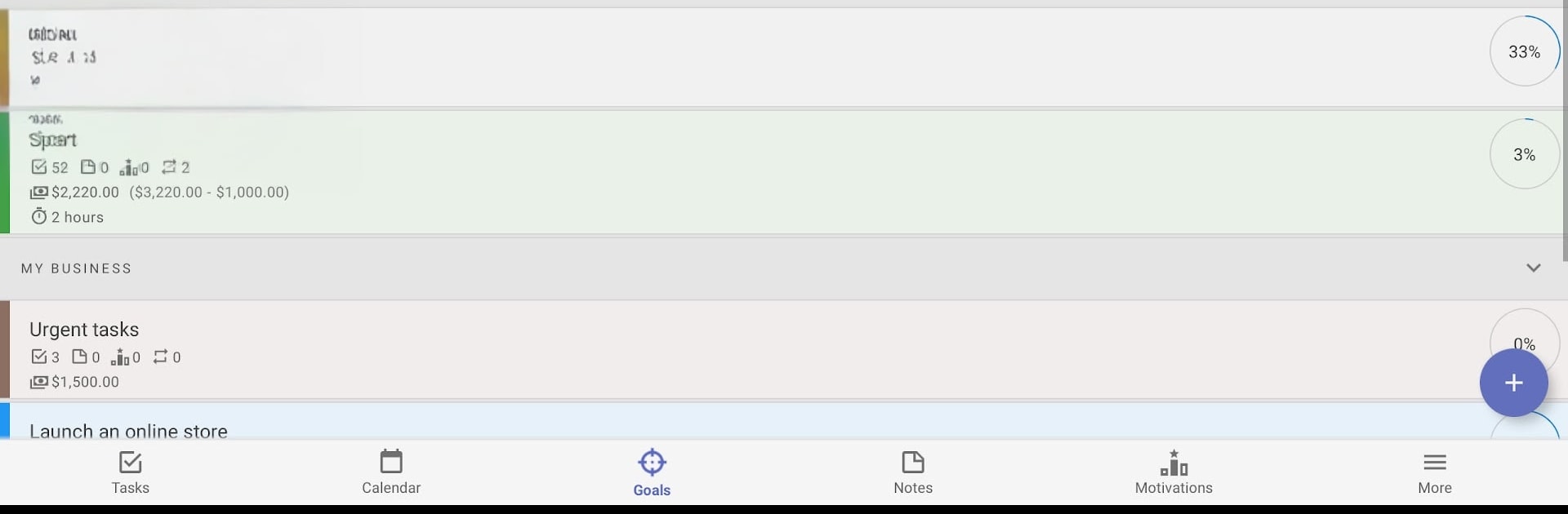
To-do List & Tasks & Planner feels like a solid all‑in‑one organizer that treats goals as the big picture and tasks as the steps. The main idea is simple: make a goal, toss tasks and notes into it, give them dates if needed, and watch a clean progress bar show what is done and what is left. Tasks can be one‑off, recurring on a schedule, or even auto move to the next day if they expire. Deadlines are flexible with start and end time, and there is a neat option to decide what happens when something runs late (complete it, bump it to tomorrow, next week, next month, or leave it overdue). Lists and goals can be grouped into categories, color coded, and sorted automatically or by hand. Bulk actions help clear or move a bunch of stuff in one go, which saves a lot of taps when a plan changes. There is a quick add panel, multiple reminders, and a notepad vibe for simple notes that can later be turned into tasks with a due date.

What stands out is the goal tracking detail. Each goal shows how many tasks are done, how much time and cost have been logged, and how close it is to finished. Costs inside tasks make it easy to keep a purchases list or stay on top of monthly payments, and the app will total it inside the goal. The calendar view feels useful for setting a day’s plan directly, then shuffling tasks to another day if things slip. It works offline, has a custom widget, shows status on the lock screen, and backs up to device storage or Google Drive, which explains the storage permissions that pop up. There is even a small calculator so totals do not need another app. On PC with BlueStacks, typing long lists and dragging tasks between goals is smoother with a mouse and keyboard, and that makes the whole planner feel more like a desktop organizer without losing the simple phone layout.

Big screen. Bigger performance. Use BlueStacks on your PC or Mac to run your favorite apps.

How to Download and Run To-do List & Tasks & Planner on PC or Mac

  • Download and install BlueStacks on your PC or Mac

  • Complete Google sign-in to access the Play Store, or do it later

  • Look for To-do List & Tasks & Planner in the search bar at the top right corner

  • Click to install To-do List & Tasks & Planner from the search results

  • Complete Google sign-in (if you skipped step 2) to install To-do List & Tasks & Planner

  • Click the To-do List & Tasks & Planner icon on the home screen to start playing

video
Watch Video

Minimum System Requirements

With BlueStacks 5, you can get started on a PC that fulfills the following requirements.

  • Operating System

    Microsoft Windows 7 or above, macOS 11 (Big Sur) or above

  • Processor

    Intel, AMD or Apple Silicon Processor

  • RAM

    at least 4GB

  • HDD

    10GB Free Disk Space

Note:

* You must be an Administrator on your PC. Up to date graphics drivers from Microsoft or the chipset vendor.

To-do List & Tasks & Planner - FAQs

  • How to Run To-do List & Tasks & Planner on Windows PC & Mac?

    Run To-do List & Tasks & Planner on your PC or Mac by following these simple steps.

    • Click on ‘Download To-do List & Tasks & Planner on PC’ to download BlueStacks
    • Install it and log-in to Google Play Store
    • Launch and run the app.
  • Why is BlueStacks the fastest and safest platform to play games on PC?

    BlueStacks respects your privacy and is always safe and secure to use. It does not carry any malware, spyware, or any sort of additional software that could harm your PC.

    It is engineered to optimize speed and performance for a seamless gaming experience.

  • What are To-do List & Tasks & Planner PC requirements?

    Minimum requirement to run To-do List & Tasks & Planner on your PC

    • OS: Microsoft Windows 7 and above:
    • Processor: Intel or AMD Processor:
    • RAM: Your PC must have at least 2GB of RAM. (Note that having 2GB or more disk space is not a substitute for RAM):
    • HDD: 5GB Free Disk Space.
    • You must be an Administrator on your PC.




