A Short Tale - Room Escape

A Short Tale - Room Escape

Puzzle

| Glitch Games

Play on PC with BlueStacks or from our cloud

  • Overview
  • Game Features
  • How to Play

Page Modified On: December 26, 2025

Play A Short Tale - Room Escape on PC or Mac

From the innovators and creators at Glitch Games, A Short Tale – Room Escape is another fun addition to the World of Puzzle games. Go beyond your mobile screen and play it bigger and better on your PC or Mac. An immersive experience awaits you.

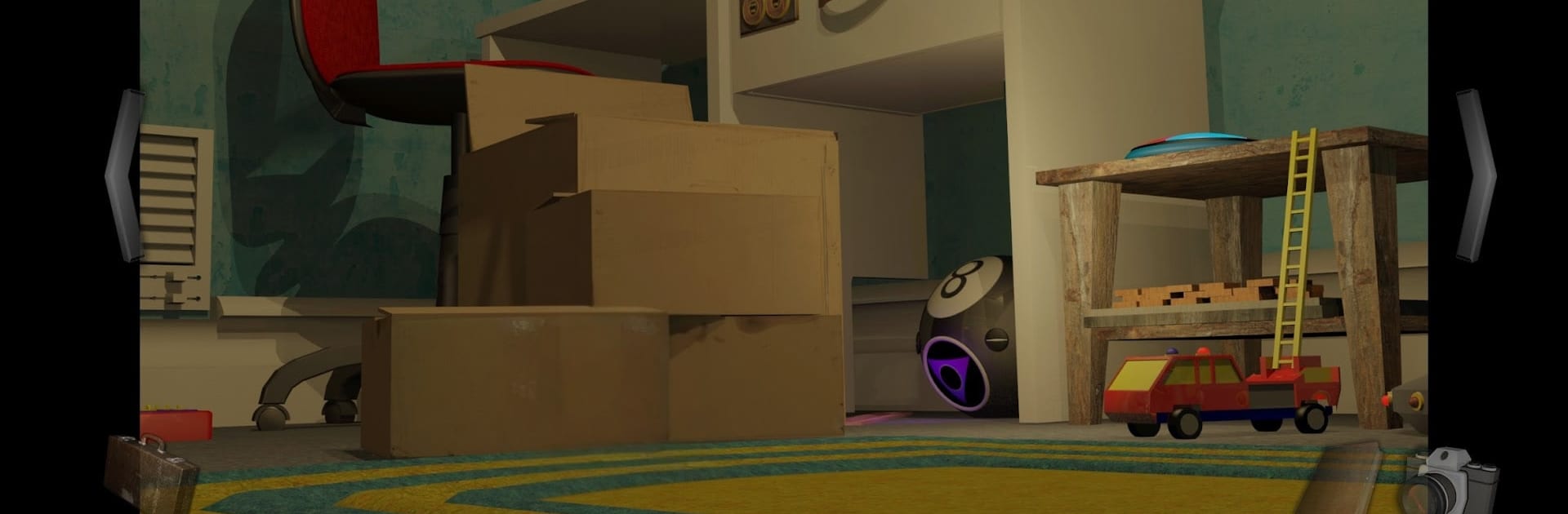
A Short Tale is one of those point and click escape adventures that feels small at first, then turns into a whole toybox of puzzles. It follows Jason exploring his younger brother Ben’s bedroom after wishing to be small again, so the everyday stuff turns huge. Beds become scaffolding, drawers are cliffs, and old toys feel alive in that half-cheeky, half-haunting way. There is a soft, sad thread running through it about memory and loss, but it never gets heavy. It just gives the exploring a little heart while you poke at everything.

Playing is simple. First person, lots of tapping on odd bits, picking up items, and trying to figure out how one strange clue fits another. The camera tool is clever. Snap photos of codes, doodles, weird layouts, then flip through them later like a pocket notebook. Expect jokes, a few puzzles that make you mutter at the screen, and a bunch that land with that nice “oh of course” click. The soundtrack sits in the background and suits the whole tiny-person-in-a-big-room feel. On PC with BlueStacks, the mouse makes it easy to spot small details and flick through the photo album, and the bigger screen helps with tiny text and symbols. It saves on its own, the world is larger than it first looks, and it is a comfy few hours for anyone who likes scrappy, thoughtful puzzles with a nostalgic twist.

Start your journey now. Download the game on BlueStacks, invite your friends, and march on a new adventure.


Game Features

Enhancements

  • Macros
  • Multi Instance
  • Multi Instance Sync
  • Script
  • Enhancements
Macros

Macros

Automate the predictable in A Short Tale - Room Escape and transform your gameplay with Macros. Get access to inventive Macros in the BlueStacks Macro Community
Multi Instance

Multi Instance

Play A Short Tale - Room Escape on one window. And chat with your friend on the other. Press CTRL + Shift + 8 to open the Multi-Instance Manager. And start creating fresh instances or clone an existing one.
Multi Instance Sync

Multi Instance Sync

Play A Short Tale - Room Escape with the power of Multi-Instance Sync. Replicate what you are doing on the main instance on all other instances. Level up faster, play more.
Script

Script

Script your way to gaming glory in A Short Tale - Room Escape with BlueStacks Script. Write and run a set of commands to automate repeated tasks. Trigger the command by assigning it to any key.
Read More

How to Download and Play A Short Tale - Room Escape on PC or Mac

  • Download and install BlueStacks on your PC or Mac

  • Complete Google sign-in to access the Play Store, or do it later

  • Look for A Short Tale - Room Escape in the search bar at the top right corner

  • Click to install A Short Tale - Room Escape from the search results

  • Complete Google sign-in (if you skipped step 2) to install A Short Tale - Room Escape

  • Click the A Short Tale - Room Escape icon on the home screen to start playing

video
Watch Video

Minimum System Requirements

With BlueStacks 5, you can get started on a PC that fulfills the following requirements.

  • Operating System

    Microsoft Windows 7 or above, macOS 11 (Big Sur) or above

  • Processor

    Intel, AMD or Apple Silicon Processor

  • RAM

    at least 4GB

  • HDD

    10GB Free Disk Space

Note:

* You must be an Administrator on your PC. Up to date graphics drivers from Microsoft or the chipset vendor.

A Short Tale - Room Escape - FAQs

  • How to play A Short Tale - Room Escape on Windows PC & Mac?

    Play A Short Tale - Room Escape on your PC or Mac by following these simple steps.

    • Click on 'Play A Short Tale - Room Escape on PC’ to download BlueStacks
    • Install it and log-in to Google Play Store
    • Launch and play the game.
  • Why is BlueStacks the fastest and safest platform to play games on PC?

    BlueStacks respects your privacy and is always safe and secure to use. It does not carry any malware, spyware, or any sort of additional software that could harm your PC.

    It is engineered to optimize speed and performance for a seamless gaming experience.

  • What are A Short Tale - Room Escape PC requirements?

    Minimum requirement to run A Short Tale - Room Escape on your PC

    • OS: Microsoft Windows 7 or above MacOS 11 (Big Sur) or above
    • Processor: Intel, AMD or Apple Silicon Processor
    • RAM: Your PC must have at least 4GB of RAM. (Note that having 4GB or more disk space is not a substitute for RAM)
    • HDD: 10GB Free Disk Space.
    • You must be an Administrator on your PC.