Sunball 2048: Drop and merge

Sunball 2048: Drop and merge

Puzzle

| SoloHorde Games

Play on PC with BlueStacks or from our cloud

  • Overview
  • Game Features
  • How to Play

Page Modified On: June 13, 2025

Play Sunball 2048: Drop and merge on PC or Mac

Explore a whole new adventure with Sunball 2048: Drop and merge, a Puzzle game created by SoloHorde Games. Experience great gameplay with BlueStacks, the most popular gaming platform to play Android games on your PC or Mac.

About the Game

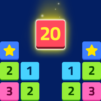
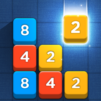
If you’re all about puzzle challenges and love that “one more try” feeling, Sunball 2048: Drop and merge from SoloHorde Games is probably right up your alley. Here, you’ll get hooked on combining colorful balls, watching things pop and merge while figuring out clever moves to beat your highest score. Whether you’re chilling on your phone or enjoying it on BlueStacks, this game keeps things fun, fresh, and just a little bit addictive.

Game Features

  • Two Game Modes
    In the mood for classic drop-style puzzles or want something that feels more like a bubble shooter? You can switch between these modes whenever you like—just pick what sounds fun or swap it up when you want a new challenge.

  • Flexible Level Types
    Sometimes you want things simple, sometimes you’re after a twist. Pick from classic, round, or totally random layouts, so each play session feels a little different.

  • Personalized Play
    Love the traditional 2048 style? Keep those numbers on. Prefer something less numeric? You can switch the numbers off and focus on the merging action. There’s even a little bit of customization for how you want your game to look and play.

  • Intuitive Controls
    All it takes is one finger to aim and release the balls. Watch as they bounce, merge, and sometimes surprise you with their path—it’s easy to get the hang of but tough to master.

  • Power-Ups and Boosters
    Stuck or just itching for some chaos? Drop a bomb or unleash a whirlwind to shake things up. There are special buttons up top for those “let’s see what happens” moments, making tricky levels a bit more manageable.

  • Offline Friendly
    No Wi-Fi? No problem. Most of the game works perfectly offline, though grabbing certain boosters does need a quick connection once you’ve used up your freebies.

  • Eye-Catching Visuals
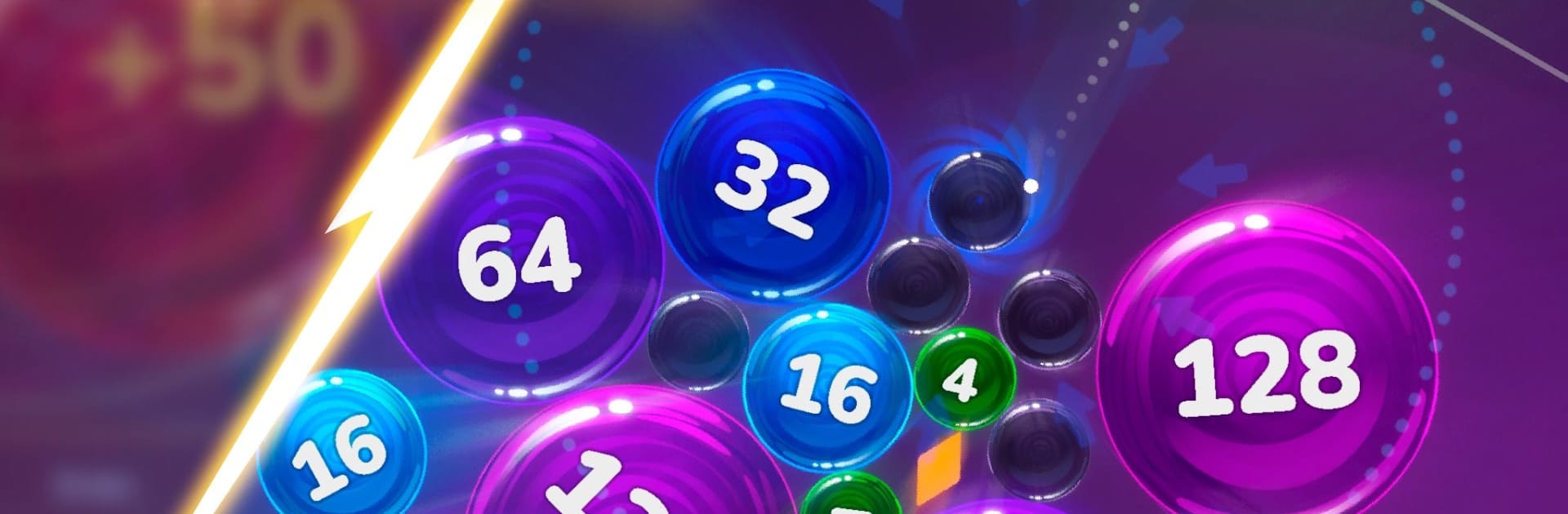
    Sunball 2048: Drop and merge isn’t just fun—it looks great, too. The balls have a shiny, colorful style that makes every match satisfying to watch.

  • Ongoing Updates
    Things stay interesting thanks to frequent tweaks and new content, with updates often inspired by player feedback.

  • A Unique Merge Challenge
    The real trick? Try to match up two suns. Trust us, seeing what happens next is part of the fun!

Ready to top the leaderboard? We bet you do. Let precise controls and sharp visuals optimized on BlueStacks lead you to victory.


Game Features

Enhancements

  • Macros
  • Multi Instance
  • Multi Instance Sync
  • Script
  • Enhancements
Macros

Macros

Automate the predictable in Sunball 2048: Drop and merge and transform your gameplay with Macros. Get access to inventive Macros in the BlueStacks Macro Community
Multi Instance

Multi Instance

Play Sunball 2048: Drop and merge on one window. And chat with your friend on the other. Press CTRL + Shift + 8 to open the Multi-Instance Manager. And start creating fresh instances or clone an existing one.
Multi Instance Sync

Multi Instance Sync

Play Sunball 2048: Drop and merge with the power of Multi-Instance Sync. Replicate what you are doing on the main instance on all other instances. Level up faster, play more.
Script

Script

Script your way to gaming glory in Sunball 2048: Drop and merge with BlueStacks Script. Write and run a set of commands to automate repeated tasks. Trigger the command by assigning it to any key.
Read More

How to Download and Play Sunball 2048: Drop and merge on PC or Mac

  • Download and install BlueStacks on your PC or Mac

  • Complete Google sign-in to access the Play Store, or do it later

  • Look for Sunball 2048: Drop and merge in the search bar at the top right corner

  • Click to install Sunball 2048: Drop and merge from the search results

  • Complete Google sign-in (if you skipped step 2) to install Sunball 2048: Drop and merge

  • Click the Sunball 2048: Drop and merge icon on the home screen to start playing

video
Watch Video

Minimum System Requirements

With BlueStacks 5, you can get started on a PC that fulfills the following requirements.

  • Operating System

    Microsoft Windows 7 or above, macOS 11 (Big Sur) or above

  • Processor

    Intel, AMD or Apple Silicon Processor

  • RAM

    at least 4GB

  • HDD

    10GB Free Disk Space

Note:

* You must be an Administrator on your PC. Up to date graphics drivers from Microsoft or the chipset vendor.

Sunball 2048: Drop and merge - FAQs

  • How to play Sunball 2048: Drop and merge on Windows PC & Mac?

    Play Sunball 2048: Drop and merge on your PC or Mac by following these simple steps.

    • Click on 'Play Sunball 2048: Drop and merge on PC’ to download BlueStacks
    • Install it and log-in to Google Play Store
    • Launch and play the game.
  • Why is BlueStacks the fastest and safest platform to play games on PC?

    BlueStacks respects your privacy and is always safe and secure to use. It does not carry any malware, spyware, or any sort of additional software that could harm your PC.

    It is engineered to optimize speed and performance for a seamless gaming experience.

  • What are Sunball 2048: Drop and merge PC requirements?

    Minimum requirement to run Sunball 2048: Drop and merge on your PC

    • OS: Microsoft Windows 7 or above MacOS 11 (Big Sur) or above
    • Processor: Intel, AMD or Apple Silicon Processor
    • RAM: Your PC must have at least 4GB of RAM. (Note that having 4GB or more disk space is not a substitute for RAM)
    • HDD: 10GB Free Disk Space.
    • You must be an Administrator on your PC.