Bus Jam Car Parking Games 3d

Bus Jam Car Parking Games 3d

Racing

| Zego Global Games Studio (ZGGS)

Play on PC with BlueStacks or from our cloud

  • Overview
  • Game Features
  • How to Play

Page Modified On: April 07, 2026

Play Bus Jam Car Parking Games 3d on PC or Mac

From the innovators and creators at Zego Global Games Studio (ZGGS), Bus Jam Car Parking Games 3d is another fun addition to the World of Racing games. Go beyond your mobile screen and play it bigger and better on your PC or Mac. An immersive experience awaits you.

About the Game

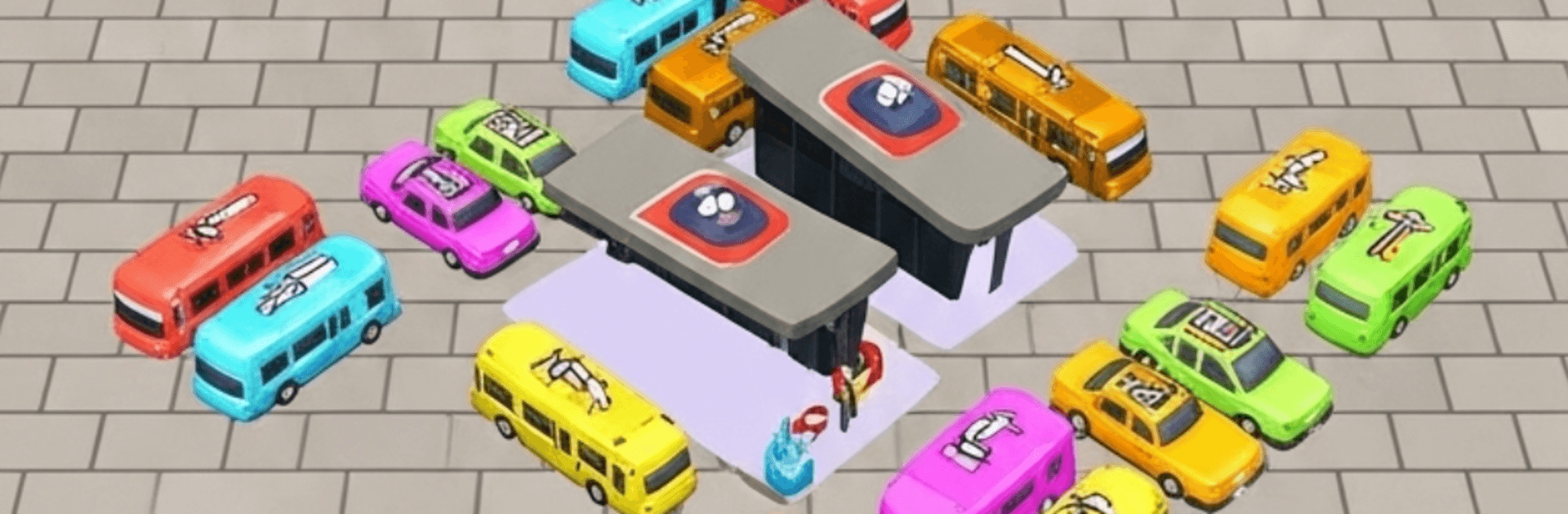
Stuck lots, stubborn buses, and that one car blocking everyone—welcome to Bus Jam Car Parking Games 3d. This laid-back yet brainy mix of traffic jam puzzles and bus parking challenges asks you to untangle crowded lots one smart move at a time. From Zego Global Games Studio (ZGGS), this Racing title turns every level into a tiny logic workout. Prefer a bigger screen and easy controls? You can play it on BlueStacks, too.

Game Features

  • Smart Traffic Puzzles: Slide vehicles in the right order to clear a path and pull off a clean traffic escape without jamming the whole lot.
  • Realistic 3D Lots: Park, nudge, and reroute buses and cars in detailed environments that feel like a true bus parking simulator.
  • Simple, Snappy Controls: Tap to move and watch the gridlock unfold—or unravel—fast. It’s pick-up-and-play, no tutorial wall.
  • Progressive Challenge: Early stages warm you up; later ones turn tight and tricky, pushing your timing, planning, and parking jam strategy.
  • Different Vehicle Sizes: Maneuver long buses, compact cars, and everything in between, each changing how you approach the puzzle.
  • Fresh Obstacles Each Level: New layouts and blockages keep you thinking, so no two parking challenges feel the same.
  • Short Sessions, Big Payoff: Knock out a level in a minute or sink into a longer run—both feel equally satisfying when the lot finally clears.
  • Offline Play: No connection? No problem. Tackle puzzles anywhere, anytime.
  • Clean Visuals and Smooth Flow: Crisp 3D presentation and fluid motion make every successful untangle extra rewarding.

Slay your opponents with your epic moves. Play it your way on BlueStacks and dominate the battlefield.


Game Features

Enhancements

  • Macros
  • Multi Instance
  • Multi Instance Sync
  • Script
  • Enhancements
Macros

Macros

Automate the predictable in Bus Jam Car Parking Games 3d and transform your gameplay with Macros. Get access to inventive Macros in the BlueStacks Macro Community
Multi Instance

Multi Instance

Play Bus Jam Car Parking Games 3d on one window. And chat with your friend on the other. Press CTRL + Shift + 8 to open the Multi-Instance Manager. And start creating fresh instances or clone an existing one.
Multi Instance Sync

Multi Instance Sync

Play Bus Jam Car Parking Games 3d with the power of Multi-Instance Sync. Replicate what you are doing on the main instance on all other instances. Level up faster, play more.
Script

Script

Script your way to gaming glory in Bus Jam Car Parking Games 3d with BlueStacks Script. Write and run a set of commands to automate repeated tasks. Trigger the command by assigning it to any key.
Read More

How to Download and Play Bus Jam Car Parking Games 3d on PC or Mac

  • Download and install BlueStacks on your PC or Mac

  • Complete Google sign-in to access the Play Store, or do it later

  • Look for Bus Jam Car Parking Games 3d in the search bar at the top right corner

  • Click to install Bus Jam Car Parking Games 3d from the search results

  • Complete Google sign-in (if you skipped step 2) to install Bus Jam Car Parking Games 3d

  • Click the Bus Jam Car Parking Games 3d icon on the home screen to start playing

video
Watch Video

Minimum System Requirements

With BlueStacks 5, you can get started on a PC that fulfills the following requirements.

  • Operating System

    Microsoft Windows 7 or above, macOS 11 (Big Sur) or above

  • Processor

    Intel, AMD or Apple Silicon Processor

  • RAM

    at least 4GB

  • HDD

    10GB Free Disk Space

Note:

* You must be an Administrator on your PC. Up to date graphics drivers from Microsoft or the chipset vendor.

Bus Jam Car Parking Games 3d - FAQs

  • How to play Bus Jam Car Parking Games 3d on Windows PC & Mac?

    Play Bus Jam Car Parking Games 3d on your PC or Mac by following these simple steps.

    • Click on 'Play Bus Jam Car Parking Games 3d on PC’ to download BlueStacks
    • Install it and log-in to Google Play Store
    • Launch and play the game.
  • Why is BlueStacks the fastest and safest platform to play games on PC?

    BlueStacks respects your privacy and is always safe and secure to use. It does not carry any malware, spyware, or any sort of additional software that could harm your PC.

    It is engineered to optimize speed and performance for a seamless gaming experience.

  • What are Bus Jam Car Parking Games 3d PC requirements?

    Minimum requirement to run Bus Jam Car Parking Games 3d on your PC

    • OS: Microsoft Windows 7 or above MacOS 11 (Big Sur) or above
    • Processor: Intel, AMD or Apple Silicon Processor
    • RAM: Your PC must have at least 4GB of RAM. (Note that having 4GB or more disk space is not a substitute for RAM)
    • HDD: 10GB Free Disk Space.
    • You must be an Administrator on your PC.