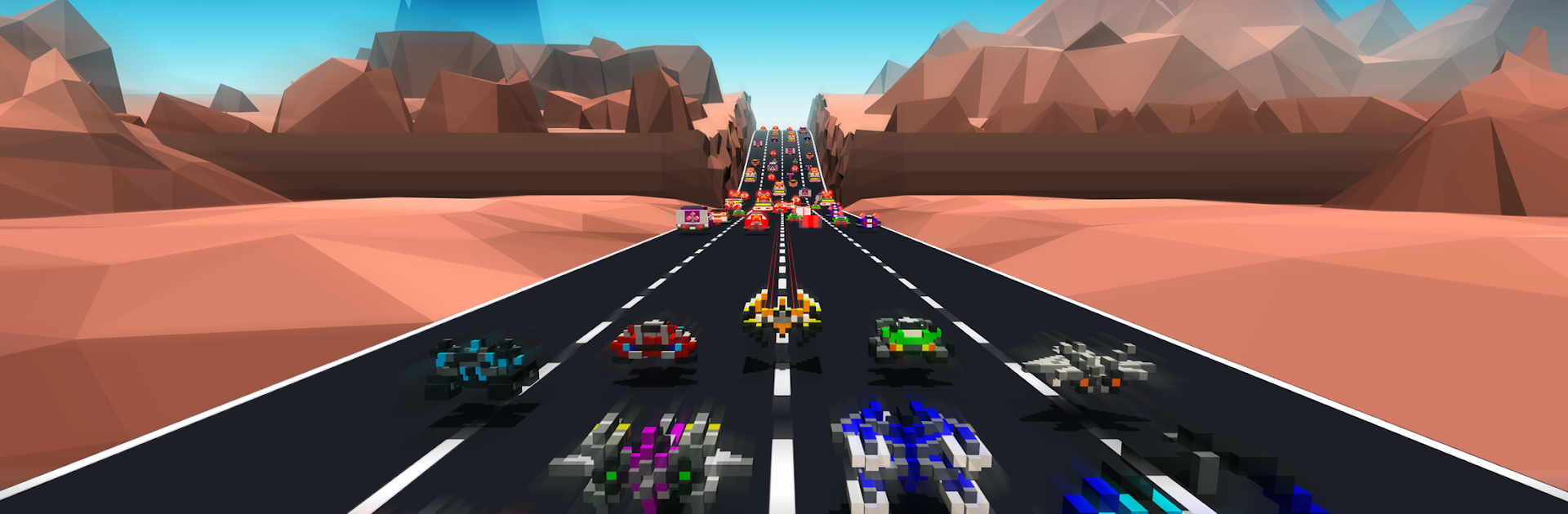
Hovercraft: Takedown

Hovercraft: Takedown

Racing

| High Score Hero LLC

Play on PC with BlueStacks or from our cloud

  • Overview
  • Game Features
  • How to Play

Page Modified On: January 06, 2026

Play Hovercraft: Takedown on PC or Mac

Bring your A-game to Hovercraft: Takedown, the Racing game sensation from High Score Hero LLC. Give your gameplay the much-needed boost with precise game controls, high FPS graphics, and top-tier features on your PC or Mac with BlueStacks.

Hovercraft: Takedown is a chaotic combat racer where players build a blocky hovercraft, bolt on a pile of weapons, and try to clean up highways full of thugs. It is not just a straight race. The physics are bouncy, so every tap and scrape matters, and pieces fly off when things go wrong. The real fun is the loadouts. You can run up to six guns at once, mixing long range sniper cannons, 360 degree tracking lasers, and triple fire homing rockets. When enemies pop, they often set off chain explosions that wipe a lane, which feels loud and messy in a good way.

Progress is a steady drip of upgrades and loot cards, with rare and legendary bits that tweak guns and thrusters. Damage is not only a health bar. If a thruster gets hit, steering goes wobbly. If a weapon breaks, one side stops firing. There is a Wi Fi multiplayer survival mode for running with friends, and it turns into a score chase where everyone covers angles and scrambles for power ups. Tracks swing from narrow rocky passes to fast straights, so you get those close calls at high speed. Playing on PC with BlueStacks makes aiming and dodging feel tighter and the frame rate smoother, but it stays very arcadey and quick to hop into. If someone likes building weird vehicles, watching them crumble, and pushing for bigger takedown streaks, this loop hits that urge.

Start your journey now. Download the game on BlueStacks, invite your friends, and march on a new adventure.


Game Features

Enhancements

  • Macros
  • Multi Instance
  • Multi Instance Sync
  • Script
  • Enhancements
Macros

Macros

Automate the predictable in Hovercraft: Takedown and transform your gameplay with Macros. Get access to inventive Macros in the BlueStacks Macro Community
Multi Instance

Multi Instance

Play Hovercraft: Takedown on one window. And chat with your friend on the other. Press CTRL + Shift + 8 to open the Multi-Instance Manager. And start creating fresh instances or clone an existing one.
Multi Instance Sync

Multi Instance Sync

Play Hovercraft: Takedown with the power of Multi-Instance Sync. Replicate what you are doing on the main instance on all other instances. Level up faster, play more.
Script

Script

Script your way to gaming glory in Hovercraft: Takedown with BlueStacks Script. Write and run a set of commands to automate repeated tasks. Trigger the command by assigning it to any key.
Read More

How to Download and Play Hovercraft: Takedown on PC or Mac

  • Download and install BlueStacks on your PC or Mac

  • Complete Google sign-in to access the Play Store, or do it later

  • Look for Hovercraft: Takedown in the search bar at the top right corner

  • Click to install Hovercraft: Takedown from the search results

  • Complete Google sign-in (if you skipped step 2) to install Hovercraft: Takedown

  • Click the Hovercraft: Takedown icon on the home screen to start playing

video
Watch Video

Minimum System Requirements

With BlueStacks 5, you can get started on a PC that fulfills the following requirements.

  • Operating System

    Microsoft Windows 7 or above, macOS 11 (Big Sur) or above

  • Processor

    Intel, AMD or Apple Silicon Processor

  • RAM

    at least 4GB

  • HDD

    10GB Free Disk Space

Note:

* You must be an Administrator on your PC. Up to date graphics drivers from Microsoft or the chipset vendor.

Hovercraft: Takedown - FAQs

  • How to play Hovercraft: Takedown on Windows PC & Mac?

    Play Hovercraft: Takedown on your PC or Mac by following these simple steps.

    • Click on 'Play Hovercraft: Takedown on PC’ to download BlueStacks
    • Install it and log-in to Google Play Store
    • Launch and play the game.
  • Why is BlueStacks the fastest and safest platform to play games on PC?

    BlueStacks respects your privacy and is always safe and secure to use. It does not carry any malware, spyware, or any sort of additional software that could harm your PC.

    It is engineered to optimize speed and performance for a seamless gaming experience.

  • What are Hovercraft: Takedown PC requirements?

    Minimum requirement to run Hovercraft: Takedown on your PC

    • OS: Microsoft Windows 7 or above MacOS 11 (Big Sur) or above
    • Processor: Intel, AMD or Apple Silicon Processor
    • RAM: Your PC must have at least 4GB of RAM. (Note that having 4GB or more disk space is not a substitute for RAM)
    • HDD: 10GB Free Disk Space.
    • You must be an Administrator on your PC.