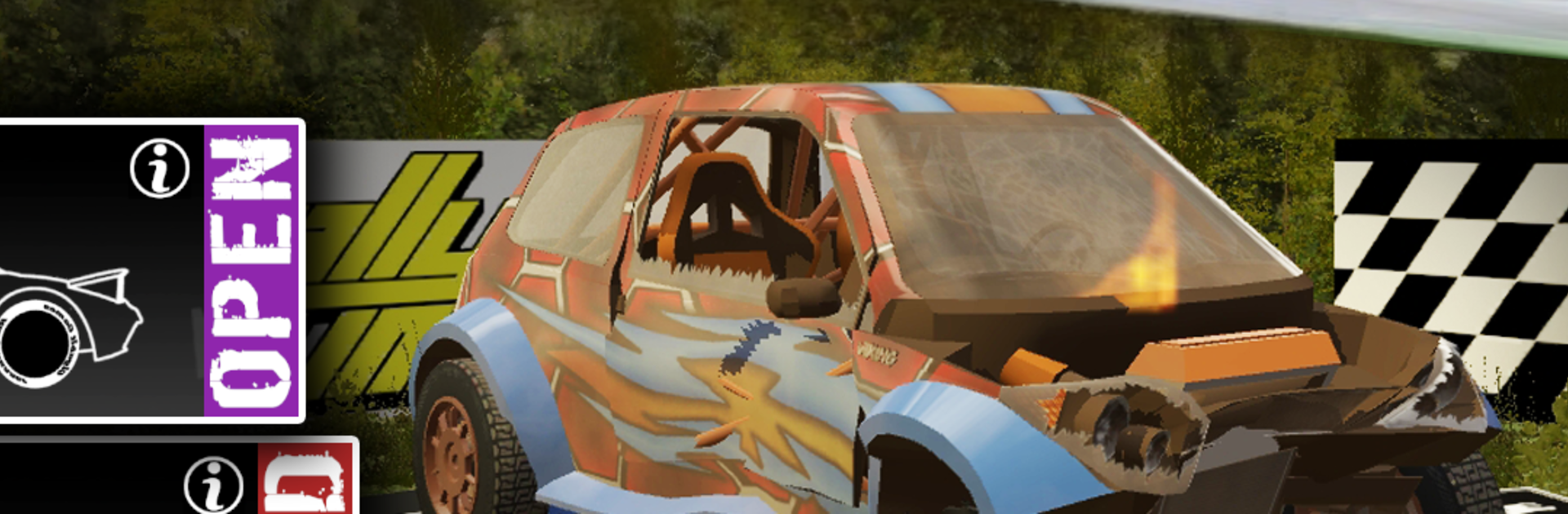
Rally Runner - Endless Racing

Rally Runner - Endless Racing

Racing

| Gigabit Games

Play on PC with BlueStacks or from our cloud

  • Overview
  • Game Features
  • How to Play

Page Modified On: October 13, 2025

Play Rally Runner - Endless Racing on PC or Mac

Rally Runner – Endless Racing brings the Racing genre to life, and throws up exciting challenges for gamers. Developed by Gigabit Games, this Android game is best experienced on BlueStacks, the World’s #1 app player for PC and Mac users.

Rally Runner is an endless rally racer that actually lets the player drive. No rails, no tap-to-shift gimmicks. The car has proper weight, slides when pushed, and punishes lazy steering. It feels scrappy and crunchy in a good way, with visible damage when a corner goes wrong and the barriers win. Every run rolls a fresh route, so the next crest or hairpin is never exactly where the brain expects it, which keeps the focus locked in. The handling leans toward demanding but fair, and learning when to feather throttle or throw a quick handbrake tap becomes the whole game loop.

There are different drivetrains that change the personality of the car. Front wheel drive pulls the nose, rear wheel drive loves to step out, all wheel drive grips and digs, and the Open class gets wild. A pit crew patches things up between stages, buying the player a few more mistakes, and the longer they survive at speed, the more points roll in for upgrades. Cosmetic skins are everywhere, so it is easy to make a favorite ride look the part. Leaderboards and direct challenges give the try-to-beat-it hook, while stats and achievements track progress without being naggy. On PC with BlueStacks, steering on a keyboard or a gamepad feels tight and steady, and the higher frame rate helps spot bumps and ruts before they bite. It has that dangerous one more run pull, the kind that turns a quick session into many stages later.

Make your gaming sessions memorable with precise controls that give you an edge in close combats and visuals that pop up, bringing every character to life.


Game Features

Enhancements

  • Macros
  • Multi Instance
  • Multi Instance Sync
  • Script
  • Enhancements
Macros

Macros

Automate the predictable in Rally Runner - Endless Racing and transform your gameplay with Macros. Get access to inventive Macros in the BlueStacks Macro Community
Multi Instance

Multi Instance

Play Rally Runner - Endless Racing on one window. And chat with your friend on the other. Press CTRL + Shift + 8 to open the Multi-Instance Manager. And start creating fresh instances or clone an existing one.
Multi Instance Sync

Multi Instance Sync

Play Rally Runner - Endless Racing with the power of Multi-Instance Sync. Replicate what you are doing on the main instance on all other instances. Level up faster, play more.
Script

Script

Script your way to gaming glory in Rally Runner - Endless Racing with BlueStacks Script. Write and run a set of commands to automate repeated tasks. Trigger the command by assigning it to any key.
Read More

How to Download and Play Rally Runner - Endless Racing on PC or Mac

  • Download and install BlueStacks on your PC or Mac

  • Complete Google sign-in to access the Play Store, or do it later

  • Look for Rally Runner - Endless Racing in the search bar at the top right corner

  • Click to install Rally Runner - Endless Racing from the search results

  • Complete Google sign-in (if you skipped step 2) to install Rally Runner - Endless Racing

  • Click the Rally Runner - Endless Racing icon on the home screen to start playing

video
Watch Video

Minimum System Requirements

With BlueStacks 5, you can get started on a PC that fulfills the following requirements.

  • Operating System

    Microsoft Windows 7 or above, macOS 11 (Big Sur) or above

  • Processor

    Intel, AMD or Apple Silicon Processor

  • RAM

    at least 4GB

  • HDD

    10GB Free Disk Space

Note:

* You must be an Administrator on your PC. Up to date graphics drivers from Microsoft or the chipset vendor.

Rally Runner - Endless Racing - FAQs

  • How to play Rally Runner - Endless Racing on Windows PC & Mac?

    Play Rally Runner - Endless Racing on your PC or Mac by following these simple steps.

    • Click on 'Play Rally Runner - Endless Racing on PC’ to download BlueStacks
    • Install it and log-in to Google Play Store
    • Launch and play the game.
  • Why is BlueStacks the fastest and safest platform to play games on PC?

    BlueStacks respects your privacy and is always safe and secure to use. It does not carry any malware, spyware, or any sort of additional software that could harm your PC.

    It is engineered to optimize speed and performance for a seamless gaming experience.

  • What are Rally Runner - Endless Racing PC requirements?

    Minimum requirement to run Rally Runner - Endless Racing on your PC

    • OS: Microsoft Windows 7 or above MacOS 11 (Big Sur) or above
    • Processor: Intel, AMD or Apple Silicon Processor
    • RAM: Your PC must have at least 4GB of RAM. (Note that having 4GB or more disk space is not a substitute for RAM)
    • HDD: 10GB Free Disk Space.
    • You must be an Administrator on your PC.