Real Driving Car Midnight Club

Real Driving Car Midnight Club

Racing

| Daily News Express

Play on PC with BlueStacks or from our cloud

  • Overview
  • Game Features
  • How to Play

Page Modified On: September 11, 2026

Play Real Driving Car Midnight Club on PC or Mac

Play Real Driving Car Midnight Club by Daily News Express on PC or Mac with BlueStacks. Use a bigger screen, mouse and keyboard controls, and smoother performance while you play.

About the Game

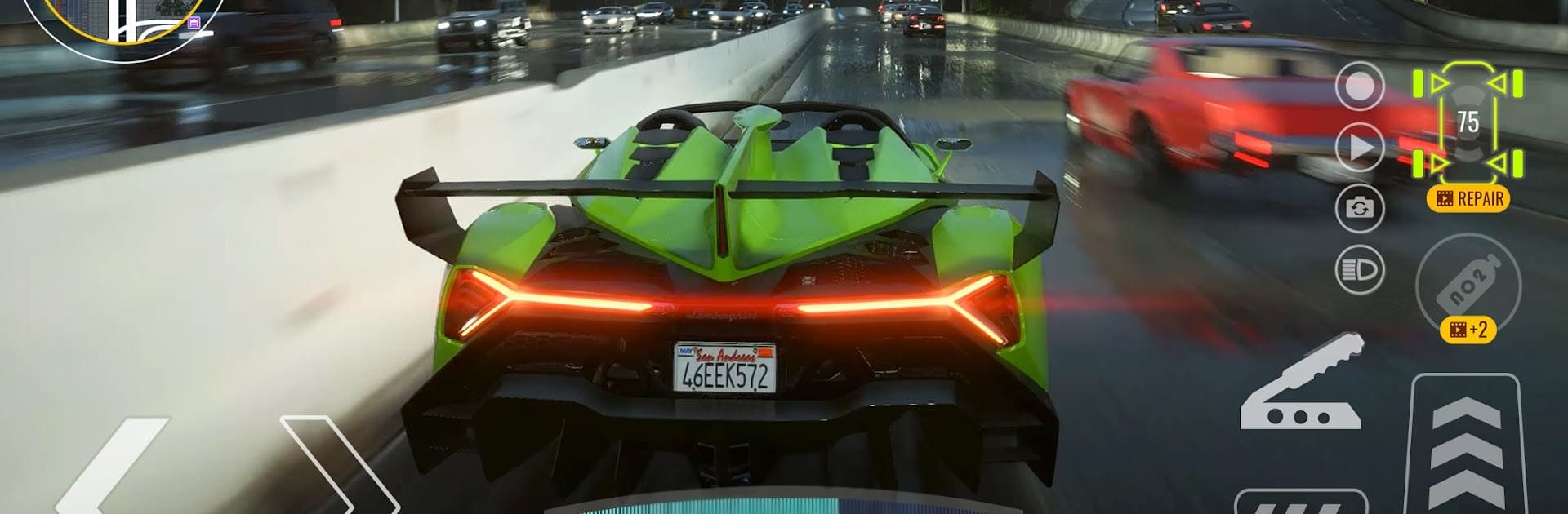
Real Driving Car Midnight Club drops you into a neon-soaked city that never sleeps, where the asphalt stays warm and the skyline glows. It’s a Racing playground built for late-night speed, smooth slides, and free-form cruising across wide boulevards and tight backstreets. Want sharper control on a bigger screen? Play on BlueStacks and enjoy precise steering with clean, steady performance.

Game Features

  • Open-world cruising: Roam a sprawling urban map at your own pace, from wide avenues to hidden cut-throughs, without loading screens breaking the vibe.
  • Street showdowns: Jump into fast city events that test nerve and control, threading through traffic and timing your moves to edge out opponents.
  • Drift-focused handling: Kick the tail out, link slides, and learn how to balance throttle and steering for stylish, controlled drifts.
  • After-dark atmosphere: Drive under neon lights, glowing billboards, and moody skies that make every run feel cinematic.
  • Play your way: Swap between chill free drives, quick sprints, and tougher challenges whenever you’re in the mood for speed or practice.
  • Skill growth built-in: Each session sharpens braking points, corner entries, and exit lines until those tricky turns feel second nature.
  • City exploration: Discover new routes, smooth shortcuts, and long straights perfect for testing top speed.
  • BlueStacks support: Run the game on PC with responsive keyboard mapping and stable framerates that keep the action clean and consistent.
  • Fast, fluid action: Snappy acceleration and responsive physics make tight corners, quick recoveries, and last-second passes feel incredibly satisfying.

BlueStacks gives you more room to focus on the game and less time adjusting around mobile limitations.


Game Features

Enhancements

  • Macros
  • Multi Instance
  • Multi Instance Sync
  • Script
  • Enhancements
Macros

Macros

Automate the predictable in Real Driving Car Midnight Club and transform your gameplay with Macros. Get access to inventive Macros in the BlueStacks Macro Community
Multi Instance

Multi Instance

Play Real Driving Car Midnight Club on one window. And chat with your friend on the other. Press CTRL + Shift + 8 to open the Multi-Instance Manager. And start creating fresh instances or clone an existing one.
Multi Instance Sync

Multi Instance Sync

Play Real Driving Car Midnight Club with the power of Multi-Instance Sync. Replicate what you are doing on the main instance on all other instances. Level up faster, play more.
Script

Script

Script your way to gaming glory in Real Driving Car Midnight Club with BlueStacks Script. Write and run a set of commands to automate repeated tasks. Trigger the command by assigning it to any key.
Read More

How to Download and Play Real Driving Car Midnight Club on PC or Mac

  • Download and install BlueStacks on your PC or Mac

  • Complete Google sign-in to access the Play Store, or do it later

  • Look for Real Driving Car Midnight Club in the search bar at the top right corner

  • Click to install Real Driving Car Midnight Club from the search results

  • Complete Google sign-in (if you skipped step 2) to install Real Driving Car Midnight Club

  • Click the Real Driving Car Midnight Club icon on the home screen to start playing

video
Watch Video

Minimum System Requirements

With BlueStacks 5, you can get started on a PC that fulfills the following requirements.

  • Operating System

    Microsoft Windows 7 or above, macOS 11 (Big Sur) or above

  • Processor

    Intel, AMD or Apple Silicon Processor

  • RAM

    at least 4GB

  • HDD

    10GB Free Disk Space

Note:

* You must be an Administrator on your PC. Up to date graphics drivers from Microsoft or the chipset vendor.

Real Driving Car Midnight Club - FAQs

  • How to play Real Driving Car Midnight Club on Windows PC & Mac?

    Play Real Driving Car Midnight Club on your PC or Mac by following these simple steps.

    • Click on 'Play Real Driving Car Midnight Club on PC’ to download BlueStacks
    • Install it and log-in to Google Play Store
    • Launch and play the game.
  • Why is BlueStacks the fastest and safest platform to play games on PC?

    BlueStacks respects your privacy and is always safe and secure to use. It does not carry any malware, spyware, or any sort of additional software that could harm your PC.

    It is engineered to optimize speed and performance for a seamless gaming experience.

  • What are Real Driving Car Midnight Club PC requirements?

    Minimum requirement to run Real Driving Car Midnight Club on your PC

    • OS: Microsoft Windows 7 or above MacOS 11 (Big Sur) or above
    • Processor: Intel, AMD or Apple Silicon Processor
    • RAM: Your PC must have at least 4GB of RAM. (Note that having 4GB or more disk space is not a substitute for RAM)
    • HDD: 10GB Free Disk Space.
    • You must be an Administrator on your PC.