Train Vs Bus Racing
Train Vs Bus Racing

Train Vs Bus Racing

Racing

| Gamezeniq Technologies

Play on PC with BlueStacks or from our cloud

  • Overview
  • Game Features
  • How to Play

Page Modified On: April 21, 2026

Play Train Vs Bus Racing on PC or Mac

From the innovators and creators at Gamezeniq Technologies, Train Vs Bus Racing is another fun addition to the World of Racing games. Go beyond your mobile screen and play it bigger and better on your PC or Mac. An immersive experience awaits you.

About the Game

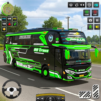
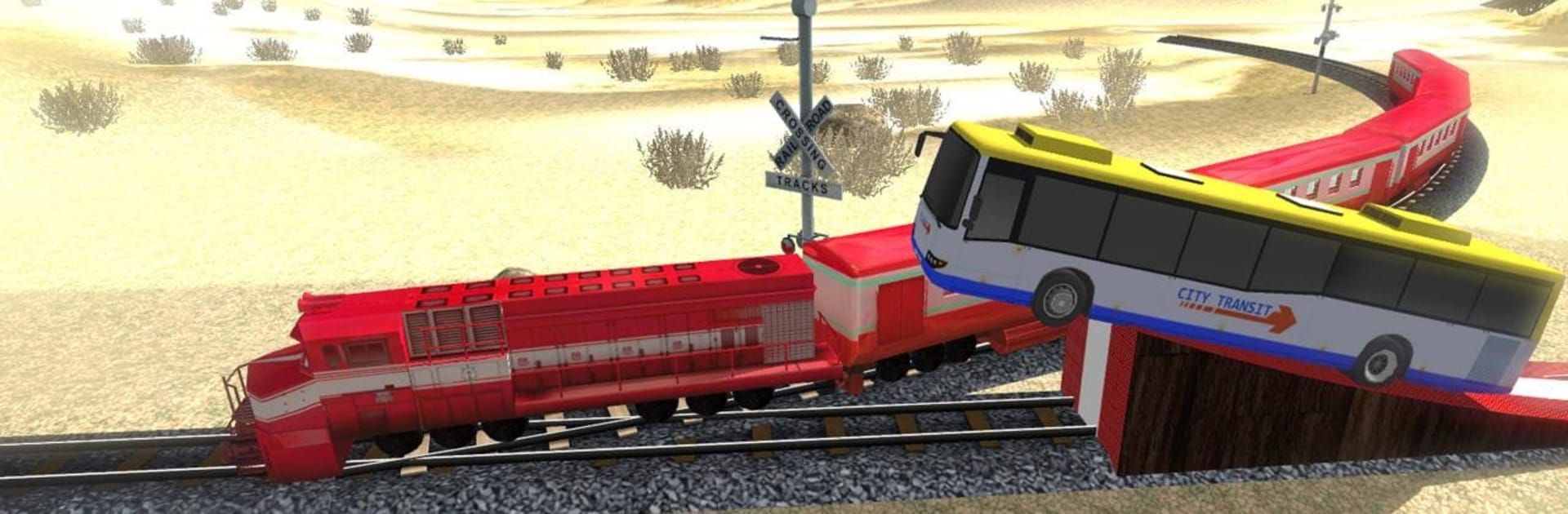
Train Vs Bus Racing from Gamezeniq Technologies throws you into a wild face-off between roaring buses and blazing-fast trains. It’s a high-stakes, timing-first Racing experience where you manage speed, brakes, and gutsy moves to cross tracks and beat the clock. Prefer a bigger screen? It feels great on BlueStacks, too.

Game Features

  • Bus vs. Train Showdowns: Outsmart modern trains at crossings, time your bursts of speed, and thread the needle to reach the finish first.
  • Two Ways to Play: Go solo for pure time-trial tension, or square off in multiplayer and see who handles pressure better.
  • 20+ Hand-Crafted Levels: Tackle a growing set of routes packed with twists, crossings, and risky sections that reward smart driving.
  • Big Double-Decker Buses: Take the wheel of massive rides that feel heavy, bold, and surprisingly agile once you master them.
  • Tight, Easy Controls: Accelerate, brake, and steer with responsive inputs that make close calls feel fair—and thrilling.
  • Upgrades That Matter: Improve handling, braking, and top speed with 20+ upgrade options to fine-tune your favorite bus.
  • Off-Road Challenges: Leave the pavement behind on certain stretches, where traction and timing really test your nerve.
  • Clean, Colorful Visuals: Cruise through varied environments with crisp graphics that make each track feel distinct.
  • Multiplayer Races: Line up against another bus and race neck-and-neck while trains tear past—win with nerve and precision.
  • Free to Jump In: Hop into the action without any upfront cost and start unlocking rides, routes, and upgrades at your pace.

Ready to top the leaderboard? We bet you do. Let precise controls and sharp visuals optimized on BlueStacks lead you to victory.


Game Features

Enhancements

  • Macros
  • Multi Instance
  • Multi Instance Sync
  • Script
  • Enhancements
Macros

Macros

Automate the predictable in Train Vs Bus Racing and transform your gameplay with Macros. Get access to inventive Macros in the BlueStacks Macro Community
Multi Instance

Multi Instance

Play Train Vs Bus Racing on one window. And chat with your friend on the other. Press CTRL + Shift + 8 to open the Multi-Instance Manager. And start creating fresh instances or clone an existing one.
Multi Instance Sync

Multi Instance Sync

Play Train Vs Bus Racing with the power of Multi-Instance Sync. Replicate what you are doing on the main instance on all other instances. Level up faster, play more.
Script

Script

Script your way to gaming glory in Train Vs Bus Racing with BlueStacks Script. Write and run a set of commands to automate repeated tasks. Trigger the command by assigning it to any key.
Read More

How to Download and Play Train Vs Bus Racing on PC or Mac

  • Download and install BlueStacks on your PC or Mac

  • Complete Google sign-in to access the Play Store, or do it later

  • Look for Train Vs Bus Racing in the search bar at the top right corner

  • Click to install Train Vs Bus Racing from the search results

  • Complete Google sign-in (if you skipped step 2) to install Train Vs Bus Racing

  • Click the Train Vs Bus Racing icon on the home screen to start playing

video
Watch Video

Minimum System Requirements

With BlueStacks 5, you can get started on a PC that fulfills the following requirements.

  • Operating System

    Microsoft Windows 7 or above, macOS 11 (Big Sur) or above

  • Processor

    Intel, AMD or Apple Silicon Processor

  • RAM

    at least 4GB

  • HDD

    10GB Free Disk Space

Note:

* You must be an Administrator on your PC. Up to date graphics drivers from Microsoft or the chipset vendor.

Train Vs Bus Racing - FAQs

  • How to play Train Vs Bus Racing on Windows PC & Mac?

    Play Train Vs Bus Racing on your PC or Mac by following these simple steps.

    • Click on 'Play Train Vs Bus Racing on PC’ to download BlueStacks
    • Install it and log-in to Google Play Store
    • Launch and play the game.
  • Why is BlueStacks the fastest and safest platform to play games on PC?

    BlueStacks respects your privacy and is always safe and secure to use. It does not carry any malware, spyware, or any sort of additional software that could harm your PC.

    It is engineered to optimize speed and performance for a seamless gaming experience.

  • What are Train Vs Bus Racing PC requirements?

    Minimum requirement to run Train Vs Bus Racing on your PC

    • OS: Microsoft Windows 7 or above MacOS 11 (Big Sur) or above
    • Processor: Intel, AMD or Apple Silicon Processor
    • RAM: Your PC must have at least 4GB of RAM. (Note that having 4GB or more disk space is not a substitute for RAM)
    • HDD: 10GB Free Disk Space.
    • You must be an Administrator on your PC.