TurboStreet Drag Race

TurboStreet Drag Race

Racing

| OYSome 4Eva

Play on PC with BlueStacks or from our cloud

  • Overview
  • Game Features
  • How to Play

Page Modified On: May 05, 2026

Play TurboStreet Drag Race on PC or Mac

Bring your A-game to TurboStreet Drag Race, the Racing game sensation from OYSome 4Eva. Give your gameplay the much-needed boost with precise game controls, high FPS graphics, and top-tier features on your PC or Mac with BlueStacks.

About the Game

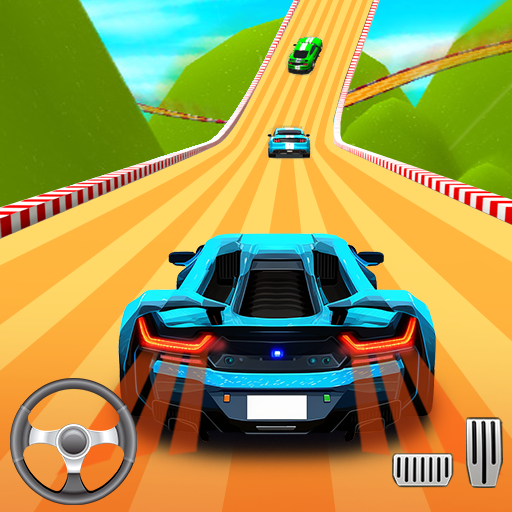
TurboStreet Drag Race nails that raw, street-style rush where every split-second matters. This Racing game from OYSome 4Eva focuses on short, high-intensity sprints: stage up, time your launch, and squeeze every bit of speed from your build. It’s quick to pick up but super satisfying when you chain perfect shifts and put rivals in your rearview. Prefer playing on a bigger screen? It feels great on PC with BlueStacks too.

Game Features

  • Precise shifting and nitro timing: Manual gear changes and smart nitrous bursts make or break a run. Miss a shift and you’ll feel it—hit them clean and you’ll rocket ahead.
  • Varied city courses: Tear through different street layouts—from tight urban corridors to wide industrial straights—each with its own rhythm and scenery.
  • Build a garage that bites: Unlock a range of drag-ready rides and tune what counts. Upgrade engines for punch, tires for grip, and nitrous for that brutal mid-run surge.
  • Events that actually matter: Jump into daily sprints, bigger tournaments, and team showdowns. Earn parts, cash, and bragging rights as you climb leaderboards.
  • Quick wins, steady progress: Daily challenges and login bonuses help you snag upgrades fast, keeping your lineup competitive without a grindy feel.
  • Always something new: Regular drops bring fresh cars, added tracks, and time-limited specials so you’ve got reasons to tweak, test, and race again.

Get ready for a buttery smooth, high-performance gaming action only on BlueStacks.

Game Features

Enhancements

  • Macros
  • Multi Instance
  • Multi Instance Sync
  • Script
  • Enhancements
Macros

Macros

Automate the predictable in TurboStreet Drag Race and transform your gameplay with Macros. Get access to inventive Macros in the BlueStacks Macro Community
Multi Instance

Multi Instance

Play TurboStreet Drag Race on one window. And chat with your friend on the other. Press CTRL + Shift + 8 to open the Multi-Instance Manager. And start creating fresh instances or clone an existing one.
Multi Instance Sync

Multi Instance Sync

Play TurboStreet Drag Race with the power of Multi-Instance Sync. Replicate what you are doing on the main instance on all other instances. Level up faster, play more.
Script

Script

Script your way to gaming glory in TurboStreet Drag Race with BlueStacks Script. Write and run a set of commands to automate repeated tasks. Trigger the command by assigning it to any key.
Read More

How to Download and Play TurboStreet Drag Race on PC or Mac

  • Download and install BlueStacks on your PC or Mac

  • Complete Google sign-in to access the Play Store, or do it later

  • Look for TurboStreet Drag Race in the search bar at the top right corner

  • Click to install TurboStreet Drag Race from the search results

  • Complete Google sign-in (if you skipped step 2) to install TurboStreet Drag Race

  • Click the TurboStreet Drag Race icon on the home screen to start playing

video
Watch Video

Minimum System Requirements

With BlueStacks 5, you can get started on a PC that fulfills the following requirements.

  • Operating System

    Microsoft Windows 7 or above, macOS 11 (Big Sur) or above

  • Processor

    Intel, AMD or Apple Silicon Processor

  • RAM

    at least 4GB

  • HDD

    10GB Free Disk Space

Note:

* You must be an Administrator on your PC. Up to date graphics drivers from Microsoft or the chipset vendor.

TurboStreet Drag Race - FAQs

  • How to play TurboStreet Drag Race on Windows PC & Mac?

    Play TurboStreet Drag Race on your PC or Mac by following these simple steps.

    • Click on 'Play TurboStreet Drag Race on PC’ to download BlueStacks
    • Install it and log-in to Google Play Store
    • Launch and play the game.
  • Why is BlueStacks the fastest and safest platform to play games on PC?

    BlueStacks respects your privacy and is always safe and secure to use. It does not carry any malware, spyware, or any sort of additional software that could harm your PC.

    It is engineered to optimize speed and performance for a seamless gaming experience.

  • What are TurboStreet Drag Race PC requirements?

    Minimum requirement to run TurboStreet Drag Race on your PC

    • OS: Microsoft Windows 7 or above MacOS 11 (Big Sur) or above
    • Processor: Intel, AMD or Apple Silicon Processor
    • RAM: Your PC must have at least 4GB of RAM. (Note that having 4GB or more disk space is not a substitute for RAM)
    • HDD: 10GB Free Disk Space.
    • You must be an Administrator on your PC.