Bikini Bottom City Craft

Bikini Bottom City Craft

Role Playing

| Dopik Studio Apps

Play on PC with BlueStacks or from our cloud

  • Overview
  • Game Features
  • How to Play

Page Modified On: January 13, 2026

Play Bikini Bottom City Craft on PC or Mac

From the innovators and creators at Dopik Studio Apps, Bikini Bottom City Craft is another fun addition to the World of Role Playing games. Go beyond your mobile screen and play it bigger and better on your PC or Mac. An immersive experience awaits you.

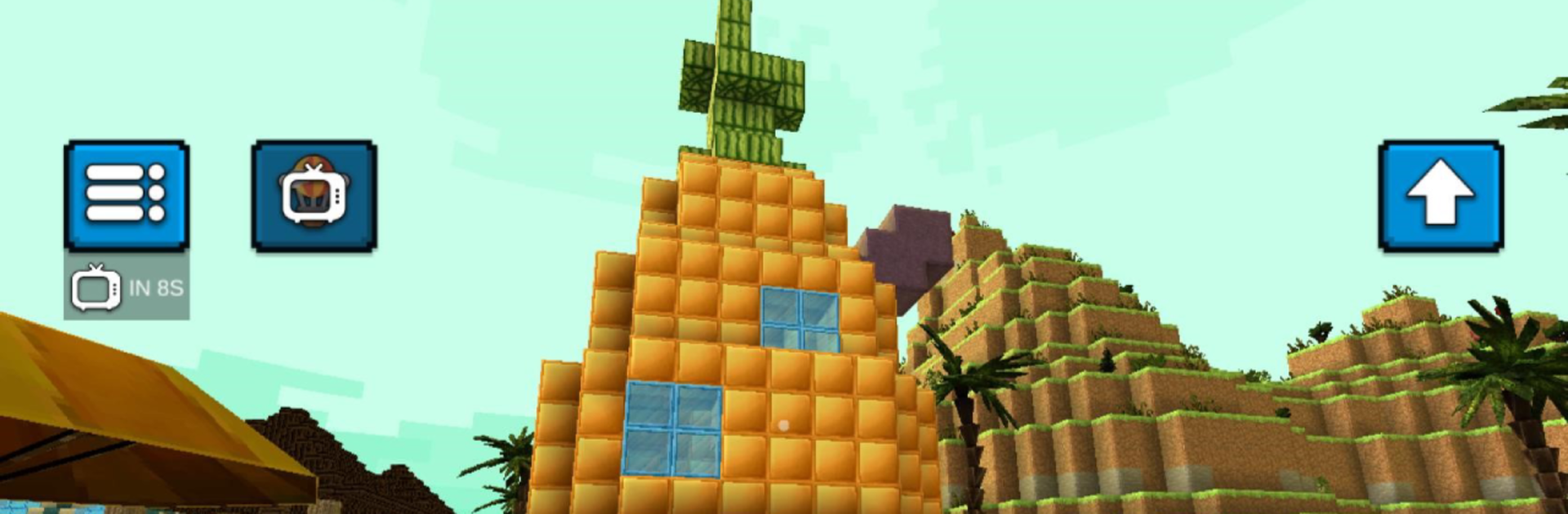
Bikini Bottom City Craft is a simple first person sandbox set in a blocky version of that famous undersea town. It drops the player into a voxel city with recognizable spots like the pineapple house, the Bucket, and a crabby burger place, then lets them gather stuff, craft tools, and build whatever makes sense. Survival mode is the main loop. Mine resources, keep food and water up, throw together a shelter before night, and fend off the odd threat. The city feels bigger than it looks at first, with side streets and rooftops to poke around, and there is enough room to set up a small team base if friends join. Interaction is basic but there are NPCs wandering around, so the place does not feel empty.

Controls are easy enough on phone, but using BlueStacks on PC helps a lot with mouse look and placing blocks cleanly. Building goes faster, and the frame rate feels steadier. There is also an unlimited resources mode for players who just want to free build without the food meter nagging. The block set covers the essentials, from plain cubes to a few decorative bits, so recreating the pineapple place or making a weird modern shack is no problem. Crafting is straightforward, more old school than complex, and the whole thing runs light. Nothing super fancy here, just that cozy loop of collect, craft, and explore in a bright, cartoony city. If someone wants a low-stress builder with a familiar theme, this hits the spot.

Get ready for a buttery smooth, high-performance gaming action only on BlueStacks.

Game Features

Enhancements

  • Macros
  • Rerolling
  • Eco Mode
  • Multi Instance Sync
  • Enhancements
Macros

Macros

Focus more on the fun part of the game, skip the tedious aspects. Master Bikini Bottom City Craft with Macros. Record yourself completing the monotonous tasks you wish to automate and replay them later with just one keypress.
Rerolling

Rerolling

Speed up the rerolling process in Bikini Bottom City Craft. Perform multiple summons and keep looking for the best Heroes. Use Multi-Instance sync to replicate the rerolling mechanism in all instances.
Eco Mode

Eco Mode

Farm in-game resources with ease in Bikini Bottom City Craft. Enable the Eco Mode when running the game in multiple instances. And lower your PC's resource consumption.
Multi Instance Sync

Multi Instance Sync

With the Multi-instance Sync, you can do even more in Bikini Bottom City Craft. Sync the action of the main instance and repeat them in real time for all other instances. Sync and sit back, let the game progress unfold.
Read More

How to Download and Play Bikini Bottom City Craft on PC or Mac

  • Download and install BlueStacks on your PC or Mac

  • Complete Google sign-in to access the Play Store, or do it later

  • Look for Bikini Bottom City Craft in the search bar at the top right corner

  • Click to install Bikini Bottom City Craft from the search results

  • Complete Google sign-in (if you skipped step 2) to install Bikini Bottom City Craft

  • Click the Bikini Bottom City Craft icon on the home screen to start playing

video
Watch Video

Minimum System Requirements

With BlueStacks 5, you can get started on a PC that fulfills the following requirements.

  • Operating System

    Microsoft Windows 7 or above, macOS 11 (Big Sur) or above

  • Processor

    Intel, AMD or Apple Silicon Processor

  • RAM

    at least 4GB

  • HDD

    10GB Free Disk Space

Note:

* You must be an Administrator on your PC. Up to date graphics drivers from Microsoft or the chipset vendor.

Bikini Bottom City Craft - FAQs

  • How to play Bikini Bottom City Craft on Windows PC & Mac?

    Play Bikini Bottom City Craft on your PC or Mac by following these simple steps.

    • Click on 'Play Bikini Bottom City Craft on PC’ to download BlueStacks
    • Install it and log-in to Google Play Store
    • Launch and play the game.
  • Why is BlueStacks the fastest and safest platform to play games on PC?

    BlueStacks respects your privacy and is always safe and secure to use. It does not carry any malware, spyware, or any sort of additional software that could harm your PC.

    It is engineered to optimize speed and performance for a seamless gaming experience.

  • What are Bikini Bottom City Craft PC requirements?

    Minimum requirement to run Bikini Bottom City Craft on your PC

    • OS: Microsoft Windows 7 or above MacOS 11 (Big Sur) or above
    • Processor: Intel, AMD or Apple Silicon Processor
    • RAM: Your PC must have at least 4GB of RAM. (Note that having 4GB or more disk space is not a substitute for RAM)
    • HDD: 10GB Free Disk Space.
    • You must be an Administrator on your PC.