Breath of Dragon 2
Breath of Dragon 2

Breath of Dragon 2

Role Playing

| ST Studio Workshop

Play on PC with BlueStacks or from our cloud

  • Overview
  • Game Features
  • How to Play

Page Modified On: December 05, 2025

Play Breath of Dragon 2 on PC or Mac

Step into the World of Breath of Dragon 2, a thrilling Role Playing game from the house of ST Studio Workshop. Play this Android game on BlueStacks App Player and experience immersive gaming on PC or Mac.

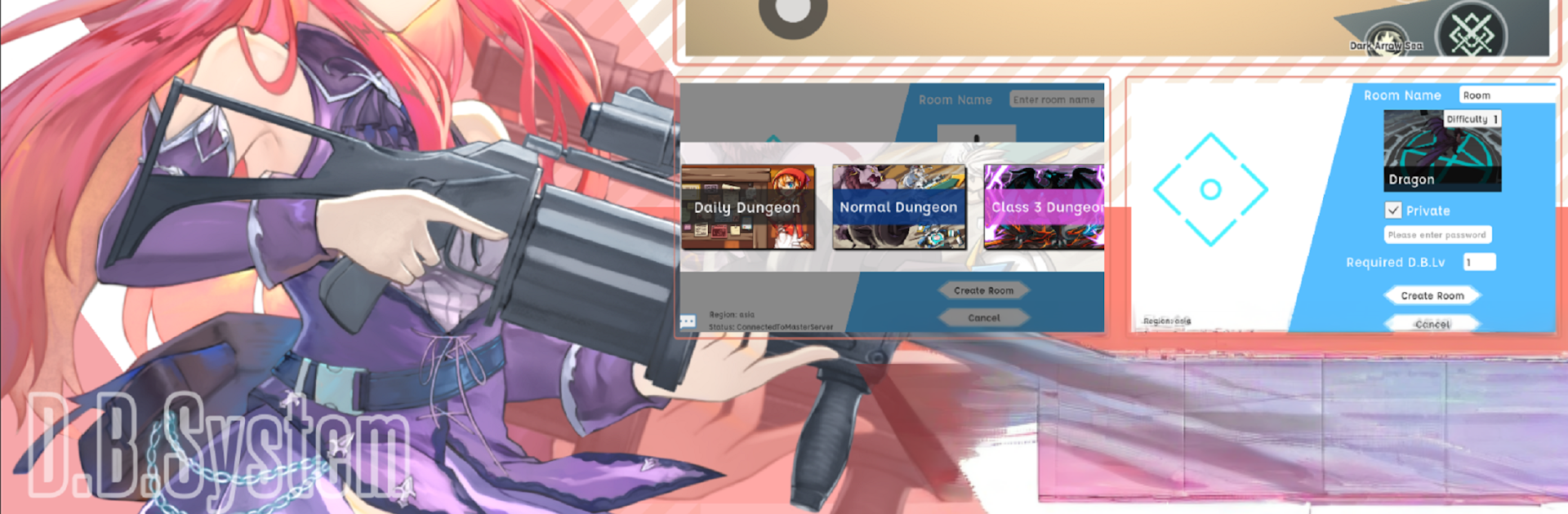
Breath of Dragon 2 plays like a sci fi pet collecting RPG built around a wild idea. In the year 2234 there is this DB System that turns raw data into real stuff, from cute pets to heavy duty workers, and it even gives them personalities. Then the system blows up the world in a way, the main character dies, wakes up as a robot, and heads out to find their family. The tone swings between cozy collecting and weirdly eerie tech lore, which makes the world stick.

Moment to moment it is about building a team from a huge pool of pets, over a thousand types, with clear roles and oddballs mixed in. Turtles and rabbits sit next to robots, aliens, fish, floating things, even flowers, so collectors always see something new. Combat and builds revolve around professions that can be merged into hybrid jobs, more than 200 combos, so a party might run a magic swordsman beside a paladin or something stranger. It rewards tinkering, swapping out jobs and pets to find clean synergies rather than relying on one trick.

The maps feel big and varied, shifting from plains and deserts to beaches, sky zones, underwater areas, and deep dungeons, each with different pickups and surprises. Progress skews long term, capture a pet, train it up, push into the next region, repeat, and the rhythm is steady without being sleepy. On PC through BlueStacks it is easier to manage the pet lineup and hotkeys, since mouse clicks help sort big lists and long sessions feel smoother. It is free to play with optional purchases for currency and items, and it does require a constant connection, so anyone who dislikes always online should know that before starting.

Make your gaming sessions memorable with precise controls that give you an edge in close combats and visuals that pop up, bringing every character to life.


Game Features

Enhancements

  • Macros
  • Rerolling
  • Eco Mode
  • Multi Instance Sync
  • Enhancements
Macros

Macros

Focus more on the fun part of the game, skip the tedious aspects. Master Breath of Dragon 2 with Macros. Record yourself completing the monotonous tasks you wish to automate and replay them later with just one keypress.
Rerolling

Rerolling

Speed up the rerolling process in Breath of Dragon 2. Perform multiple summons and keep looking for the best Heroes. Use Multi-Instance sync to replicate the rerolling mechanism in all instances.
Eco Mode

Eco Mode

Farm in-game resources with ease in Breath of Dragon 2. Enable the Eco Mode when running the game in multiple instances. And lower your PC's resource consumption.
Multi Instance Sync

Multi Instance Sync

With the Multi-instance Sync, you can do even more in Breath of Dragon 2. Sync the action of the main instance and repeat them in real time for all other instances. Sync and sit back, let the game progress unfold.
Read More

How to Download and Play Breath of Dragon 2 on PC or Mac

  • Download and install BlueStacks on your PC or Mac

  • Complete Google sign-in to access the Play Store, or do it later

  • Look for Breath of Dragon 2 in the search bar at the top right corner

  • Click to install Breath of Dragon 2 from the search results

  • Complete Google sign-in (if you skipped step 2) to install Breath of Dragon 2

  • Click the Breath of Dragon 2 icon on the home screen to start playing

video
Watch Video

Minimum System Requirements

With BlueStacks 5, you can get started on a PC that fulfills the following requirements.

  • Operating System

    Microsoft Windows 7 or above, macOS 11 (Big Sur) or above

  • Processor

    Intel, AMD or Apple Silicon Processor

  • RAM

    at least 4GB

  • HDD

    10GB Free Disk Space

Note:

* You must be an Administrator on your PC. Up to date graphics drivers from Microsoft or the chipset vendor.

Breath of Dragon 2 - FAQs

  • How to play Breath of Dragon 2 on Windows PC & Mac?

    Play Breath of Dragon 2 on your PC or Mac by following these simple steps.

    • Click on 'Play Breath of Dragon 2 on PC’ to download BlueStacks
    • Install it and log-in to Google Play Store
    • Launch and play the game.
  • Why is BlueStacks the fastest and safest platform to play games on PC?

    BlueStacks respects your privacy and is always safe and secure to use. It does not carry any malware, spyware, or any sort of additional software that could harm your PC.

    It is engineered to optimize speed and performance for a seamless gaming experience.

  • What are Breath of Dragon 2 PC requirements?

    Minimum requirement to run Breath of Dragon 2 on your PC

    • OS: Microsoft Windows 7 or above MacOS 11 (Big Sur) or above
    • Processor: Intel, AMD or Apple Silicon Processor
    • RAM: Your PC must have at least 4GB of RAM. (Note that having 4GB or more disk space is not a substitute for RAM)
    • HDD: 10GB Free Disk Space.
    • You must be an Administrator on your PC.