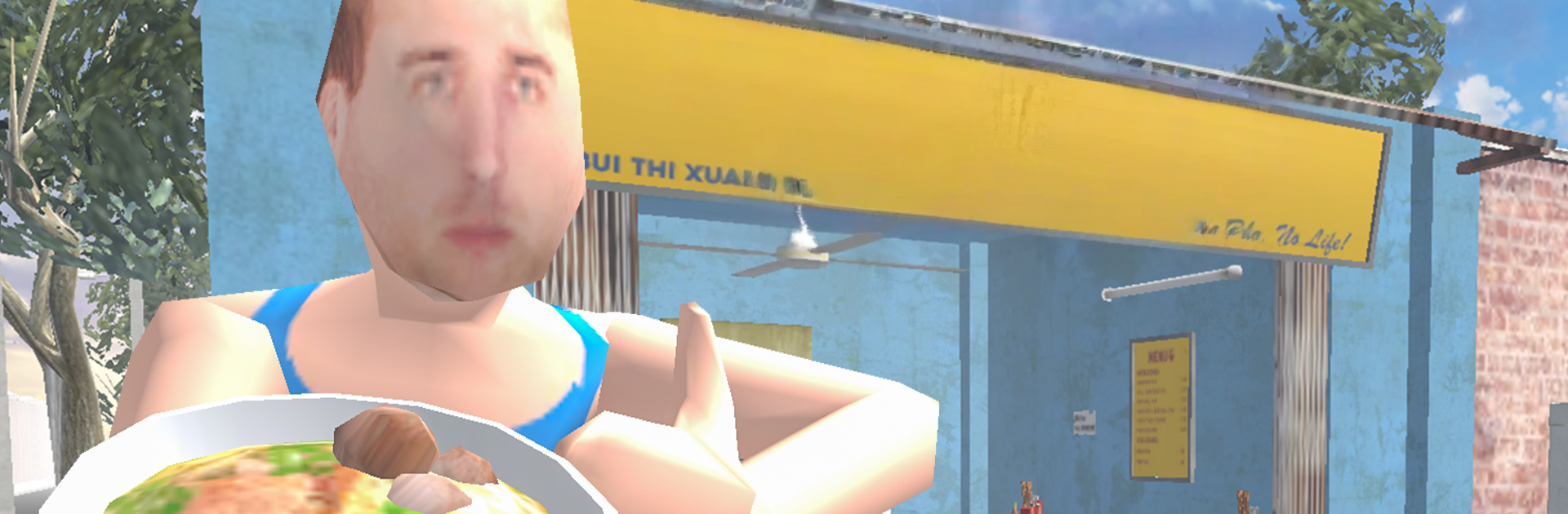
Pho Master: Cooking Fever

Pho Master: Cooking Fever

Role Playing

| Brocker Bus Studio

Play on PC with BlueStacks or from our cloud

  • Overview
  • Game Features
  • How to Play

Page Modified On: December 26, 2025

Play Pho Master: Cooking Fever on PC or Mac

Bring your A-game to Pho Master: Cooking Fever, the Role Playing game sensation from Brocker Bus Studio. Give your gameplay the much-needed boost with precise game controls, high FPS graphics, and top-tier features on your PC or Mac with BlueStacks.

Pho Master: Cooking Fever plays like a fast little kitchen rush where players run a tiny pho stall and try to keep a line of customers happy. Orders pop up with timers, so there is a lot of quick clicking between boiling broth, tossing noodles into bowls, and dropping the right toppings like beef, basil, sprouts, chili, lime. Miss a step and the tip drops, hit the combo clean and the coins roll in. Rounds are short and snappy, which makes it easy to say one more and then suddenly it has been twenty minutes. The whole thing is bright and playful, more arcade than realistic cooking, so it feels light and not stressful unless the queue gets wild.

What stands out is how clean the flow is once upgrades start rolling. Extra pots mean more bowls at once, faster burners shave off those painful seconds, and little quality-of-life boosts open space for perfect chains. It ramps up quick, so it becomes a pleasant juggling act with pattern memory and a tiny bit of plate management. On PC through BlueStacks, the mouse accuracy helps a lot for stacking actions, and keymapping can make the broth, noodles, and garnish taps feel smoother than on a small screen. There is no deep story here, just cheerful art, tasty sound effects, and a steady rhythm of serve, earn, improve. If someone enjoys time management cooking games and wants a simple pho twist, this hits that itch without asking for real cooking knowledge.

Start your journey now. Download the game on BlueStacks, invite your friends, and march on a new adventure.


Game Features

Enhancements

  • Macros
  • Rerolling
  • Eco Mode
  • Multi Instance Sync
  • Enhancements
Macros

Macros

Focus more on the fun part of the game, skip the tedious aspects. Master Pho Master: Cooking Fever with Macros. Record yourself completing the monotonous tasks you wish to automate and replay them later with just one keypress.
Rerolling

Rerolling

Speed up the rerolling process in Pho Master: Cooking Fever. Perform multiple summons and keep looking for the best Heroes. Use Multi-Instance sync to replicate the rerolling mechanism in all instances.
Eco Mode

Eco Mode

Farm in-game resources with ease in Pho Master: Cooking Fever. Enable the Eco Mode when running the game in multiple instances. And lower your PC's resource consumption.
Multi Instance Sync

Multi Instance Sync

With the Multi-instance Sync, you can do even more in Pho Master: Cooking Fever. Sync the action of the main instance and repeat them in real time for all other instances. Sync and sit back, let the game progress unfold.
Read More

How to Download and Play Pho Master: Cooking Fever on PC or Mac

  • Download and install BlueStacks on your PC or Mac

  • Complete Google sign-in to access the Play Store, or do it later

  • Look for Pho Master: Cooking Fever in the search bar at the top right corner

  • Click to install Pho Master: Cooking Fever from the search results

  • Complete Google sign-in (if you skipped step 2) to install Pho Master: Cooking Fever

  • Click the Pho Master: Cooking Fever icon on the home screen to start playing

video
Watch Video

Minimum System Requirements

With BlueStacks 5, you can get started on a PC that fulfills the following requirements.

  • Operating System

    Microsoft Windows 7 or above, macOS 11 (Big Sur) or above

  • Processor

    Intel, AMD or Apple Silicon Processor

  • RAM

    at least 4GB

  • HDD

    10GB Free Disk Space

Note:

* You must be an Administrator on your PC. Up to date graphics drivers from Microsoft or the chipset vendor.

Pho Master: Cooking Fever - FAQs

  • How to play Pho Master: Cooking Fever on Windows PC & Mac?

    Play Pho Master: Cooking Fever on your PC or Mac by following these simple steps.

    • Click on 'Play Pho Master: Cooking Fever on PC’ to download BlueStacks
    • Install it and log-in to Google Play Store
    • Launch and play the game.
  • Why is BlueStacks the fastest and safest platform to play games on PC?

    BlueStacks respects your privacy and is always safe and secure to use. It does not carry any malware, spyware, or any sort of additional software that could harm your PC.

    It is engineered to optimize speed and performance for a seamless gaming experience.

  • What are Pho Master: Cooking Fever PC requirements?

    Minimum requirement to run Pho Master: Cooking Fever on your PC

    • OS: Microsoft Windows 7 or above MacOS 11 (Big Sur) or above
    • Processor: Intel, AMD or Apple Silicon Processor
    • RAM: Your PC must have at least 4GB of RAM. (Note that having 4GB or more disk space is not a substitute for RAM)
    • HDD: 10GB Free Disk Space.
    • You must be an Administrator on your PC.