
Exclusive Gaming Content. And More.
Get the latest updates on the BlueStacks Blog.
See MorePlay on PC with BlueStacks or from our cloud
Page Modified On: May 04, 2026
From the innovators and creators at Odencat, Meg’s Monster is another fun addition to the World of Role Playing games. Go beyond your mobile screen and play it bigger and better on your PC or Mac. An immersive experience awaits you.
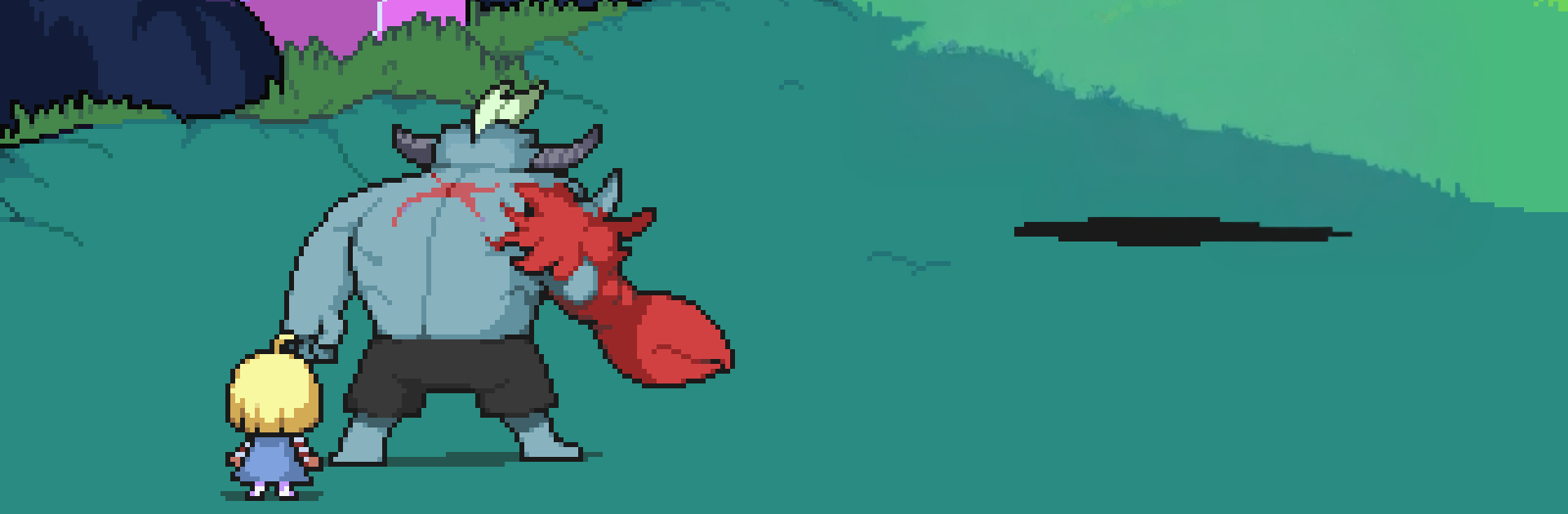
Meg’s Monster is a Role Playing adventure from Odencat that flips the usual RPG power fantasy on its head. You’re Roy, a towering ogre who can shrug off pretty much anything, but the kid holding your hand is the real ticking time bomb—if Meg breaks down in tears, bad things happen fast. Cross a monster-run Underworld to find her mom, brawl when you have to, and keep her calm when it matters most.
Indestructible hero, impossible job: Roy starts with a ridiculous 99,999 HP, so he’s not the one you’re worried about. The actual threat is Meg’s stress—let her panic, and the whole world feels it.
Combat meets caretaking: Battles aren’t just about smacking enemies. Use Meg’s favorite toys and soothing actions mid-fight to keep her steady while you dish out damage.
Fresh twists in every fight: Encounters weave in bite-sized mini-games, timing tests, and quirky mechanics that change from enemy to enemy, keeping each scrap lively.
Monsters with charm: Meet loudmouths, softies, and total oddballs across the Underworld. Some foes you beat can even become friends through optional side moments.
Bright, cozy pixel art: Odencat’s vibrant pixel look turns creepy caverns and hulking beasts into something surprisingly warm—and a little cute.
A small story that grows: What starts as simple “get the kid home” slowly unspools into bigger mysteries about Roy, Meg, and the world rumbling above and below.
PC-friendly with BlueStacks: Prefer a bigger screen and keyboard controls? It plays smoothly on BlueStacks without fuss.
Get ready for a buttery smooth, high-performance gaming action only on BlueStacks.
Focus more on the fun part of the game, skip the tedious aspects. Master Meg's Monster with Macros. Record yourself completing the monotonous tasks you wish to automate and replay them later with just one keypress.
Speed up the rerolling process in Meg's Monster. Perform multiple summons and keep looking for the best Heroes. Use Multi-Instance sync to replicate the rerolling mechanism in all instances.
Farm in-game resources with ease in Meg's Monster. Enable the Eco Mode when running the game in multiple instances. And lower your PC's resource consumption.
With the Multi-instance Sync, you can do even more in Meg's Monster. Sync the action of the main instance and repeat them in real time for all other instances. Sync and sit back, let the game progress unfold.
Download and install BlueStacks on your PC or Mac
Complete Google sign-in to access the Play Store, or do it later
Look for Meg's Monster in the search bar at the top right corner
Click to install Meg's Monster from the search results
Complete Google sign-in (if you skipped step 2) to install Meg's Monster
Click the Meg's Monster icon on the home screen to start playing
With BlueStacks 5, you can get started on a PC that fulfills the following requirements.
Microsoft Windows 7 or above, macOS 11 (Big Sur) or above
Intel, AMD or Apple Silicon Processor
at least 4GB
10GB Free Disk Space
* You must be an Administrator on your PC. Up to date graphics drivers from Microsoft or the chipset vendor.

Leave your email and we will notify
you when the game launches
Play Meg's Monster on your PC or Mac by following these simple steps.
BlueStacks respects your privacy and is always safe and secure to use. It does not carry any malware, spyware, or any sort of additional software that could harm your PC.
It is engineered to optimize speed and performance for a seamless gaming experience.
Minimum requirement to run Meg's Monster on your PC

Since you are on your phone, we are going to send you to the Google Play page.
In some cases BlueStacks uses affiliate links when linking to Google Play
BlueStacks 4 is not available on Windows XP. You must have Windows 7 or higher. Windows 10 is recommended.