Rune Tower
Rune Tower

Rune Tower

Role Playing

| Atelier Mirage Inc.

Play on PC with BlueStacks or from our cloud

  • Overview
  • Game Features
  • How to Play

Page Modified On: November 03, 2025

Play Rune Tower on PC or Mac

From the innovators and creators at Atelier Mirage Inc., Rune Tower is another fun addition to the World of Role Playing games. Go beyond your mobile screen and play it bigger and better on your PC or Mac. An immersive experience awaits you.

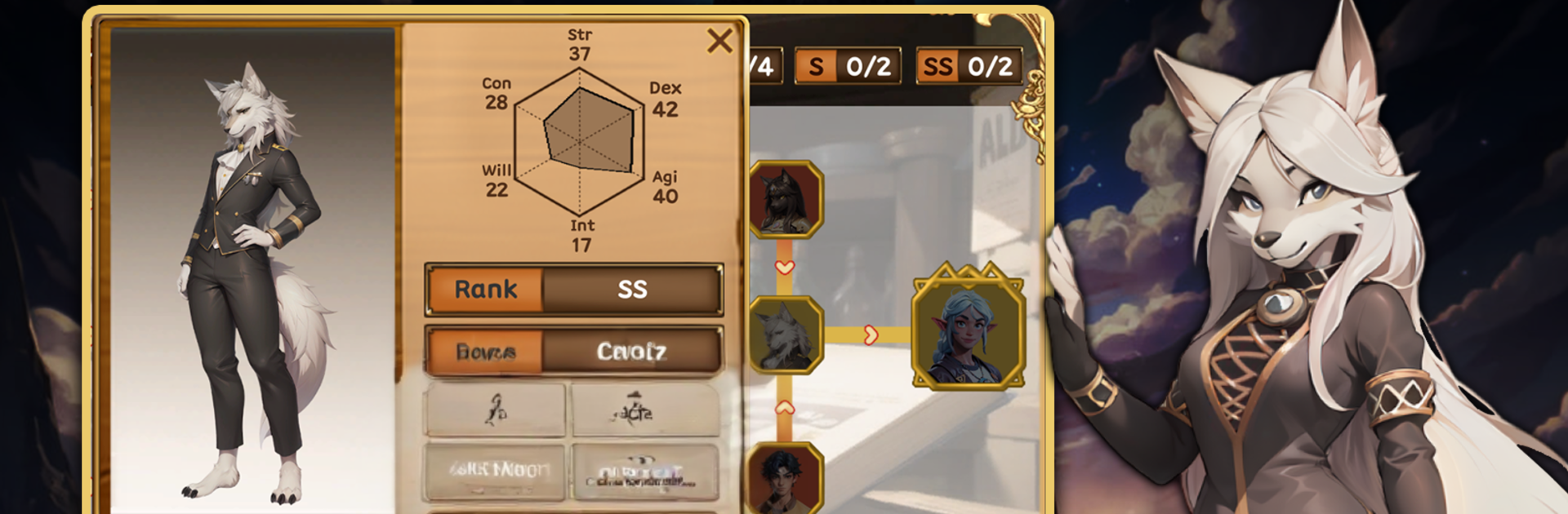
Rune Tower is a tactics-first tower climb where each floor feels like a tight little puzzle, not just a stat check. The player builds a party from a big pool, more than sixty heroes spread across fifty jobs and six races, then tweaks roles and turn order until the squad clicks. It is all about synergy. Tanks that hold lines, supports that chain buffs, oddball jobs that flip a fight when placed right. There is no gacha and no ads, so progression is clean and predictable. Heroes are earned and grown directly, which makes planning a roster feel like a real strategy choice instead of a slot machine.

Gear is its own game. Runes go into sockets to trigger runeword effects, and that can reshape how a build works. A slow bruiser becomes a counter monster, a healer turns into a charm bot, things like that. There is some luck in rune drops and slot types, but the best wins come from smart combos and positioning. The tower keeps scaling, throwing new enemy mixups that push the player to refine comps, not just grind numbers, so it rewards tinkering.

On PC with BlueStacks, it plays smooth with mouse control and quick hotkeys, which makes swapping runes and shuffling parties less of a chore. Sessions can be short, one or two floors, or a longer push when the team is humming. The developers run regular maintenance and keep polishing stability, so it feels looked after without being pushy about it.

Slay your opponents with your epic moves. Play it your way on BlueStacks and dominate the battlefield.


Game Features

Enhancements

  • Macros
  • Rerolling
  • Eco Mode
  • Multi Instance Sync
  • Enhancements
Macros

Macros

Focus more on the fun part of the game, skip the tedious aspects. Master Rune Tower with Macros. Record yourself completing the monotonous tasks you wish to automate and replay them later with just one keypress.
Rerolling

Rerolling

Speed up the rerolling process in Rune Tower. Perform multiple summons and keep looking for the best Heroes. Use Multi-Instance sync to replicate the rerolling mechanism in all instances.
Eco Mode

Eco Mode

Farm in-game resources with ease in Rune Tower. Enable the Eco Mode when running the game in multiple instances. And lower your PC's resource consumption.
Multi Instance Sync

Multi Instance Sync

With the Multi-instance Sync, you can do even more in Rune Tower. Sync the action of the main instance and repeat them in real time for all other instances. Sync and sit back, let the game progress unfold.
Read More

How to Download and Play Rune Tower on PC or Mac

  • Download and install BlueStacks on your PC or Mac

  • Complete Google sign-in to access the Play Store, or do it later

  • Look for Rune Tower in the search bar at the top right corner

  • Click to install Rune Tower from the search results

  • Complete Google sign-in (if you skipped step 2) to install Rune Tower

  • Click the Rune Tower icon on the home screen to start playing

video
Watch Video

Minimum System Requirements

With BlueStacks 5, you can get started on a PC that fulfills the following requirements.

  • Operating System

    Microsoft Windows 7 or above, macOS 11 (Big Sur) or above

  • Processor

    Intel, AMD or Apple Silicon Processor

  • RAM

    at least 4GB

  • HDD

    10GB Free Disk Space

Note:

* You must be an Administrator on your PC. Up to date graphics drivers from Microsoft or the chipset vendor.

Rune Tower - FAQs

  • How to play Rune Tower on Windows PC & Mac?

    Play Rune Tower on your PC or Mac by following these simple steps.

    • Click on 'Play Rune Tower on PC’ to download BlueStacks
    • Install it and log-in to Google Play Store
    • Launch and play the game.
  • Why is BlueStacks the fastest and safest platform to play games on PC?

    BlueStacks respects your privacy and is always safe and secure to use. It does not carry any malware, spyware, or any sort of additional software that could harm your PC.

    It is engineered to optimize speed and performance for a seamless gaming experience.

  • What are Rune Tower PC requirements?

    Minimum requirement to run Rune Tower on your PC

    • OS: Microsoft Windows 7 or above MacOS 11 (Big Sur) or above
    • Processor: Intel, AMD or Apple Silicon Processor
    • RAM: Your PC must have at least 4GB of RAM. (Note that having 4GB or more disk space is not a substitute for RAM)
    • HDD: 10GB Free Disk Space.
    • You must be an Administrator on your PC.