Tower And Bows
Tower And Bows

Tower And Bows

Role Playing

| Jaems

Play on PC with BlueStacks or from our cloud

  • Overview
  • Game Features
  • How to Play

Page Modified On: December 26, 2025

Play Tower And Bows on PC or Mac

Step into the World of Tower And Bows, a thrilling Role Playing game from the house of Jaems. Play this Android game on BlueStacks App Player and experience immersive gaming on PC or Mac.

About the Game

Thirteen mysterious towers showed up out of nowhere, and they’re crawling with monsters. In Tower And Bows from Jaems, you play an archer who climbs those towers, crushes bosses, and pushes toward a final showdown with a dark lord. It’s a focused single-player Role Playing experience with a real ending—and an extra challenge mode once you’re done.

Game Features

  • 13 towers to conquer: Tackle floor after floor, face tough gatekeepers, and bring down each tower’s owner to push the story forward and restore a little peace.
  • Guaranteed high-tier drops: Chase gear from common to legendary with a cumulative chance system that ramps up over repeated wins, eventually guaranteeing a high-grade item from gatekeepers or tower owners.
  • Bows with real magic: Every bow carries its own arcane twist, and special or legendary ones come packed with unique, powerful effects that change how you play.
  • Deep gear customization: Find equipment with bonus options—think more stamina, faster movement, shorter magic cooldowns—and tune your loadout to match your style.
  • Artifacts and upgrades: Collect artifacts that stack on extra abilities, then strengthen them using materials earned as you play or bought with in-game currency.
  • Costumes with perks: Unlock or purchase archer outfits and get passive bonuses just for owning them. Some are rewards for progressing, others you can buy in-game.
  • Potions and magic stones: Stock up during runs to stay alive longer, hit harder, and survive those late-floor gauntlets.
  • Single-player and offline: Play anywhere, no connection needed. It’s not an idle game; it’s a complete package with a finale and an optional harder difficulty afterward.
  • PC-friendly via BlueStacks: Prefer a keyboard and mouse? You can play Tower And Bows on BlueStacks without changing how the game feels.

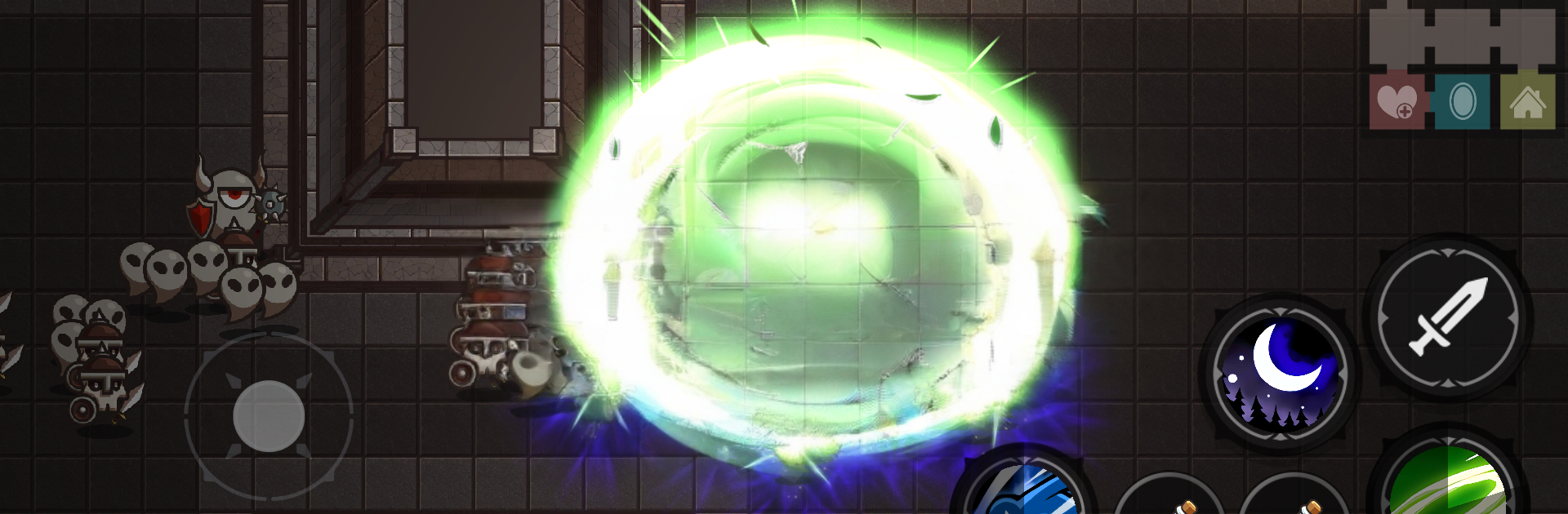
Make your gaming sessions memorable with precise controls that give you an edge in close combats and visuals that pop up, bringing every character to life.


Game Features

Enhancements

  • Macros
  • Rerolling
  • Eco Mode
  • Multi Instance Sync
  • Enhancements
Macros

Macros

Focus more on the fun part of the game, skip the tedious aspects. Master Tower And Bows with Macros. Record yourself completing the monotonous tasks you wish to automate and replay them later with just one keypress.
Rerolling

Rerolling

Speed up the rerolling process in Tower And Bows. Perform multiple summons and keep looking for the best Heroes. Use Multi-Instance sync to replicate the rerolling mechanism in all instances.
Eco Mode

Eco Mode

Farm in-game resources with ease in Tower And Bows. Enable the Eco Mode when running the game in multiple instances. And lower your PC's resource consumption.
Multi Instance Sync

Multi Instance Sync

With the Multi-instance Sync, you can do even more in Tower And Bows. Sync the action of the main instance and repeat them in real time for all other instances. Sync and sit back, let the game progress unfold.
Read More

How to Download and Play Tower And Bows on PC or Mac

  • Download and install BlueStacks on your PC or Mac

  • Complete Google sign-in to access the Play Store, or do it later

  • Look for Tower And Bows in the search bar at the top right corner

  • Click to install Tower And Bows from the search results

  • Complete Google sign-in (if you skipped step 2) to install Tower And Bows

  • Click the Tower And Bows icon on the home screen to start playing

video
Watch Video

Minimum System Requirements

With BlueStacks 5, you can get started on a PC that fulfills the following requirements.

  • Operating System

    Microsoft Windows 7 or above, macOS 11 (Big Sur) or above

  • Processor

    Intel, AMD or Apple Silicon Processor

  • RAM

    at least 4GB

  • HDD

    10GB Free Disk Space

Note:

* You must be an Administrator on your PC. Up to date graphics drivers from Microsoft or the chipset vendor.

Tower And Bows - FAQs

  • How to play Tower And Bows on Windows PC & Mac?

    Play Tower And Bows on your PC or Mac by following these simple steps.

    • Click on 'Play Tower And Bows on PC’ to download BlueStacks
    • Install it and log-in to Google Play Store
    • Launch and play the game.
  • Why is BlueStacks the fastest and safest platform to play games on PC?

    BlueStacks respects your privacy and is always safe and secure to use. It does not carry any malware, spyware, or any sort of additional software that could harm your PC.

    It is engineered to optimize speed and performance for a seamless gaming experience.

  • What are Tower And Bows PC requirements?

    Minimum requirement to run Tower And Bows on your PC

    • OS: Microsoft Windows 7 or above MacOS 11 (Big Sur) or above
    • Processor: Intel, AMD or Apple Silicon Processor
    • RAM: Your PC must have at least 4GB of RAM. (Note that having 4GB or more disk space is not a substitute for RAM)
    • HDD: 10GB Free Disk Space.
    • You must be an Administrator on your PC.