Ant Kingdom
Ant Kingdom

Ant Kingdom

Simulation

| Supercent, Inc.

Play on PC with BlueStacks or from our cloud

  • Overview
  • Game Features
  • How to Play

Page Modified On: April 21, 2026

Play Ant Kingdom on PC or Mac

Ant Kingdom brings the Simulation genre to life, and throws up exciting challenges for gamers. Developed by Supercent, Inc., this Android game is best experienced on BlueStacks, the World’s #1 app player for PC and Mac users.

About the Game

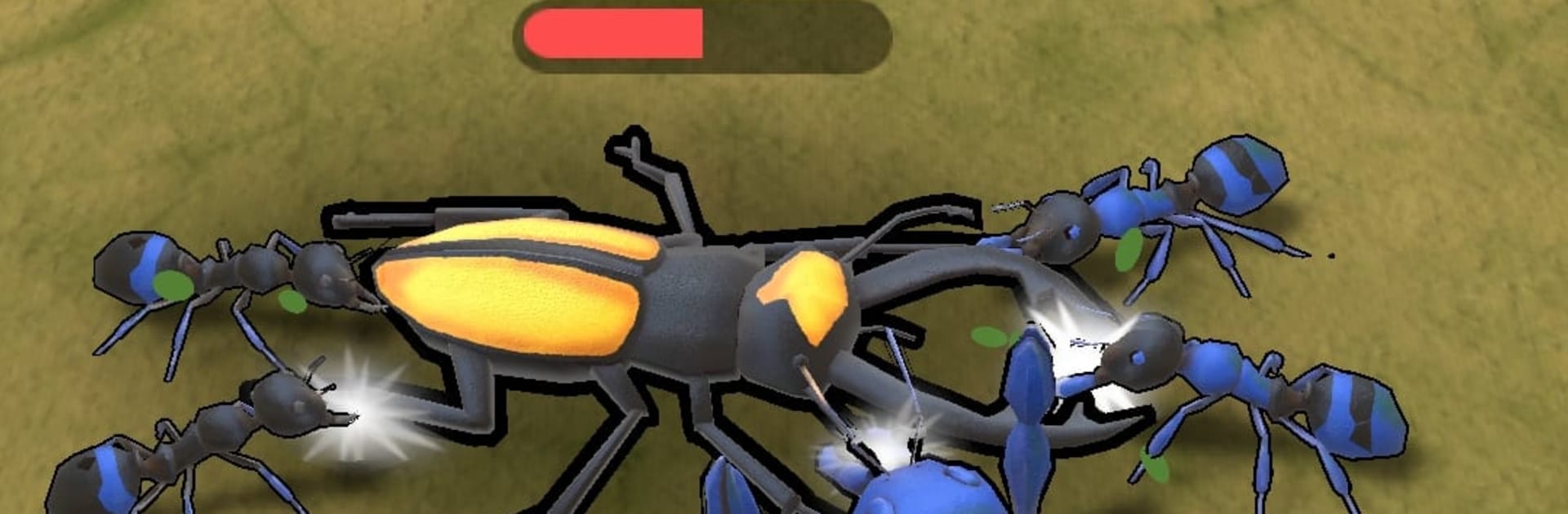
Ant Kingdom from Supercent, Inc. is a Simulation game where you’re the brains (and bite) behind a fearless ant colony. You’ll roam a living insect world, pick your battles, and grow a scrappy swarm into something the neighborhood predators actually fear. It’s easy to jump in, but there’s plenty to tinker with—merging units, evolving your leader, and pushing into new zones as your colony gets stronger. Prefer a bigger view? You can also play on PC with BlueStacks.

Game Features

  • Lead the swarm: Take control of the leader ant and guide your colony through risky territory, chomping enemies and hauling back resources to keep everyone fed and growing.

  • Merge for muscle: Combine basic ants to create tougher units that hit harder and survive longer. Smart timing makes all the difference when the battlefield gets hectic.

  • Evolve your hero: Upgrade your leader’s speed, bite strength, and unique skills to unlock new forms that change how you approach fights.

  • Simple, hands-on controls: Tap, drag, and weave through danger. It’s straightforward, responsive, and perfect for quick sessions or longer runs.

  • Expanding worlds: March from soft forest soil to harsher zones like dry sands, uncovering fresh resources, trickier enemies, and hidden challenges.

  • Big bug roster (and bigger bosses): Square off against snails, ladybugs, spiders, stag beetles, scorpions, mantises, and more. Bosses bring new attack patterns and juicy rewards.

  • Build a true colony: Watch your population swell as you gather meat, invest in upgrades, and balance offense with survival.

  • Casual play, real decisions: Choose when to engage, when to regroup, and which merges will carry you through the next wave—or the next map.

Ready to top the leaderboard? We bet you do. Let precise controls and sharp visuals optimized on BlueStacks lead you to victory.


Game Features

Enhancements

  • Macros
  • Multi Instance
  • Multi Instance Sync
  • Script
  • Enhancements
Macros

Macros

Automate the predictable in Ant Kingdom and transform your gameplay with Macros. Get access to inventive Macros in the BlueStacks Macro Community
Multi Instance

Multi Instance

Play Ant Kingdom on one window. And chat with your friend on the other. Press CTRL + Shift + 8 to open the Multi-Instance Manager. And start creating fresh instances or clone an existing one.
Multi Instance Sync

Multi Instance Sync

Play Ant Kingdom with the power of Multi-Instance Sync. Replicate what you are doing on the main instance on all other instances. Level up faster, play more.
Script

Script

Script your way to gaming glory in Ant Kingdom with BlueStacks Script. Write and run a set of commands to automate repeated tasks. Trigger the command by assigning it to any key.
Read More

How to Download and Play Ant Kingdom on PC or Mac

  • Download and install BlueStacks on your PC or Mac

  • Complete Google sign-in to access the Play Store, or do it later

  • Look for Ant Kingdom in the search bar at the top right corner

  • Click to install Ant Kingdom from the search results

  • Complete Google sign-in (if you skipped step 2) to install Ant Kingdom

  • Click the Ant Kingdom icon on the home screen to start playing

video
Watch Video

Minimum System Requirements

With BlueStacks 5, you can get started on a PC that fulfills the following requirements.

  • Operating System

    Microsoft Windows 7 or above, macOS 11 (Big Sur) or above

  • Processor

    Intel, AMD or Apple Silicon Processor

  • RAM

    at least 4GB

  • HDD

    10GB Free Disk Space

Note:

* You must be an Administrator on your PC. Up to date graphics drivers from Microsoft or the chipset vendor.

Ant Kingdom - FAQs

  • How to play Ant Kingdom on Windows PC & Mac?

    Play Ant Kingdom on your PC or Mac by following these simple steps.

    • Click on 'Play Ant Kingdom on PC’ to download BlueStacks
    • Install it and log-in to Google Play Store
    • Launch and play the game.
  • Why is BlueStacks the fastest and safest platform to play games on PC?

    BlueStacks respects your privacy and is always safe and secure to use. It does not carry any malware, spyware, or any sort of additional software that could harm your PC.

    It is engineered to optimize speed and performance for a seamless gaming experience.

  • What are Ant Kingdom PC requirements?

    Minimum requirement to run Ant Kingdom on your PC

    • OS: Microsoft Windows 7 or above MacOS 11 (Big Sur) or above
    • Processor: Intel, AMD or Apple Silicon Processor
    • RAM: Your PC must have at least 4GB of RAM. (Note that having 4GB or more disk space is not a substitute for RAM)
    • HDD: 10GB Free Disk Space.
    • You must be an Administrator on your PC.