My Fish Shop!
My Fish Shop!

My Fish Shop!

Arcade

| Supercent, Inc.

Play on PC with BlueStacks or from our cloud

  • Overview
  • Game Features
  • How to Play

Page Modified On: January 02, 2026

Play My Fish Shop! on PC or Mac

My Fish Shop! brings the Arcade genre to life, and throws up exciting challenges for gamers. Developed by Supercent, Inc., this Android game is best experienced on BlueStacks, the World’s #1 app player for PC and Mac users.

About the Game

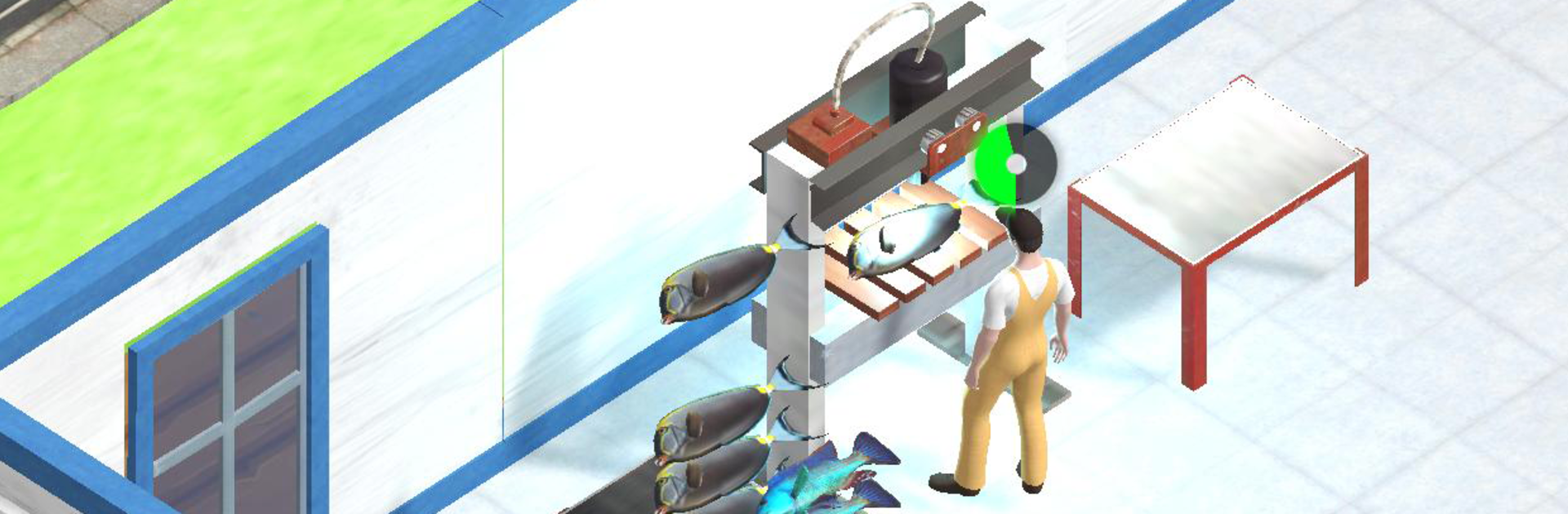
My Fish Shop! is a relaxed Arcade management game from Supercent, Inc. where a tiny boat slowly turns into a bustling seafood business. You’ll catch the day’s haul, run it through your machines, and keep the shelves stocked while customers snap up everything you can process. It’s part hands-on, part idle—tinker when you want, let it earn when you don’t. Prefer a bigger screen sometimes? It also runs smoothly on PC with BlueStacks.

Game Features

  • Start Small, Scale Big: Begin with a modest boat and a bare-bones shop, then grow into a busy operation with more space, more products, and more customers.
  • Processing Power: Unlock new machines and hire helpers to speed up filleting, packing, and stocking. Faster lines mean fuller shelves.
  • Stock, Sell, Repeat: Move raw or processed fish to your displays, keep residents happy, and watch steady sales turn into serious income.
  • Hunt for New Species: Upgrade your boat to reach fresh fishing spots and discover different types of fish, opening up new product lines.
  • Expand the Fleet: Add auxiliary boats and secure new fishing grounds—from calm coasts to deeper waters—each with its own look and catch.
  • Smart Upgrades: Decide where the money goes: boat improvements, shop enhancements, or extra assistants. The right balance keeps everything flowing.
  • Play Your Pace: Active session or background progress—both work. Jump in for a quick management fix or let the shop keep earning while you plan your next move.
  • Satisfying Loop: Catch, process, deliver, sell. The rhythm is simple, the choices are meaningful, and the shop feels busier with every upgrade.

Slay your opponents with your epic moves. Play it your way on BlueStacks and dominate the battlefield.


Game Features

Enhancements

  • Macros
  • Multi Instance
  • Multi Instance Sync
  • Script
  • Enhancements
Macros

Macros

Automate the predictable in My Fish Shop! and transform your gameplay with Macros. Get access to inventive Macros in the BlueStacks Macro Community
Multi Instance

Multi Instance

Play My Fish Shop! on one window. And chat with your friend on the other. Press CTRL + Shift + 8 to open the Multi-Instance Manager. And start creating fresh instances or clone an existing one.
Multi Instance Sync

Multi Instance Sync

Play My Fish Shop! with the power of Multi-Instance Sync. Replicate what you are doing on the main instance on all other instances. Level up faster, play more.
Script

Script

Script your way to gaming glory in My Fish Shop! with BlueStacks Script. Write and run a set of commands to automate repeated tasks. Trigger the command by assigning it to any key.
Read More

How to Download and Play My Fish Shop! on PC or Mac

  • Download and install BlueStacks on your PC or Mac

  • Complete Google sign-in to access the Play Store, or do it later

  • Look for My Fish Shop! in the search bar at the top right corner

  • Click to install My Fish Shop! from the search results

  • Complete Google sign-in (if you skipped step 2) to install My Fish Shop!

  • Click the My Fish Shop! icon on the home screen to start playing

video
Watch Video

Minimum System Requirements

With BlueStacks 5, you can get started on a PC that fulfills the following requirements.

  • Operating System

    Microsoft Windows 7 or above, macOS 11 (Big Sur) or above

  • Processor

    Intel, AMD or Apple Silicon Processor

  • RAM

    at least 4GB

  • HDD

    10GB Free Disk Space

Note:

* You must be an Administrator on your PC. Up to date graphics drivers from Microsoft or the chipset vendor.

My Fish Shop! - FAQs

  • How to play My Fish Shop! on Windows PC & Mac?

    Play My Fish Shop! on your PC or Mac by following these simple steps.

    • Click on 'Play My Fish Shop! on PC’ to download BlueStacks
    • Install it and log-in to Google Play Store
    • Launch and play the game.
  • Why is BlueStacks the fastest and safest platform to play games on PC?

    BlueStacks respects your privacy and is always safe and secure to use. It does not carry any malware, spyware, or any sort of additional software that could harm your PC.

    It is engineered to optimize speed and performance for a seamless gaming experience.

  • What are My Fish Shop! PC requirements?

    Minimum requirement to run My Fish Shop! on your PC

    • OS: Microsoft Windows 7 or above MacOS 11 (Big Sur) or above
    • Processor: Intel, AMD or Apple Silicon Processor
    • RAM: Your PC must have at least 4GB of RAM. (Note that having 4GB or more disk space is not a substitute for RAM)
    • HDD: 10GB Free Disk Space.
    • You must be an Administrator on your PC.