Archmage Idle
Archmage Idle

Archmage Idle

Simulation

| TopCog

Play on PC with BlueStacks or from our cloud

  • Overview
  • Game Features
  • How to Play

Page Modified On: July 06, 2026

Play Archmage Idle on PC or Mac

Archmage Idle by TopCog has plenty to keep you busy. BlueStacks lets you play it on PC or Mac with more screen space, better control, and fewer mobile limits.

About the Game

Archmage Idle is a Simulation game about running a guild of spellcasters and keeping the magic machine humming. It’s part chill idle experience, part crunchy planner—your choices ripple through combat, crafting, and trade. Want to tinker, optimize, and watch your wizards thrive even when you’re away? That’s the vibe. It also feels great on a bigger screen with BlueStacks if you prefer playing on PC.

Game Features

  • Interlocking Skills: Every discipline matters, with systems that click together so progress in one area boosts the others in surprising ways.
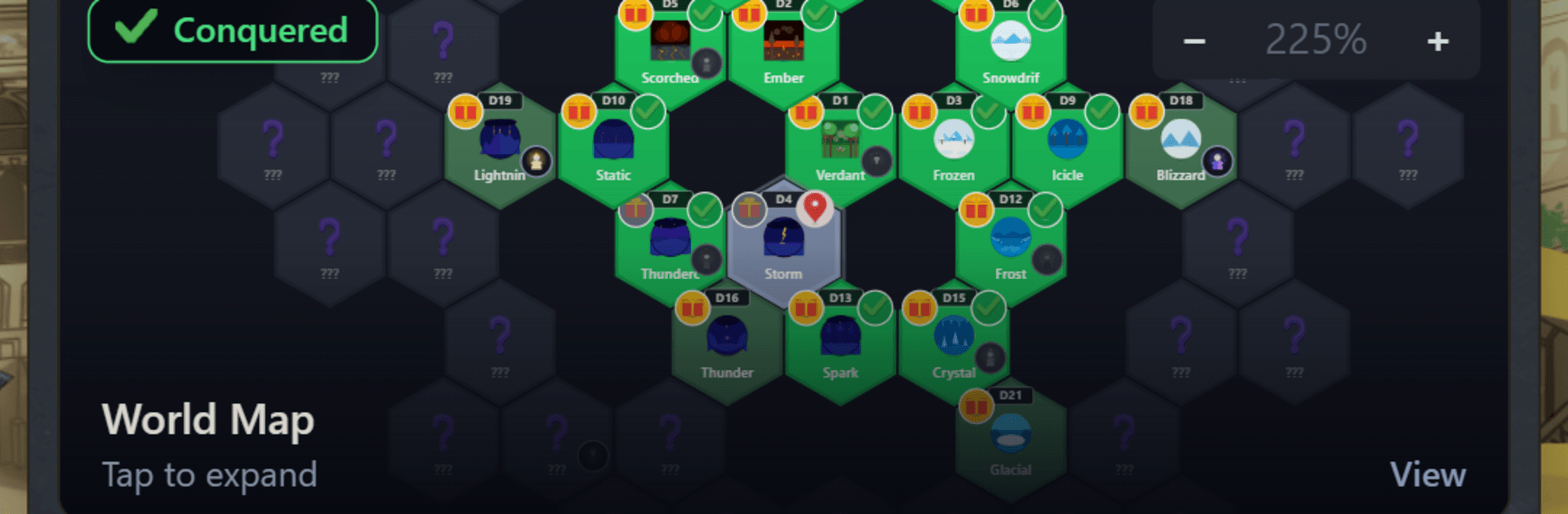
  • Elemental Hex Battles: Send your squad across a hex-based elemental map where positioning and affinities shape each skirmish.
  • Frontline Power: Attunement, Summoning, and Sigilry fuel your battle mages, letting you tailor how they cast, control, and crush.
  • Supply Chain Wizardry: Research, Runecrafting, Alchemy, Mercantile, and Scavenging keep materials flowing and gear improving.
  • Rare Disciplines: Push into specialties like Chronomancy, Diplomacy, and Appraisal to unlock odd but incredibly useful advantages.
  • Runic Cauldron: Toss runes into the Runic Cauldron to transform resources and spark new crafting options.
  • The Academy: Train fresh wizards, refine builds, and shape your roster to match your strategy.
  • The Bazaar: Offload surplus goods and turn clever production loops into steady coin.
  • Collectible Gear: Hunt down hundreds of items that enhance both your skill training and your combat effectiveness.
  • True Idle Progress: Your guild keeps working while you’re offline, so you return to meaningful gains instead of busywork.

Get ready for a buttery smooth, high-performance gaming action only on BlueStacks.

Game Features

Enhancements

  • Macros
  • Multi Instance
  • Multi Instance Sync
  • Script
  • Enhancements
Macros

Macros

Automate the predictable in Archmage Idle and transform your gameplay with Macros. Get access to inventive Macros in the BlueStacks Macro Community
Multi Instance

Multi Instance

Play Archmage Idle on one window. And chat with your friend on the other. Press CTRL + Shift + 8 to open the Multi-Instance Manager. And start creating fresh instances or clone an existing one.
Multi Instance Sync

Multi Instance Sync

Play Archmage Idle with the power of Multi-Instance Sync. Replicate what you are doing on the main instance on all other instances. Level up faster, play more.
Script

Script

Script your way to gaming glory in Archmage Idle with BlueStacks Script. Write and run a set of commands to automate repeated tasks. Trigger the command by assigning it to any key.
Read More

How to Download and Play Archmage Idle on PC or Mac

  • Download and install BlueStacks on your PC or Mac

  • Complete Google sign-in to access the Play Store, or do it later

  • Look for Archmage Idle in the search bar at the top right corner

  • Click to install Archmage Idle from the search results

  • Complete Google sign-in (if you skipped step 2) to install Archmage Idle

  • Click the Archmage Idle icon on the home screen to start playing

video
Watch Video

Minimum System Requirements

With BlueStacks 5, you can get started on a PC that fulfills the following requirements.

  • Operating System

    Microsoft Windows 7 or above, macOS 11 (Big Sur) or above

  • Processor

    Intel, AMD or Apple Silicon Processor

  • RAM

    at least 4GB

  • HDD

    10GB Free Disk Space

Note:

* You must be an Administrator on your PC. Up to date graphics drivers from Microsoft or the chipset vendor.

Archmage Idle - FAQs

  • How to play Archmage Idle on Windows PC & Mac?

    Play Archmage Idle on your PC or Mac by following these simple steps.

    • Click on 'Play Archmage Idle on PC’ to download BlueStacks
    • Install it and log-in to Google Play Store
    • Launch and play the game.
  • Why is BlueStacks the fastest and safest platform to play games on PC?

    BlueStacks respects your privacy and is always safe and secure to use. It does not carry any malware, spyware, or any sort of additional software that could harm your PC.

    It is engineered to optimize speed and performance for a seamless gaming experience.

  • What are Archmage Idle PC requirements?

    Minimum requirement to run Archmage Idle on your PC

    • OS: Microsoft Windows 7 or above MacOS 11 (Big Sur) or above
    • Processor: Intel, AMD or Apple Silicon Processor
    • RAM: Your PC must have at least 4GB of RAM. (Note that having 4GB or more disk space is not a substitute for RAM)
    • HDD: 10GB Free Disk Space.
    • You must be an Administrator on your PC.