Army Car Driver
Army Car Driver

Army Car Driver

Simulation

| Naxeex Action & RPG Games

Play on PC with BlueStacks or from our cloud

  • Overview
  • Game Features
  • How to Play

Page Modified On: May 18, 2026

Play Army Car Driver on PC or Mac

Army Car Driver brings the Simulation genre to life, and throws up exciting challenges for gamers. Developed by Naxeex Action & RPG Games, this Android game is best experienced on BlueStacks, the World’s #1 app player for PC and Mac users.

About the Game

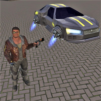
Army Car Driver from Naxeex Action & RPG Games drops you into the boots of an elite operator who can handle anything with wheels—and every fight that follows. This Simulation game is all about high-stakes chases, quick getaways, and gritty street combat in a city that never really calms down. Expect fast action, flexible tactics, and plenty of ways to bring order to chaos.

Game Features

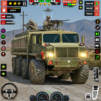
  • Elite Driving: Slip behind the wheel of military-grade rides and civilian cars alike, then thread traffic, cut alleys, and barrel through blockades like it’s second nature.
  • Car Theft Sandbox: Need a faster ride? Jack it. Swap vehicles on the fly to stay one step ahead of trouble.
  • Hand-to-Hand and Gunplay: Switch between sharp martial arts and modern firearms whenever the situation changes—clean takedowns or controlled bursts.
  • Stealth or Full Force: Sneak past patrols and strike from the shadows, or hit hard and fast when subtlety isn’t an option.
  • Modern Arsenal: Gear up with contemporary weapons and tools that match your style, from precise sidearms to heavier options.
  • Crime Boss Takedowns: Hunt down big names running the streets, disrupt their crews, and keep everyday citizens out of the crossfire.
  • Citywide Playground: Roam an urban sprawl built for pursuits and brawls—rooftops, side streets, busy avenues, and plenty of shortcuts.
  • Special Moves: Pull off slick driving tricks and combat techniques that make tough encounters feel manageable—and stylish.
  • Plays Great on PC: Prefer a bigger screen and tighter controls? Army Car Driver also runs nicely on BlueStacks.

Start your journey now. Download the game on BlueStacks, invite your friends, and march on a new adventure.


Game Features

Enhancements

  • Macros
  • Multi Instance
  • Multi Instance Sync
  • Script
  • Enhancements
Macros

Macros

Automate the predictable in Army Car Driver and transform your gameplay with Macros. Get access to inventive Macros in the BlueStacks Macro Community
Multi Instance

Multi Instance

Play Army Car Driver on one window. And chat with your friend on the other. Press CTRL + Shift + 8 to open the Multi-Instance Manager. And start creating fresh instances or clone an existing one.
Multi Instance Sync

Multi Instance Sync

Play Army Car Driver with the power of Multi-Instance Sync. Replicate what you are doing on the main instance on all other instances. Level up faster, play more.
Script

Script

Script your way to gaming glory in Army Car Driver with BlueStacks Script. Write and run a set of commands to automate repeated tasks. Trigger the command by assigning it to any key.
Read More

How to Download and Play Army Car Driver on PC or Mac

  • Download and install BlueStacks on your PC or Mac

  • Complete Google sign-in to access the Play Store, or do it later

  • Look for Army Car Driver in the search bar at the top right corner

  • Click to install Army Car Driver from the search results

  • Complete Google sign-in (if you skipped step 2) to install Army Car Driver

  • Click the Army Car Driver icon on the home screen to start playing

video
Watch Video

Minimum System Requirements

With BlueStacks 5, you can get started on a PC that fulfills the following requirements.

  • Operating System

    Microsoft Windows 7 or above, macOS 11 (Big Sur) or above

  • Processor

    Intel, AMD or Apple Silicon Processor

  • RAM

    at least 4GB

  • HDD

    10GB Free Disk Space

Note:

* You must be an Administrator on your PC. Up to date graphics drivers from Microsoft or the chipset vendor.

Army Car Driver - FAQs

  • How to play Army Car Driver on Windows PC & Mac?

    Play Army Car Driver on your PC or Mac by following these simple steps.

    • Click on 'Play Army Car Driver on PC’ to download BlueStacks
    • Install it and log-in to Google Play Store
    • Launch and play the game.
  • Why is BlueStacks the fastest and safest platform to play games on PC?

    BlueStacks respects your privacy and is always safe and secure to use. It does not carry any malware, spyware, or any sort of additional software that could harm your PC.

    It is engineered to optimize speed and performance for a seamless gaming experience.

  • What are Army Car Driver PC requirements?

    Minimum requirement to run Army Car Driver on your PC

    • OS: Microsoft Windows 7 or above MacOS 11 (Big Sur) or above
    • Processor: Intel, AMD or Apple Silicon Processor
    • RAM: Your PC must have at least 4GB of RAM. (Note that having 4GB or more disk space is not a substitute for RAM)
    • HDD: 10GB Free Disk Space.
    • You must be an Administrator on your PC.