Cyber Future Crime
Cyber Future Crime

Cyber Future Crime

Action

| Naxeex Action & RPG Games

Play on PC with BlueStacks or from our cloud

  • Overview
  • Game Features
  • How to Play

Page Modified On: December 15, 2025

Play Cyber Future Crime on PC or Mac

Step into the World of Cyber Future Crime, a thrilling Action game from the house of Naxeex Action & RPG Games. Play this Android game on BlueStacks App Player and experience immersive gaming on PC or Mac.

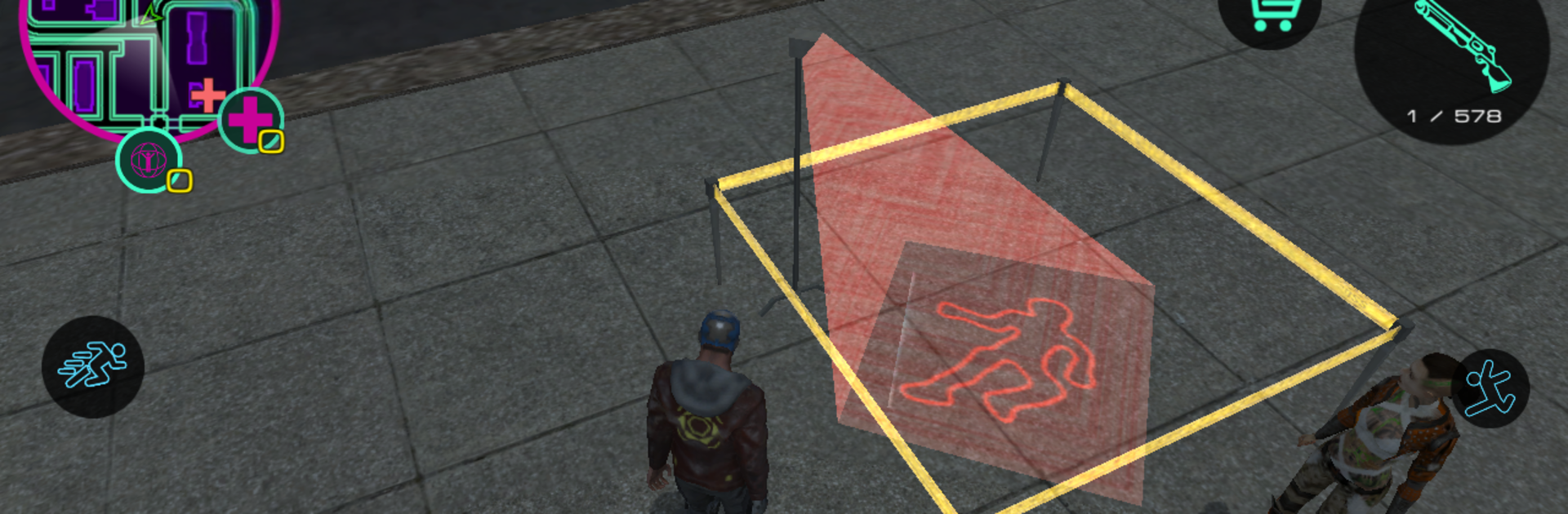
Cyber Future Crime plays like a neon sand-box set in a stacked city that never goes quiet. Streets glow with giant ads, flying cars zip over lanes, robots and gangs argue with bullets, and a synthwave soundtrack keeps a steady pulse. It leans into chaos in a good way. One moment someone is grabbing a car for a fast escape, the next they are blasting through a shootout or smashing scenery just because the game lets that happen and it feels funny. There are quick missions and achievements to chase, but the real pull is roaming the city and stirring trouble on foot or in the air.

Bio-upgrades matter. Swap in bionic parts to punch harder, run faster, jump higher, and handle longer fights. Science does all the heavy lifting here, so the character grows into a tougher, stranger fighter as new body tech slots in. The game lets players pick a lane for a while, bounty style head hunter work, sneaky ATM hacker, street racer, or just professional troublemaker who enjoys tossing grenades at anything that looks fragile. Gunfights pop up across rooftops and multi-level streets, which keeps navigation interesting. On BlueStacks, aiming with a mouse and driving with keys makes those quick turns and midair shots feel much cleaner than touch. The city is layered and a bit wild, alleys below, sky lanes above, so there is always another route to bail out, another billboard to thread, another gang to upset, and some new upgrade to test in the next clash.

Get ready for a buttery smooth, high-performance gaming action only on BlueStacks.

Game Features

Enhancements

  • Macros
  • Multi Instance
  • Multi Instance Sync
  • Eco Mode
  • Enhancements
Macros

Macros

Skip the boring parts of a game. Play Cyber Future Crime with Macros and get the edge. Simply record a sequence of commands and execute them at any moment.
Multi Instance

Multi Instance

Why limit to one game on your phone when you can play many on your PC? Open multiple instances of Cyber Future Crime at once with Multi-Instance. Leverage the power of different accounts by doing more.
Multi Instance Sync

Multi Instance Sync

Get the best out of Cyber Future Crime with Multi-Instance Sync. Play the game from different accounts and build your own empire. Use Multi-instance sync to repeat the action in the main BlueStacks instance on all other instances.
Eco Mode

Eco Mode

Find the rarest heroes by making multiple summons in Cyber Future Crime. And while you are at it, reduce your PC’s resource consumption with the Eco Mode. Farm efficiently. Get the best results.
Read More

How to Download and Play Cyber Future Crime on PC or Mac

  • Download and install BlueStacks on your PC or Mac

  • Complete Google sign-in to access the Play Store, or do it later

  • Look for Cyber Future Crime in the search bar at the top right corner

  • Click to install Cyber Future Crime from the search results

  • Complete Google sign-in (if you skipped step 2) to install Cyber Future Crime

  • Click the Cyber Future Crime icon on the home screen to start playing

video
Watch Video

Minimum System Requirements

With BlueStacks 5, you can get started on a PC that fulfills the following requirements.

  • Operating System

    Microsoft Windows 7 or above, macOS 11 (Big Sur) or above

  • Processor

    Intel, AMD or Apple Silicon Processor

  • RAM

    at least 4GB

  • HDD

    10GB Free Disk Space

Note:

* You must be an Administrator on your PC. Up to date graphics drivers from Microsoft or the chipset vendor.

Cyber Future Crime - FAQs

  • How to play Cyber Future Crime on Windows PC & Mac?

    Play Cyber Future Crime on your PC or Mac by following these simple steps.

    • Click on 'Play Cyber Future Crime on PC’ to download BlueStacks
    • Install it and log-in to Google Play Store
    • Launch and play the game.
  • Why is BlueStacks the fastest and safest platform to play games on PC?

    BlueStacks respects your privacy and is always safe and secure to use. It does not carry any malware, spyware, or any sort of additional software that could harm your PC.

    It is engineered to optimize speed and performance for a seamless gaming experience.

  • What are Cyber Future Crime PC requirements?

    Minimum requirement to run Cyber Future Crime on your PC

    • OS: Microsoft Windows 7 or above MacOS 11 (Big Sur) or above
    • Processor: Intel, AMD or Apple Silicon Processor
    • RAM: Your PC must have at least 4GB of RAM. (Note that having 4GB or more disk space is not a substitute for RAM)
    • HDD: 10GB Free Disk Space.
    • You must be an Administrator on your PC.