CCO Car Crash Online Simulator

CCO Car Crash Online Simulator

Simulation

| CHILLAPPS

Play on PC with BlueStacks or from our cloud

  • Overview
  • Game Features
  • How to Play

Page Modified On: December 15, 2025

Play CCO Car Crash Online Simulator on PC or Mac

Explore a whole new adventure with CCO Car Crash Online Simulator, a Simulation game created by CHILLAPPS. Experience great gameplay with BlueStacks, the most popular gaming platform to play Android games on your PC or Mac.

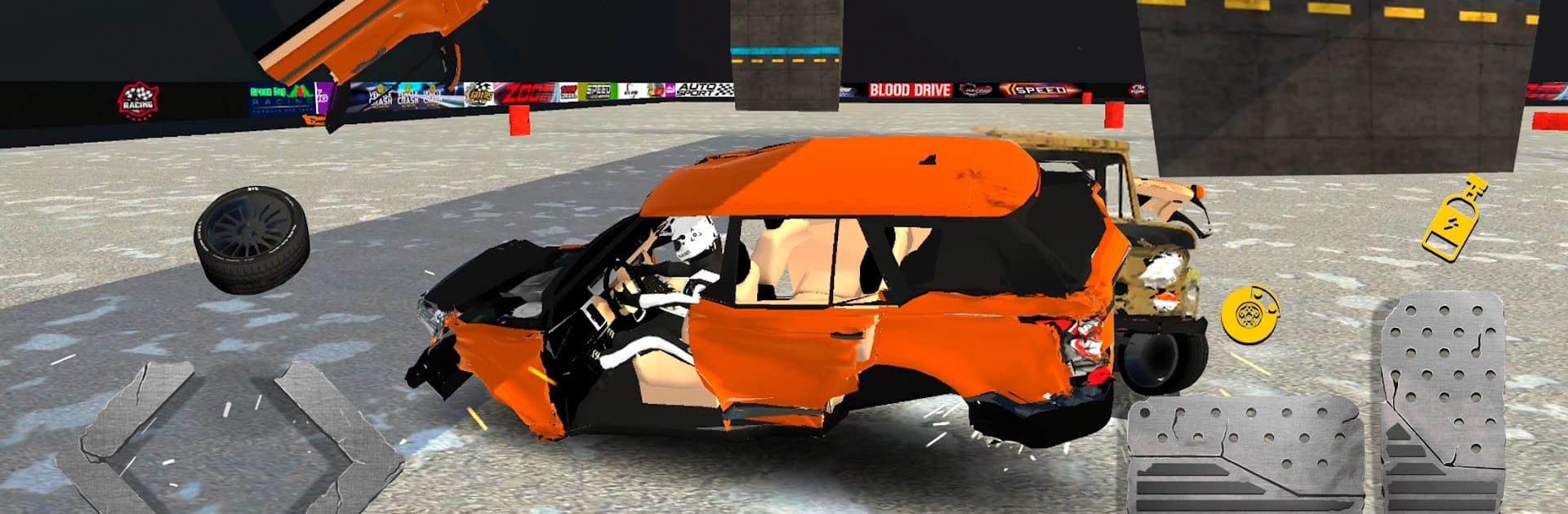
CCO Car Crash Online Simulator is not about clean laps, it is about bending metal in the loudest way possible. Players jump into a bunch of cars from American, European, and yes, some older Russian rides too, then head into big test arenas full of ramps, loops, crushers, swinging hammers, spike walls, the whole toolbox. The fun is experimenting. Nudge a rival toward a spinning blade, send a sedan off a tall jump, thread a gap and clip a pillar so the whole front end crumples. The damage system feels chunky and detailed, with panels popping, wheels buckling, and frames twisting when the angle is just wrong. Each car breaks differently, so the same hit can total one and only dent another, which makes replays weirdly addicting.

Handling leans toward sim. Cars have weight, so overcooking a corner actually matters, and a sloppy landing can end a run. There are challenge maps to clear and online rooms where players try tricks, set up traps, and compete to survive longer or wreck harder. It looks solid in 3D and runs smooth, and on PC with BlueStacks the keyboard controls make skids easier to save and stunt lines easier to repeat. It suits anyone who likes physics toys and crash tests more than clean racing. There is alot to break and plenty of ways to do it, and the game almost dares players to find a dumber stunt every time.

Slay your opponents with your epic moves. Play it your way on BlueStacks and dominate the battlefield.


Game Features

Enhancements

  • Macros
  • Multi Instance
  • Multi Instance Sync
  • Script
  • Enhancements
Macros

Macros

Automate the predictable in CCO Car Crash Online Simulator and transform your gameplay with Macros. Get access to inventive Macros in the BlueStacks Macro Community
Multi Instance

Multi Instance

Play CCO Car Crash Online Simulator on one window. And chat with your friend on the other. Press CTRL + Shift + 8 to open the Multi-Instance Manager. And start creating fresh instances or clone an existing one.
Multi Instance Sync

Multi Instance Sync

Play CCO Car Crash Online Simulator with the power of Multi-Instance Sync. Replicate what you are doing on the main instance on all other instances. Level up faster, play more.
Script

Script

Script your way to gaming glory in CCO Car Crash Online Simulator with BlueStacks Script. Write and run a set of commands to automate repeated tasks. Trigger the command by assigning it to any key.
Read More

How to Download and Play CCO Car Crash Online Simulator on PC or Mac

  • Download and install BlueStacks on your PC or Mac

  • Complete Google sign-in to access the Play Store, or do it later

  • Look for CCO Car Crash Online Simulator in the search bar at the top right corner

  • Click to install CCO Car Crash Online Simulator from the search results

  • Complete Google sign-in (if you skipped step 2) to install CCO Car Crash Online Simulator

  • Click the CCO Car Crash Online Simulator icon on the home screen to start playing

video
Watch Video

Minimum System Requirements

With BlueStacks 5, you can get started on a PC that fulfills the following requirements.

  • Operating System

    Microsoft Windows 7 or above, macOS 11 (Big Sur) or above

  • Processor

    Intel, AMD or Apple Silicon Processor

  • RAM

    at least 4GB

  • HDD

    10GB Free Disk Space

Note:

* You must be an Administrator on your PC. Up to date graphics drivers from Microsoft or the chipset vendor.

CCO Car Crash Online Simulator - FAQs

  • How to play CCO Car Crash Online Simulator on Windows PC & Mac?

    Play CCO Car Crash Online Simulator on your PC or Mac by following these simple steps.

    • Click on 'Play CCO Car Crash Online Simulator on PC’ to download BlueStacks
    • Install it and log-in to Google Play Store
    • Launch and play the game.
  • Why is BlueStacks the fastest and safest platform to play games on PC?

    BlueStacks respects your privacy and is always safe and secure to use. It does not carry any malware, spyware, or any sort of additional software that could harm your PC.

    It is engineered to optimize speed and performance for a seamless gaming experience.

  • What are CCO Car Crash Online Simulator PC requirements?

    Minimum requirement to run CCO Car Crash Online Simulator on your PC

    • OS: Microsoft Windows 7 or above MacOS 11 (Big Sur) or above
    • Processor: Intel, AMD or Apple Silicon Processor
    • RAM: Your PC must have at least 4GB of RAM. (Note that having 4GB or more disk space is not a substitute for RAM)
    • HDD: 10GB Free Disk Space.
    • You must be an Administrator on your PC.