car games parking simulator 3d

car games parking simulator 3d

Simulation

| Games Spectrum

Play on PC with BlueStacks or from our cloud

  • Overview
  • Game Features
  • How to Play

Page Modified On: October 10, 2025

Play car games parking simulator 3d on PC or Mac

car games parking simulator 3d brings the Simulation genre to life, and throws up exciting challenges for gamers. Developed by Games Spectrum, this Android game is best experienced on BlueStacks, the World’s #1 app player for PC and Mac users.

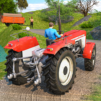
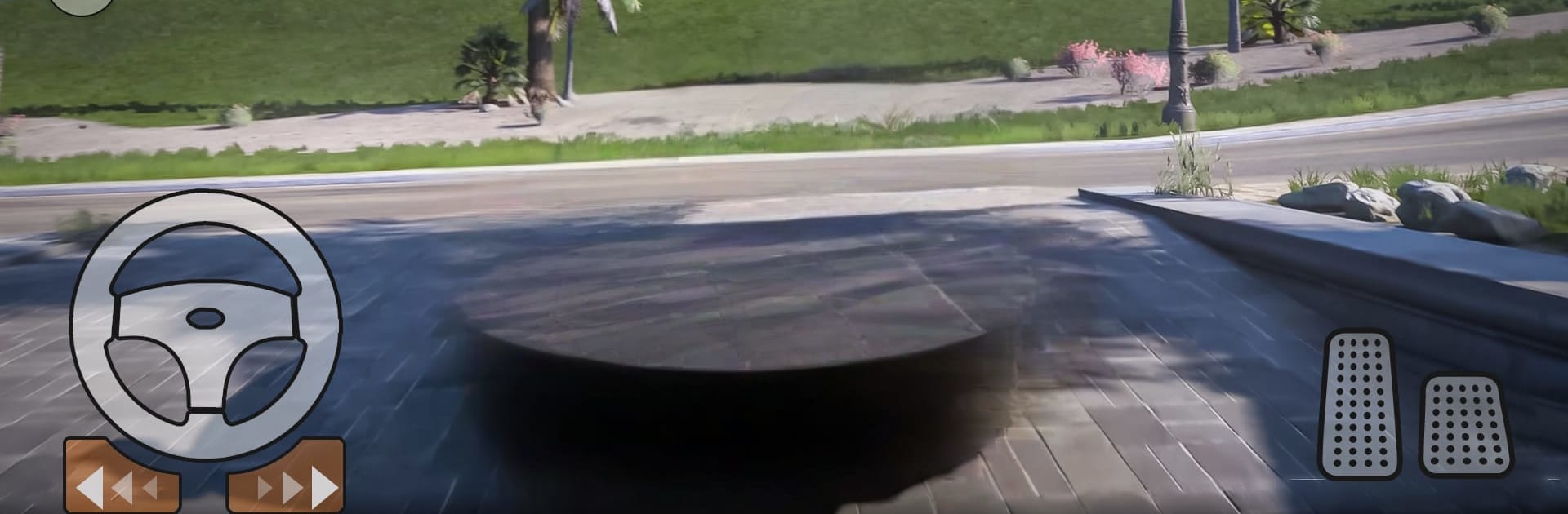
Car Games Parking Simulator 3D is a straight-up precision parking game with a streak of stunt challenges. The goal stays simple on paper. Get the car from start to the parking spot without scraping anything. Tap a cone or graze a barrier and the run resets. Early stages feel like driving school tests, then it throws in tight city lots, weirdly shaped plazas, offroad patches, and those tall sky ramps that look a little scary but are fun when the timing clicks. There are sedans, 4×4 SUVs, and flashier cars to unlock, and they do not all handle the same. Steering is twitchy on touch, but on PC with BlueStacks and a keyboard it settles in, so lining up in narrow spaces feels cleaner. Camera switches help a lot, especially the top view for threading through barrels and curbs.

Missions mix slow parking puzzles with a few speed-focused runs, so it does not become one note. Some levels teach traffic signs like one way, turn left, turn right, which is oddly helpful when the game starts asking for super tidy maneuvers. Rules are strict, so patience matters. Brakes and throttle control decide everything, and there is that small rush when a perfect park lands inside the lines with a sliver to spare. There is talk of multiplayer style parking and stunt modes, plus jam and escape style stages, so it is not only single-lane drills. The visuals are clean and basic, not heavy, which keeps it smooth and fine for quick sessions. It runs offline and shows ads here and there between attempts, nothing surprising for a free parking game.

Ready to top the leaderboard? We bet you do. Let precise controls and sharp visuals optimized on BlueStacks lead you to victory.


Game Features

Enhancements

  • Macros
  • Multi Instance
  • Multi Instance Sync
  • Script
  • Enhancements
Macros

Macros

Automate the predictable in car games parking simulator 3d and transform your gameplay with Macros. Get access to inventive Macros in the BlueStacks Macro Community
Multi Instance

Multi Instance

Play car games parking simulator 3d on one window. And chat with your friend on the other. Press CTRL + Shift + 8 to open the Multi-Instance Manager. And start creating fresh instances or clone an existing one.
Multi Instance Sync

Multi Instance Sync

Play car games parking simulator 3d with the power of Multi-Instance Sync. Replicate what you are doing on the main instance on all other instances. Level up faster, play more.
Script

Script

Script your way to gaming glory in car games parking simulator 3d with BlueStacks Script. Write and run a set of commands to automate repeated tasks. Trigger the command by assigning it to any key.
Read More

How to Download and Play car games parking simulator 3d on PC or Mac

  • Download and install BlueStacks on your PC or Mac

  • Complete Google sign-in to access the Play Store, or do it later

  • Look for car games parking simulator 3d in the search bar at the top right corner

  • Click to install car games parking simulator 3d from the search results

  • Complete Google sign-in (if you skipped step 2) to install car games parking simulator 3d

  • Click the car games parking simulator 3d icon on the home screen to start playing

video
Watch Video

Minimum System Requirements

With BlueStacks 5, you can get started on a PC that fulfills the following requirements.

  • Operating System

    Microsoft Windows 7 or above, macOS 11 (Big Sur) or above

  • Processor

    Intel, AMD or Apple Silicon Processor

  • RAM

    at least 4GB

  • HDD

    10GB Free Disk Space

Note:

* You must be an Administrator on your PC. Up to date graphics drivers from Microsoft or the chipset vendor.

car games parking simulator 3d - FAQs

  • How to play car games parking simulator 3d on Windows PC & Mac?

    Play car games parking simulator 3d on your PC or Mac by following these simple steps.

    • Click on 'Play car games parking simulator 3d on PC’ to download BlueStacks
    • Install it and log-in to Google Play Store
    • Launch and play the game.
  • Why is BlueStacks the fastest and safest platform to play games on PC?

    BlueStacks respects your privacy and is always safe and secure to use. It does not carry any malware, spyware, or any sort of additional software that could harm your PC.

    It is engineered to optimize speed and performance for a seamless gaming experience.

  • What are car games parking simulator 3d PC requirements?

    Minimum requirement to run car games parking simulator 3d on your PC

    • OS: Microsoft Windows 7 or above MacOS 11 (Big Sur) or above
    • Processor: Intel, AMD or Apple Silicon Processor
    • RAM: Your PC must have at least 4GB of RAM. (Note that having 4GB or more disk space is not a substitute for RAM)
    • HDD: 10GB Free Disk Space.
    • You must be an Administrator on your PC.