Car Parking: 3D Drift Driving

Car Parking: 3D Drift Driving

Simulation

| Queen City

Play on PC with BlueStacks or from our cloud

  • Overview
  • Game Features
  • How to Play

Page Modified On: January 06, 2026

Play Car Parking: 3D Drift Driving on PC or Mac

Bring your A-game to Car Parking: 3D Drift Driving, the Simulation game sensation from Queen City. Give your gameplay the much-needed boost with precise game controls, high FPS graphics, and top-tier features on your PC or Mac with BlueStacks.

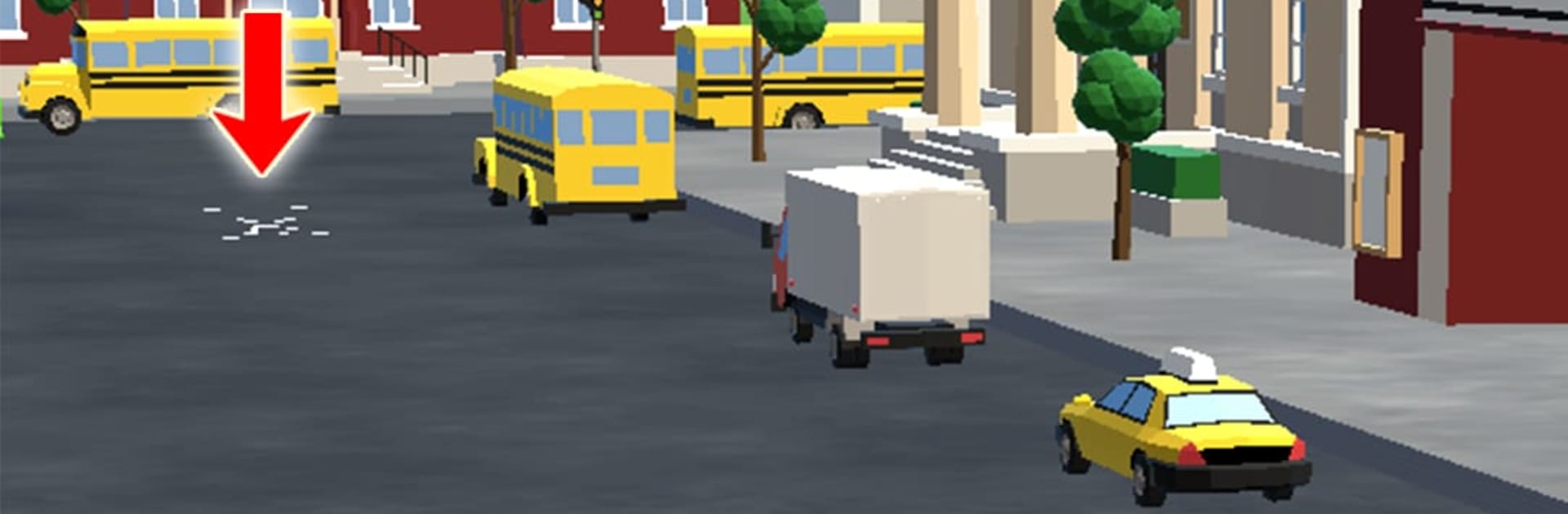
Car Parking: 3D Drift Driving is one of those skill testers that looks simple until it throws a tight corner between two cones and a concrete post. It is a parking sim with a drift flavor, so the cars have a bit of weight and slide if players push too hard, but it still feels clean and responsive. Stages start easy and gradually pile on trickier layouts, different lighting, and tighter gaps. What stands out is the focus on clean driving. Tapping a bumper or nudging a barrier matters, so the game rewards patience, good throttle control, and smart angles. Cameras help with that, including a view that makes mirrors useful, which is rare in mobile racers. Different cars change everything too. A small hatchback whips around with a short turning circle, while a longer ride needs wider entries and careful use of the handbrake.

On PC with BlueStacks, the game feels more precise. Steering on arrow keys or WASD makes feathering speed easier, and mapping a key for the handbrake helps nail those slow drifts into a space. Quick restarts and short stages make it easy to practice a section until it clicks. It is not about speed, it is about control, reading the course, and lining up a clean finish. Players who enjoy shaving off sloppy moves and learning how each car behaves will probably stick with it.

Ready to top the leaderboard? We bet you do. Let precise controls and sharp visuals optimized on BlueStacks lead you to victory.


Game Features

Enhancements

  • Macros
  • Multi Instance
  • Multi Instance Sync
  • Script
  • Enhancements
Macros

Macros

Automate the predictable in Car Parking: 3D Drift Driving and transform your gameplay with Macros. Get access to inventive Macros in the BlueStacks Macro Community
Multi Instance

Multi Instance

Play Car Parking: 3D Drift Driving on one window. And chat with your friend on the other. Press CTRL + Shift + 8 to open the Multi-Instance Manager. And start creating fresh instances or clone an existing one.
Multi Instance Sync

Multi Instance Sync

Play Car Parking: 3D Drift Driving with the power of Multi-Instance Sync. Replicate what you are doing on the main instance on all other instances. Level up faster, play more.
Script

Script

Script your way to gaming glory in Car Parking: 3D Drift Driving with BlueStacks Script. Write and run a set of commands to automate repeated tasks. Trigger the command by assigning it to any key.
Read More

How to Download and Play Car Parking: 3D Drift Driving on PC or Mac

  • Download and install BlueStacks on your PC or Mac

  • Complete Google sign-in to access the Play Store, or do it later

  • Look for Car Parking: 3D Drift Driving in the search bar at the top right corner

  • Click to install Car Parking: 3D Drift Driving from the search results

  • Complete Google sign-in (if you skipped step 2) to install Car Parking: 3D Drift Driving

  • Click the Car Parking: 3D Drift Driving icon on the home screen to start playing

video
Watch Video

Minimum System Requirements

With BlueStacks 5, you can get started on a PC that fulfills the following requirements.

  • Operating System

    Microsoft Windows 7 or above, macOS 11 (Big Sur) or above

  • Processor

    Intel, AMD or Apple Silicon Processor

  • RAM

    at least 4GB

  • HDD

    10GB Free Disk Space

Note:

* You must be an Administrator on your PC. Up to date graphics drivers from Microsoft or the chipset vendor.

Car Parking: 3D Drift Driving - FAQs

  • How to play Car Parking: 3D Drift Driving on Windows PC & Mac?

    Play Car Parking: 3D Drift Driving on your PC or Mac by following these simple steps.

    • Click on 'Play Car Parking: 3D Drift Driving on PC’ to download BlueStacks
    • Install it and log-in to Google Play Store
    • Launch and play the game.
  • Why is BlueStacks the fastest and safest platform to play games on PC?

    BlueStacks respects your privacy and is always safe and secure to use. It does not carry any malware, spyware, or any sort of additional software that could harm your PC.

    It is engineered to optimize speed and performance for a seamless gaming experience.

  • What are Car Parking: 3D Drift Driving PC requirements?

    Minimum requirement to run Car Parking: 3D Drift Driving on your PC

    • OS: Microsoft Windows 7 or above MacOS 11 (Big Sur) or above
    • Processor: Intel, AMD or Apple Silicon Processor
    • RAM: Your PC must have at least 4GB of RAM. (Note that having 4GB or more disk space is not a substitute for RAM)
    • HDD: 10GB Free Disk Space.
    • You must be an Administrator on your PC.