
Cooking Games A Chef's Kitchen

Cooking Games A Chef's Kitchen

Simulation

| Tasty Games Studios

Play on PC with BlueStacks or from our cloud

  • Overview
  • Game Features
  • How to Play

Page Modified On: December 05, 2025

Play Cooking Games A Chef's Kitchen on PC or Mac

Join millions to experience Cooking Games A Chef’s Kitchen, an exciting Simulation game from Tasty Games Studios. With BlueStacks App Player, you are always a step ahead of your opponent, ready to outplay them with faster gameplay and better control with the mouse and keyboard on your PC or Mac.

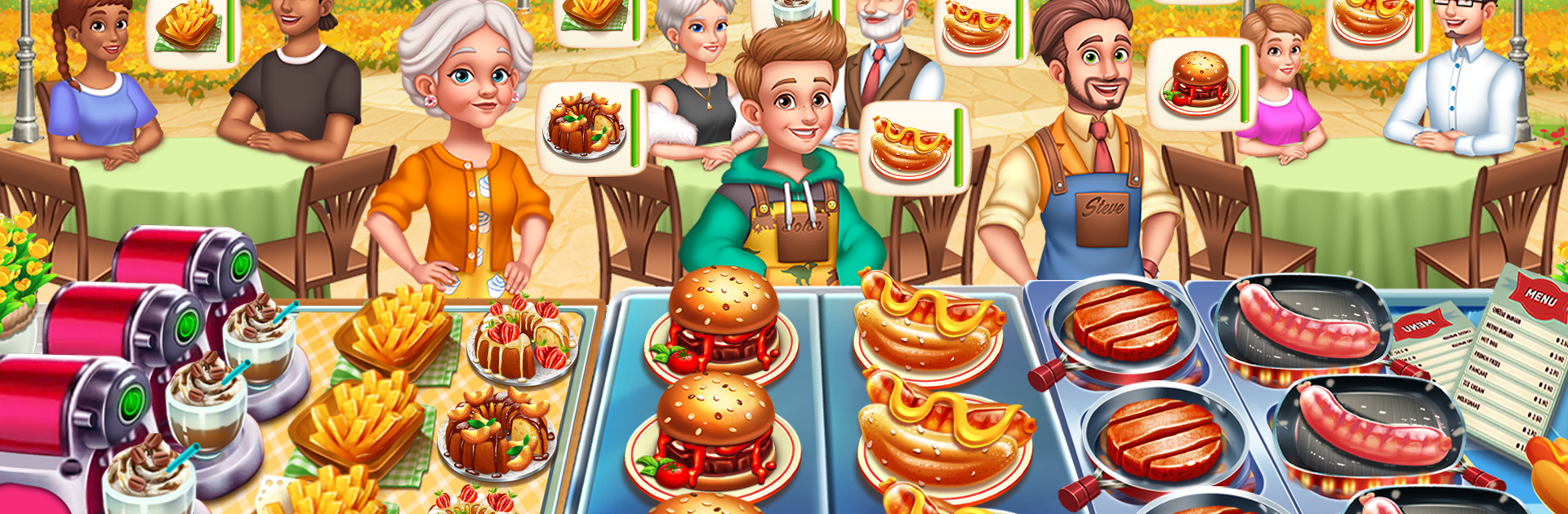
Cooking Games A Chef’s Kitchen feels like running a tiny kitchen during a lunch rush, then hopping a plane to do it again somewhere new. It follows Chef Mike and his family as they help struggling spots turn into places people actually want to eat at. Moment to moment it is classic time management stuff, fast and snappy. Orders pile up, burners get crowded, something is always seconds from burning, and a customer starts tapping their foot if service slips. There is a nice loop of cooking, serving, then upgrading the gear, tweaking the layout, and picking decor so the restaurant does not look sad.

What stands out is how each city switches up the recipes and the rhythm. Paris leans on multi step pastries, Tokyo pushes precise timing, diners ask for stacked plates and sides. New ingredients show up often, so it does not feel like the same burger forever. It starts easy, then the pace climbs in a way that is tense but fair, so a casual player can hang in while someone who wants the challenge can chase perfect runs. Sessions are short, one more round style. On PC with BlueStacks it runs smooth, and using a mouse for those rapid clicks makes the busiest levels less stressful, plus the bigger screen helps track tickets and timers.

Start your journey now. Download the game on BlueStacks, invite your friends, and march on a new adventure.


Game Features

Enhancements

  • Macros
  • Multi Instance
  • Multi Instance Sync
  • Script
  • Enhancements
Macros

Macros

Automate the predictable in Cooking Games A Chef's Kitchen and transform your gameplay with Macros. Get access to inventive Macros in the BlueStacks Macro Community
Multi Instance

Multi Instance

Play Cooking Games A Chef's Kitchen on one window. And chat with your friend on the other. Press CTRL + Shift + 8 to open the Multi-Instance Manager. And start creating fresh instances or clone an existing one.
Multi Instance Sync

Multi Instance Sync

Play Cooking Games A Chef's Kitchen with the power of Multi-Instance Sync. Replicate what you are doing on the main instance on all other instances. Level up faster, play more.
Script

Script

Script your way to gaming glory in Cooking Games A Chef's Kitchen with BlueStacks Script. Write and run a set of commands to automate repeated tasks. Trigger the command by assigning it to any key.
Read More

How to Download and Play Cooking Games A Chef's Kitchen on PC or Mac

  • Download and install BlueStacks on your PC or Mac

  • Complete Google sign-in to access the Play Store, or do it later

  • Look for Cooking Games A Chef's Kitchen in the search bar at the top right corner

  • Click to install Cooking Games A Chef's Kitchen from the search results

  • Complete Google sign-in (if you skipped step 2) to install Cooking Games A Chef's Kitchen

  • Click the Cooking Games A Chef's Kitchen icon on the home screen to start playing

video
Watch Video

Minimum System Requirements

With BlueStacks 5, you can get started on a PC that fulfills the following requirements.

  • Operating System

    Microsoft Windows 7 or above, macOS 11 (Big Sur) or above

  • Processor

    Intel, AMD or Apple Silicon Processor

  • RAM

    at least 4GB

  • HDD

    10GB Free Disk Space

Note:

* You must be an Administrator on your PC. Up to date graphics drivers from Microsoft or the chipset vendor.

Cooking Games A Chef's Kitchen - FAQs

  • How to play Cooking Games A Chef's Kitchen on Windows PC & Mac?

    Play Cooking Games A Chef's Kitchen on your PC or Mac by following these simple steps.

    • Click on 'Play Cooking Games A Chef's Kitchen on PC’ to download BlueStacks
    • Install it and log-in to Google Play Store
    • Launch and play the game.
  • Why is BlueStacks the fastest and safest platform to play games on PC?

    BlueStacks respects your privacy and is always safe and secure to use. It does not carry any malware, spyware, or any sort of additional software that could harm your PC.

    It is engineered to optimize speed and performance for a seamless gaming experience.

  • What are Cooking Games A Chef's Kitchen PC requirements?

    Minimum requirement to run Cooking Games A Chef's Kitchen on your PC

    • OS: Microsoft Windows 7 or above MacOS 11 (Big Sur) or above
    • Processor: Intel, AMD or Apple Silicon Processor
    • RAM: Your PC must have at least 4GB of RAM. (Note that having 4GB or more disk space is not a substitute for RAM)
    • HDD: 10GB Free Disk Space.
    • You must be an Administrator on your PC.







