
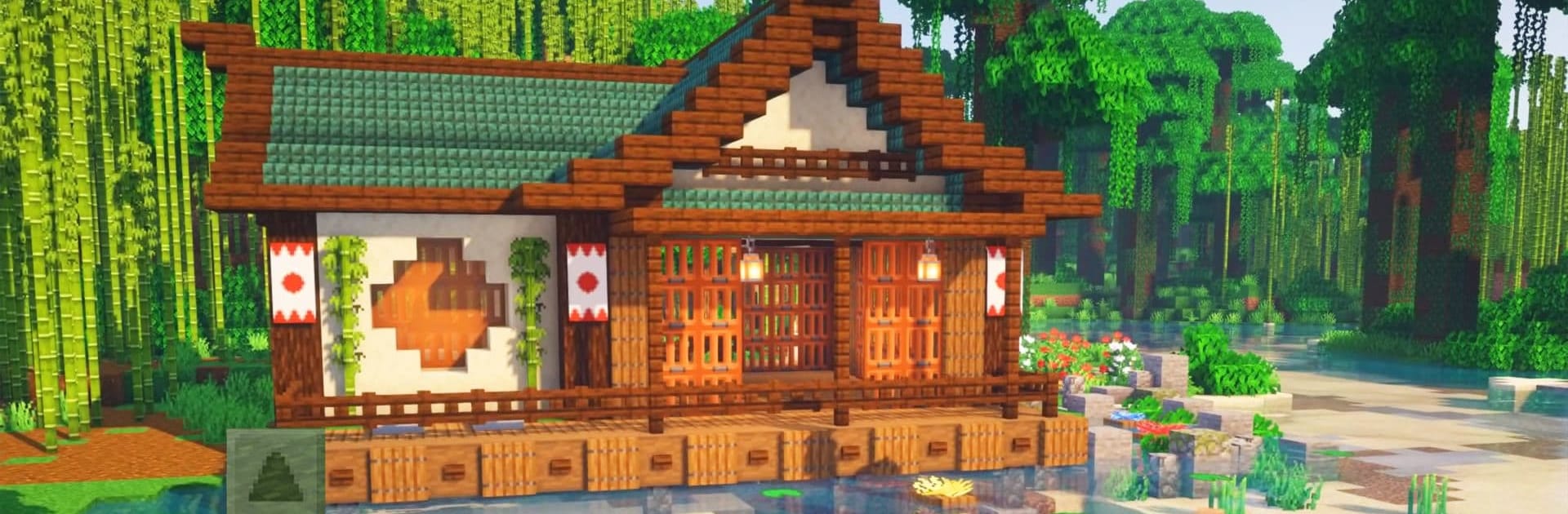
Craft World - Master Block 3D

Craft World - Master Block 3D

Simulation

| Edukids Play Studio

Play on PC with BlueStacks or from our cloud

  • Overview
  • Game Features
  • How to Play

Page Modified On: April 24, 2026

Play Craft World - Master Block 3D on PC or Mac

From the innovators and creators at Edukids Play Studio, Craft World – Master Block 3D is another fun addition to the World of Simulation games. Go beyond your mobile screen and play it bigger and better on your PC or Mac. An immersive experience awaits you.

About the Game

Craft World – Master Block 3D lets you turn big ideas into block-by-block reality. Build a quiet home, sketch out a full-on city, or head underground to see what the world is hiding—your call. From Edukids Play Studio, this Simulation game balances laid-back creation with gritty resource gathering, and it also plays nicely on a bigger screen with BlueStacks if you prefer that setup.

Game Features

  • Open-world building: Roam vast, ever-expanding maps where there’s always another spot to settle, shape, and make your own.
  • Build your city: Start small, then grow into grand projects—cozy cottages, towering castles, even temple-like landmarks.
  • Creative Mode: Get unlimited resources and build without limits. Experiment, redo, and stretch your imagination with zero pressure.
  • Survival Mode: Mine, gather, and manage what you find. Craft tools, weapons, and armor to handle the tougher side of the world.
  • Mining and crafting: Dig deep for valuable materials and turn them into the gear and blocks you need to pull off ambitious designs.
  • Hostile mobs: The world isn’t empty—watch out for dangerous creatures and make sure your base isn’t an easy target.
  • Decorate and personalize: Furnish rooms, add details, and tweak every corner until it feels just right.
  • Grow your skills: Start with simple builds and steadily move into complex layouts and large-scale structures as you get the hang of it.

Get ready for a buttery smooth, high-performance gaming action only on BlueStacks.

Game Features

Enhancements

  • Macros
  • Multi Instance
  • Multi Instance Sync
  • Script
  • Enhancements
Macros

Macros

Automate the predictable in Craft World - Master Block 3D and transform your gameplay with Macros. Get access to inventive Macros in the BlueStacks Macro Community
Multi Instance

Multi Instance

Play Craft World - Master Block 3D on one window. And chat with your friend on the other. Press CTRL + Shift + 8 to open the Multi-Instance Manager. And start creating fresh instances or clone an existing one.
Multi Instance Sync

Multi Instance Sync

Play Craft World - Master Block 3D with the power of Multi-Instance Sync. Replicate what you are doing on the main instance on all other instances. Level up faster, play more.
Script

Script

Script your way to gaming glory in Craft World - Master Block 3D with BlueStacks Script. Write and run a set of commands to automate repeated tasks. Trigger the command by assigning it to any key.
Read More

How to Download and Play Craft World - Master Block 3D on PC or Mac

  • Download and install BlueStacks on your PC or Mac

  • Complete Google sign-in to access the Play Store, or do it later

  • Look for Craft World - Master Block 3D in the search bar at the top right corner

  • Click to install Craft World - Master Block 3D from the search results

  • Complete Google sign-in (if you skipped step 2) to install Craft World - Master Block 3D

  • Click the Craft World - Master Block 3D icon on the home screen to start playing

video
Watch Video

Minimum System Requirements

With BlueStacks 5, you can get started on a PC that fulfills the following requirements.

  • Operating System

    Microsoft Windows 7 or above, macOS 11 (Big Sur) or above

  • Processor

    Intel, AMD or Apple Silicon Processor

  • RAM

    at least 4GB

  • HDD

    10GB Free Disk Space

Note:

* You must be an Administrator on your PC. Up to date graphics drivers from Microsoft or the chipset vendor.

Craft World - Master Block 3D - FAQs

  • How to play Craft World - Master Block 3D on Windows PC & Mac?

    Play Craft World - Master Block 3D on your PC or Mac by following these simple steps.

    • Click on 'Play Craft World - Master Block 3D on PC’ to download BlueStacks
    • Install it and log-in to Google Play Store
    • Launch and play the game.
  • Why is BlueStacks the fastest and safest platform to play games on PC?

    BlueStacks respects your privacy and is always safe and secure to use. It does not carry any malware, spyware, or any sort of additional software that could harm your PC.

    It is engineered to optimize speed and performance for a seamless gaming experience.

  • What are Craft World - Master Block 3D PC requirements?

    Minimum requirement to run Craft World - Master Block 3D on your PC

    • OS: Microsoft Windows 7 or above MacOS 11 (Big Sur) or above
    • Processor: Intel, AMD or Apple Silicon Processor
    • RAM: Your PC must have at least 4GB of RAM. (Note that having 4GB or more disk space is not a substitute for RAM)
    • HDD: 10GB Free Disk Space.
    • You must be an Administrator on your PC.








